Internet 167
Windows Live™ Messenger
With this mobile version of Windows Live™ Messenger, you enjoy many of the
same cool features that you get from the desktop version, which include the
following:
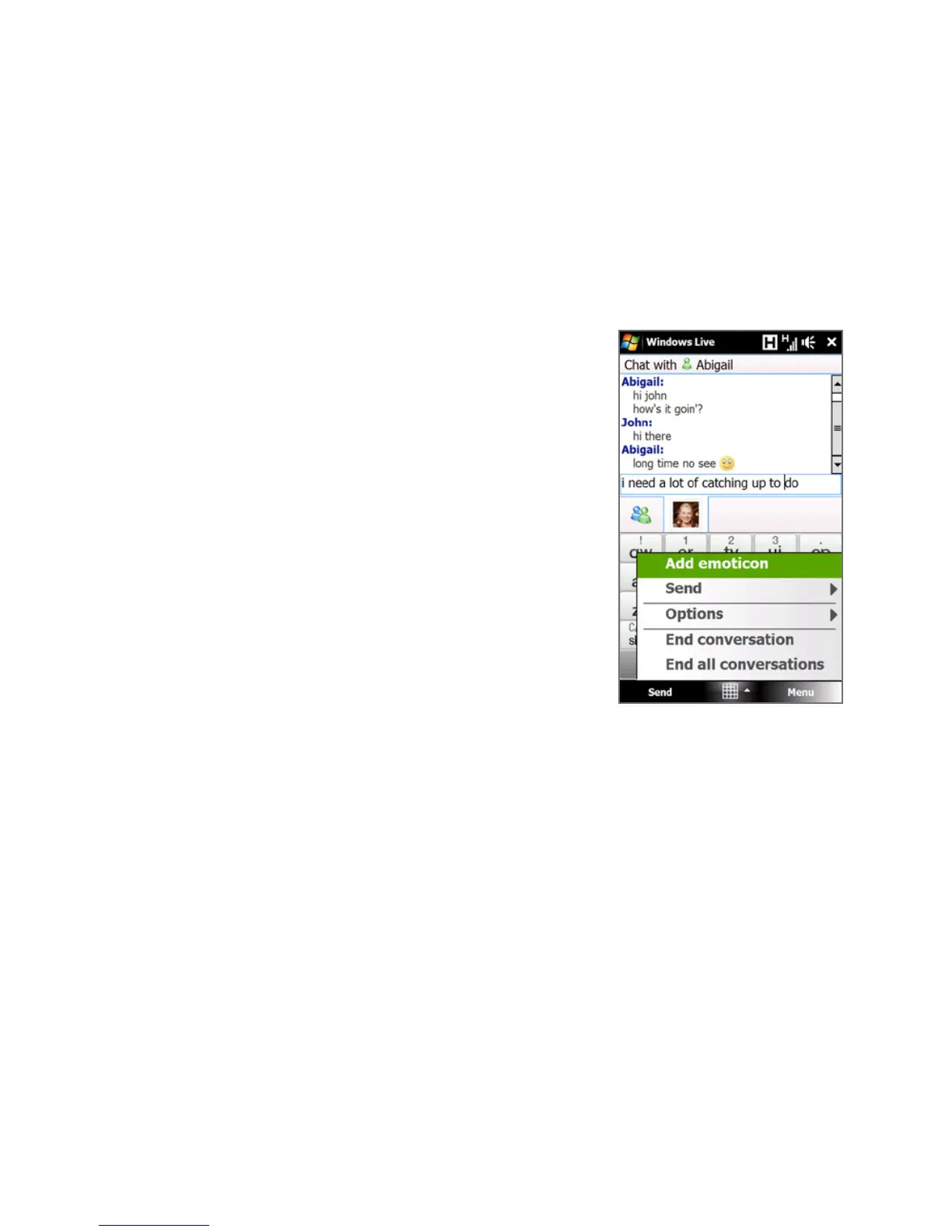
• Instant messaging via text and voice
• Multiple conversations
• Insert emoticons
• Contact list with presence
• Send and receive files including photos
• Change status/display name
• View contacts by online status, groups, and
more
• Send messages even when a contact is
offline
Note Before you can use Windows Live™ Messenger,
your device must be connected to the Internet.
For information about setting up an Internet
connection, see “Ways of Connecting to the
Internet” in this chapter.
Launch Messenger and sign in
To open Windows Live™ Messenger
Do one of the following:
• Tap Start > Programs > Messenger.
• On the Windows Live™ main screen, tap the left or right arrow until you see
Messenger, then tap it.



 To Next Page