Need help?
Do you have a question about the HUANUO HNWSS1 and is the answer not in the manual?
Crucial safety guidelines covering product usage, material compatibility, and weight limits.
Details the maximum weight capacity for monitor compatibility.
Guide to checking monitor VESA hole pattern for proper fit.
Specifies approved wall types and warnings against drywall-only installation.
Lists tools required for installation that are not included with the mount.
Lists all parts and hardware provided in the package for assembly.
Guide to selecting the correct VESA hole pattern combination for your monitor.
Instructions for attaching the extender brackets to the faceplate.
Guide to selecting the appropriate monitor bolts based on thread engagement.
Details on attaching the plate to flat, round, or bumped monitor backs.
Step-by-step guide for securely mounting the arm assembly to wood studs.
Step-by-step guide for securely mounting the arm assembly to concrete.
Instructions for safely hanging the monitor onto the mounted arm.
Guide to adjusting the arm's tension for smooth vertical movement.
Instructions for adjusting the monitor's tilt angle.
Instructions for organizing and routing cables along the arm.
Overview of swivel, rotate, and tilt adjustments for monitor positioning.
 General
| Color | Black |
|---|---|
| Adjustable Height | Yes |
| Rotation Adjustment | No |
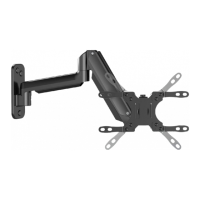
| Material | Steel, Aluminum |
| Max Screen Size | 32 inches |
| VESA Compatibility | 100x100mm |

 To Next Page