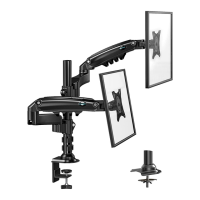
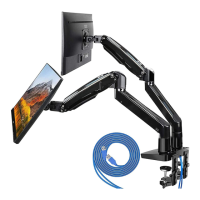
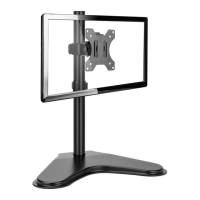
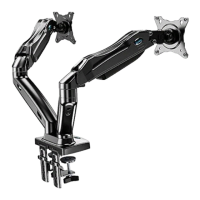
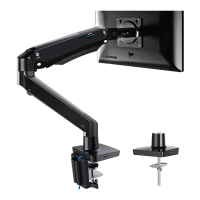
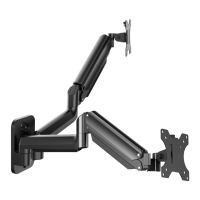
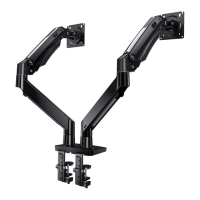
This document is an instruction manual for the HUANUO Desk Monitor Arm, models HNTS3S, HNTS3B, and HNTS3W, Rev01(A).
The HUANUO Desk Monitor Arm is designed to hold multiple monitors, providing adjustable positioning for an ergonomic workspace. It features gas spring arms for smooth and effortless adjustments.
Function Description:
The monitor arm allows users to mount up to three monitors to a desk, freeing up desk space and enabling flexible screen positioning. It supports various movements including tilt, swivel, rotation, and height adjustment, catering to individual ergonomic needs and preferences. The gas spring mechanism facilitates easy movement of the monitors, ensuring they stay in the desired position once set. Cable management features are integrated to keep the workspace tidy.
- Users must read all instructions carefully before installation.
- Technical support is available via phone (US/CA: 1-800-556-0533, UK: 44-808-196-3874) or email (support@huanuoav.com) for any questions or concerns.
- CAUTION: Potential injuries and property damage can be avoided by following instructions.
- The product should not be used for purposes not explicitly specified in the manual.
- Weight capacity must not be exceeded to prevent damage or injury.
- The manufacturer is not liable for damage or injury due to improper mounting, incorrect assembly, or inappropriate use.
- The gas spring arms are under high pressure and should not be punctured or exposed to fire/flame. If defective, contact technical support.
- This product is not suitable for desks made of particle board or other soft woods.
- The manual may not cover all possible installation conditions or variables.
Important Technical Specifications:
Weight Restrictions:
- Maximum weight per monitor: 18 lbs (8 kg).
- If a monitor weighs more than 18 lbs (8 kg), the mount is NOT compatible.
- The installer is responsible for verifying the total weight of the monitor and any attached accessories.
- WARNING: Exceeding the maximum weight limit can lead to mount failure, potential damage, and/or injury.
VESA Pattern Compatibility:
- Minimum VESA pattern: 75mm x 75mm / 3" x 3" (W x H).
- Maximum VESA pattern: 100mm x 100mm / 3.9" x 3.9" (W x H).
- If the monitor's VESA pattern is smaller than 75mm x 75mm / 3" x 3" or greater than 100mm x 100mm / 3.9" x 3.9", the mount is NOT COMPATIBLE. Contact technical support for a compatible product.
Usage Features:
Adjustability:
- Rotation: 360° (for monitor orientation from landscape to portrait).
- Swivel: 180° (at the monitor plate).
- Tilt: +85° / -90° (at the monitor plate).
- Arm Swivel: +20° / -20° (at the arm joint).
- Height Adjustment: Up to 26.18" (665mm) from the desk surface.
Mounting Options:
- C-Clamp Mounting:
- For table edge thickness: 0.39 – 3.15" (10 – 80mm).
- Reinstallation of the C-Clamp is required for desk thicknesses between 0.39 – 2.56" (10 – 65mm).
- Grommet Mounting:
- For grommet bolt thickness: 0.39 – 2.36" (10 – 60mm).
- Requires a drilled hole, leaving at least 2" (50mm) from the desktop edge.
- Recommended drill bit size: 7/16–7/8" (11–22mm).
Monitor Size Compatibility:
- For monitors 24" or smaller, compression arms attach directly to extension arms.
- For monitors larger than 24", an additional pair of extension arms is used between compression arms and existing extension arms.
Tension Adjustment:
- Tension adjustment should ONLY be performed AFTER the monitor is installed.
- DO NOT adjust tension without a monitor attached.
- Verify monitor weight is less than 18 lbs (8 kg).
- Ensure the monitor is securely attached to the mount.
- WARNING: Gas Spring Arm is under pressure and should be handled with care. Failure to follow instructions may result in damage or personal injury.
- To adjust tension, carefully press down on the compression arm until it is level with the desk. This allows access to the adjustment screw.
- CAUTION: Always keep the arm in a horizontal position when making adjustments to avoid damage.
- If the arm rises, turn the adjustment screw clockwise until it stays horizontal.
- If the arm drops, turn the adjustment screw counter-clockwise until it stays horizontal.
Rotation Restriction (Stability):
- Monitors and arms must remain over the desktop to ensure proper stability.
- Do not position monitors behind the base.
- Failure to follow this can cause instability, property damage, or injury.
Maintenance Features:
Cable Management:
- Integrated cable management covers [X] on the compression arms and preassembled covers on the extension arms [W] help route and conceal cables, maintaining a clean and organized workspace.
- Cable clips [F] attach to the pole for additional cable routing.
- The Allen keys (1/8" (3mm) [H], 3/16" (5mm) [J], 5/32" (4mm) [I]) can be stored in the cable clip for easy access.
Adjustments for Longevity:
- Regularly check and tighten bolts for tilt and swivel adjustments to maintain desired monitor positions and prevent loosening over time.
- WARNING: Do not overtighten or overloosen bolts to avoid damage.
- For rotation, ensure bolts are secured firmly before rotating the monitor.
Assembly Steps Overview:
- Install the Base (C-Clamp or Grommet Mounting).
- Secure the Arm Assembly to the Pole Assembly.
- Attach the Monitor Plates to the Monitors (selecting appropriate bolts for flat or curved monitors).
- Attach the Monitors to the Mount (may require assistance due to weight).
- Rotation Restriction (ensure monitors stay over the desktop).
- Adjust the Gas Spring Tension (only after monitors are installed).
- Tilt and Swivel Adjustment.
- Rotation Adjustment.
- Route Cables Along the Arm.
Supplied Parts and Hardware:
The manual lists all supplied parts and hardware for each step, including various bolts, washers, spacers, monitor plates, arm components, and Allen keys. Spare set screws [N] are provided for the arms.
- Tape Measure
- Drill (Optional)
- Drill Bit (7/16-7/8" or 11-22mm) (Optional)
- Phillips Screwdriver (Optional)
The HUANUO Desk Monitor Arm is designed for users seeking a robust and highly adjustable solution for multi-monitor setups, emphasizing ergonomic benefits and a clutter-free desk environment.

 Need help?
 General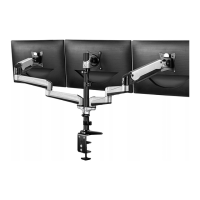

 To Next Page