EasyManua.ls Logo

HUANUO HNTS4 - User Manual

HUANUO HNTS4
8 pages
Print Icon
To Next Page IconTo Next Page
Loading...
Thank you for choosing this Huanuo product! At Huanuo
we strive to provide you with the best quality products
and services in the industry. Please share your experience
of our product with others on www.huanuoav.com/reviews
if you are satisfied. Should you have any issues, please
don't hesitate to contact us.
Telephone:
1-800-556-0533 Mon-Fri 10am - 5pm (PST) (USA) (CAN)
Email: support@huanuoav.com (US/CA)
Website:
www.huanuoav.com
V1.0
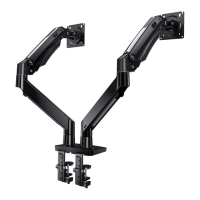
Gas Spring Aluminum Monitor Desk
Instruction Manual
Model: HNTS4
Question and Answer IconNeed help?

Do you have a question about the HUANUO HNTS4 and is the answer not in the manual?

Summary

Important Safety Information

General Safety Precautions

Read instructions carefully, avoid misuse, and be aware of high-pressure gas spring.

Weight and Load Capacity Warnings

Do not exceed monitor/laptop weight limits; desk must support 3x total load.

VESA Mount Compatibility Check

Supplied Parts and Hardware

Tools Required (Not Included)

Step 1: Install the Base (Clamp Mounting)

Measure and Adjust Desktop Thickness

Determine desktop thickness and adjust the clamp base accordingly for a secure fit.

Connect Pole and Secure Base Assembly

Attach the pole to the base and firmly secure the entire assembly to the desktop.

Step 1: Install the Base (Grommet Mounting)

Detach Base and Prepare Components

Detach the base, connect the pole to the desktop foot, and prepare rubber pad and bolts.

Assemble and Secure Pole to Desktop

Install base plate, rubber pad, pole assembly, and secure to desktop using Allen key.

Step 2: Attach VESA Plates to Monitors

For Flat Screen Monitors

Instructions for attaching VESA plates to flat screen monitors, warning against over-tightening.

For Curved Monitors

Instructions for attaching VESA plates to curved monitors.

Step 3: Secure Arm Assembly to Pole

Install Locating Rings and Extension Arms

Sequence installation of locating rings, extension arms, and supporting part onto the pole.

Attach Compression Arms and Laptop Tray

Connect compression arms to extension arms and attach the monitor/laptop tray.

Step 5: Adjustments

Gas Spring Adjustment

Adjust gas spring tension clockwise for lighter monitors, counter-clockwise for heavier ones.

Tilt and Swivel Adjustments

Adjust tilt and swivel angles using the Allen key, avoiding over-tightening for swivel.

Step 6: Route the Cables

HUANUO HNTS4 Specifications

General IconGeneral
MaterialMetal
ColorBlack
Number of Shelves1
RotationNo
AdjustabilityHeight Adjustable

Related product manuals