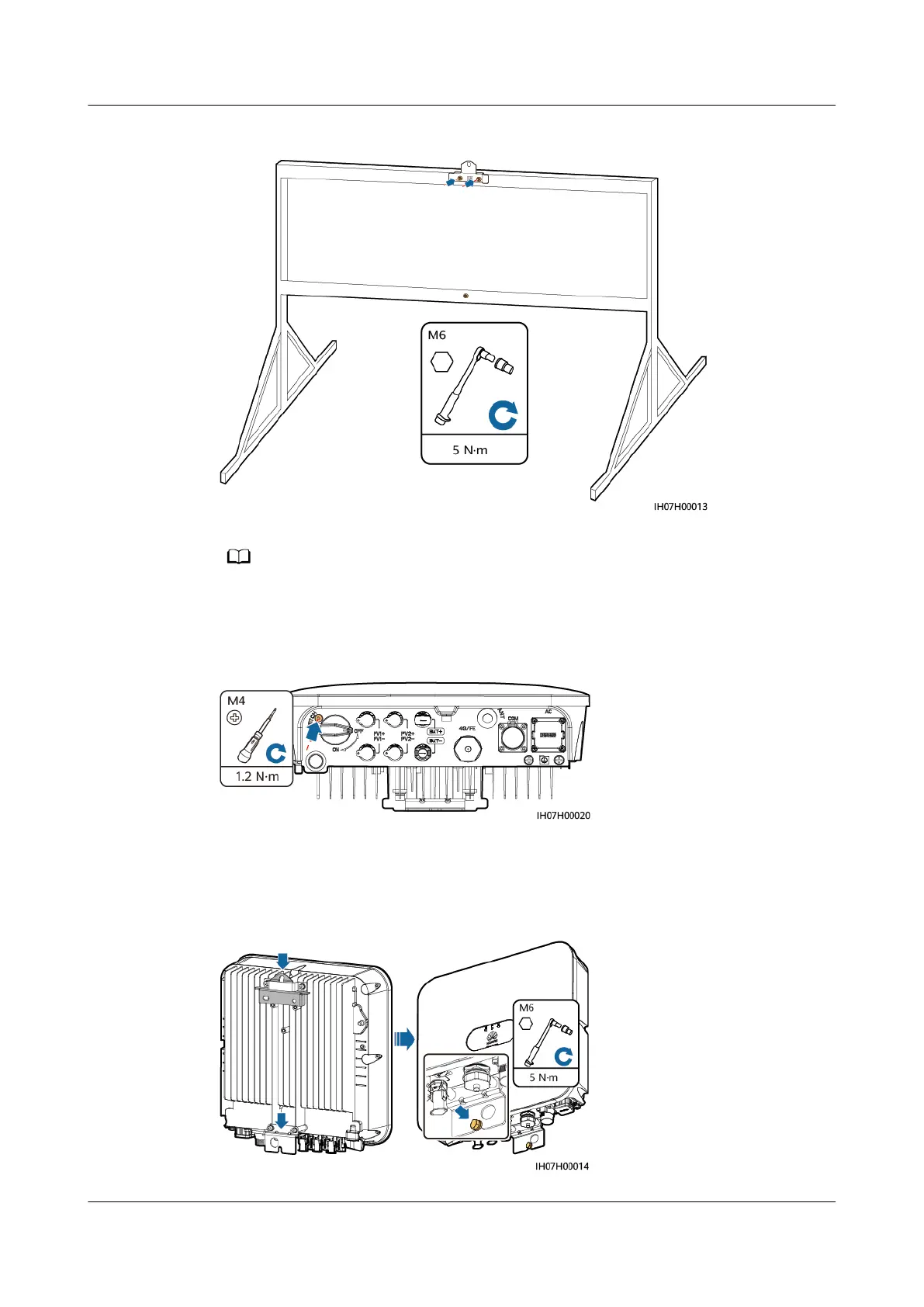
Figure 4-15 Secure the mounting bracket
Prepare bolt assemblies based on the hole diameter of the mounting bracket.
Step 4 (Optional) Install the locking screw for the DC switch.
Figure 4-16 Installing a locking screw for the DC switch
Step 5 Install the SUN2000 on the mounting bracket.
Step 6 Tighten the bolt assemblies.
Figure 4-17 Tightening bolt assemblies
SUN2000-(2KTL-6KTL)-L1
User Manual 4 System Installation
Issue 10 (2023-02-13) Copyright © Huawei Technologies Co., Ltd. 35







 To Next Page