Adding a Battery
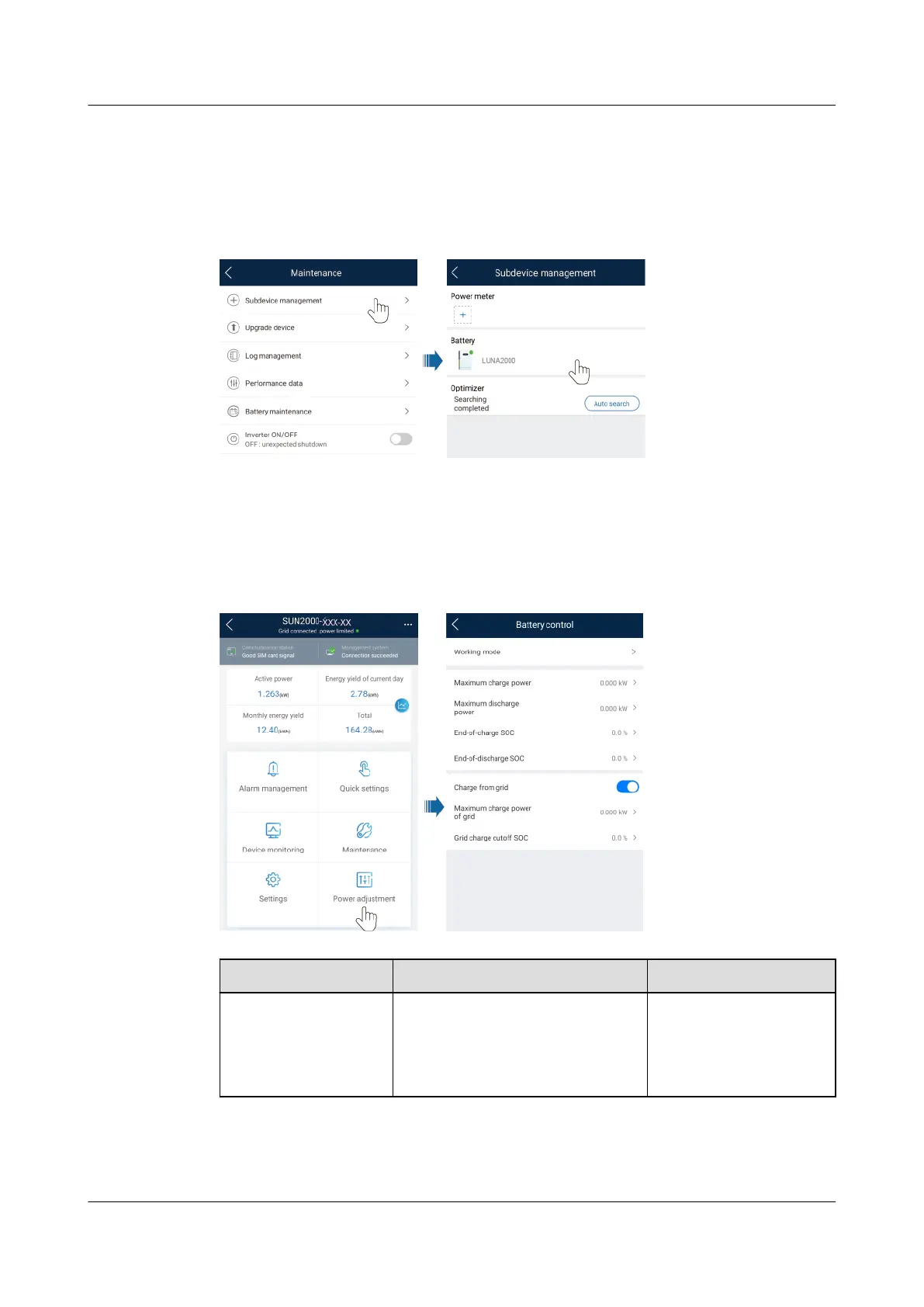
To add a battery, choose Maintenance > Subdevice management on the home
screen.
Figure 7-12 Adding a battery
Parameters Settings
On the home screen, choose Power adjustment > Battery control, and set the
battery parameters and working mode.
Figure 7-13 Battery control parameter setting
Parameter
Description Value Range
Working mode For details, see the description
on the App screen.
● Maximum self-
consumption
● Time-of-use
● Fully fed to grid
SUN2000-(2KTL-6KTL)-L1
User Manual 7 Man-Machine Interaction
Issue 10 (2023-02-13) Copyright © Huawei Technologies Co., Ltd. 80



 To Next Page