13
If you are not connected to the network, access http://192.168.1.1 to check the device
status.
If you cannot access http://192.168.1.1, disconnect other network connections, such as an
Ethernet or Wireless Fidelity (Wi-Fi) connection, remove and then insert the LTE Mobile WiFi
Smart, or restart the computer.
Disconnecting from a Network
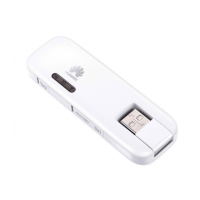
Remove the LTE Mobile WiFi Smart from your computer.
Note:
By default, the LTE Mobile WiFi Smart automatically disconnects from the network if no data
is transferred within 10 minutes.
If you do not need to connect to the network, it is recommended that you remove the LTE
Mobile WiFi Smart from your computer to reduce data traffic.
Disconnect the LTE Mobile WiFi Smart's dial-up connection or power it off through its web
management page or the Mobile Control application. Before you remove the LTE Mobile
WiFi Smart, make sure that the dial-up connection has been disconnected.


 To Next Page