14
Setting Up a Wi-Fi Connection
1. Ensure that the LTE Mobile WiFi Smart's Wi-Fi function is available.
2. To set up a computer with the LTE Mobile WiFi Smart, choose Start > Control Panel >
Network Connections > Wireless Network Connection.
Note: To set up a Wi-Fi connection, your computer must have a wireless network adapter
installed. If Wireless Network Connection is displayed, a wireless network adapter is available.
Otherwise, check to make sure you have a wireless network adapter installed.
3. Click View available wireless networks to view the wireless network connection list.
4. Select the wireless network connection whose service set identification (SSID) is the same as
that of the LTE Mobile WiFi Smart, and click Connect.
Note:
If a security mechanism is enabled for the wireless network connection, enter the correct
network key.
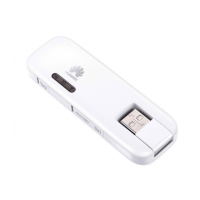
The SSID and the network key are printed on the LTE Mobile WiFi Smart, as shown in the
following figure.


 To Next Page