8
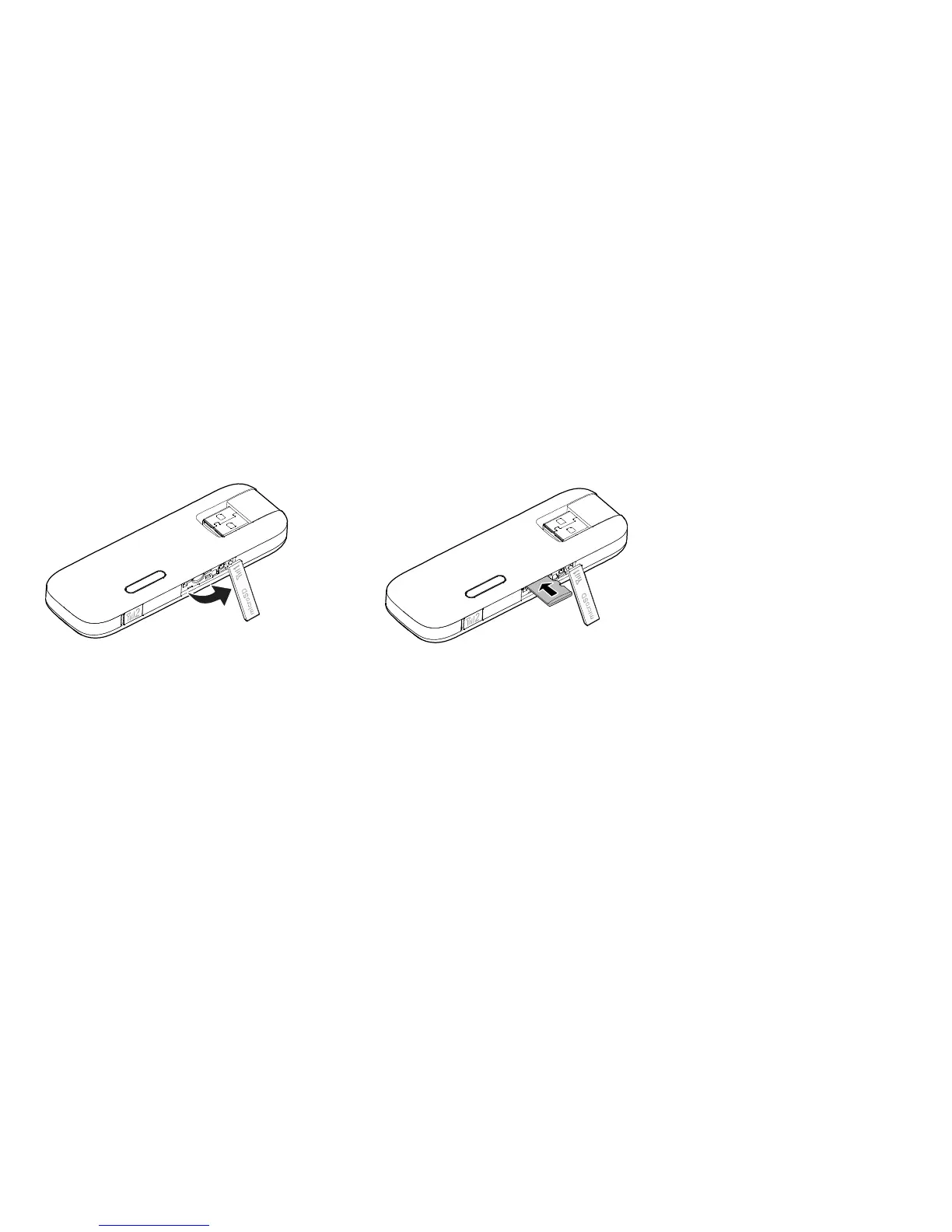
Inserting the microSD Card
Insert the microSD card into the USB Stick, as shown in the following figure.
Note:
The microSD card is an optional accessory. If it is not provided in the package, you can
buy one yourself.
Ensure that the beveled edge of the SIM card is properly aligned with that of the SIM card
slot and the microSD card is inserted according to the direction as labeled on the microSD
card slot.


 To Next Page