Receiving a Group Call
An EP820 in standby state or listening to a group automatically receives calls in a subscribed
group. When receiving a group call, the EP820's home screen displays group and speaker
information.
If EP820 receives a temporary group call, the screen displays temporary group.
Making a Call in Emergency Mode
If you have subscribed to a emergency mode group, hold down the Emergency mode call
key (on top of the EP820 body) to initiate a call in emergency mode.
If Hot Mic is enabled when you make a call in emergency mode, you can speak without
pressing the PTT call button
The home screen of an EP820 in a call in emergency mode has a red background.
NOTE
l If you have not subscribed to any emergency mode group, your EP820 will indicate that no
emergency mode group is available on the screen when you attempt to initiate a call in emergency
mode.
l The Hot Mic is enabled by default.
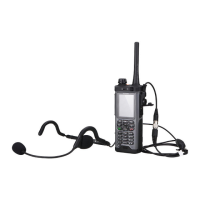
l If the Hot Mic is enabled but a portable microphone/PTT headphone is connected, you must press
the PTT call button in the portable microphone/PTT headphone to make a call in emergency mode.
l When a terminal is in emergency mode, the terminal automatically sends an emergency status
message to the dispatching console.
Release a call in emergency mode using either of the following methods:
l To release a group call in emergency mode, press PTT call button to stop the Hot Mic
function. The call ends automatically.
l To release a P2P call in emergency mode, touch the End key on the home screen.
Receiving a Call in Broadcast Mode
Only a dispatcher operator can initiate a call in broadcast mode. When receiving a call in
broadcast mode, an EP820 displays the call information.
5.4.3 P2P Voice Call
This section describes operations related to P2P calls performed on an EP820.
Procedure
l Receiving a P2P Voice Call
a. When a P2P voice call is incoming, the home screen of an EP820 displays call
initiator information. Press
or slide to receive the P2P voice
call.
b. After a call is connected, you can set the following parameters:
n Mute, loudspeaker
c. After a P2P voice call is complete, tap the End key on the home screen to terminate
the call.
EP820
User Guide
5 Operation and Maintenance
Issue 05 (2016-06-20) Huawei Proprietary and Confidential
Copyright © Huawei Technologies Co., Ltd.
27









 To Next Page