l Making a P2P Voice Call
a. Making a P2P Voice Call using one of the following methods:
n Enter a call number on the Dialer and then press or tap
on the home screen to initiate a P2P voice call.
n Tap Call log and select a P2P voice call record for redialing.
n Tap Call log, select a call record, and then tap
on the home screen.
n Tap Contacts. Select a contact number to view the details and initiate a P2P
voice call.
b. After the P2P voice call is connected, you can set the call-related parameters. For
details, see Receiving a P2P Voice Call.
c. After a P2P voice call is complete, tap the End key on the home screen to terminate
the call.
----End
5.4.4 Direct Mode Operation
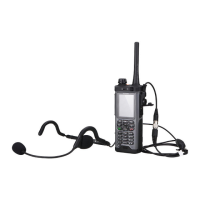
This section describes operations related to DMO calls performed on an EP820 which in
direct mode.
DMO Settings
The following are DMO settings:
1. On the home screen of the EP820, tap
to enter Group management.
2. (Optional) Select the group. Groups cannot be edited or viewed.
– Slide the screen or tap the left/right arrow for a zone switchover.
– Tap the group you need to join.
3. If there is no group, tap the default frequency to configure it.
– Analog <> Digital: Analog DMO or digital DMO. Tap to switch between analog
DMO and digital DMO. If Digital is selected, Frequency difference and CTCSS
tone are unavailable.
– Reference frequency: 400.0125 MHz to 469.9875 MHz
– Frequency difference: -40 MHz to 40 MHz. The default value 0 indicates that the
relay function is disabled.
– CTCSS tone: 0 to 38
4. Tap Save to save the settings.
Setting the Squelch Level
1. On the home screen of the EP820, tap
to enter Group management.
EP820
User Guide
5 Operation and Maintenance
Issue 05 (2016-06-20) Huawei Proprietary and Confidential
Copyright © Huawei Technologies Co., Ltd.
28









 To Next Page