EasyManua.ls Logo

Huawei FIT Series - User Manual

Huawei FIT Series
23 pages
Print Icon
To Next Page IconTo Next Page
Loading...
Contents
Getting Started
Buttons and screen control
1
Pairing with an EMUI/Android phone
2
Pairing with an iPhone
3
Managing watch faces
3
Setting custom cards
4
Setting Do Not Disturb
4
Exercise
Starting an individual workout
6
Viewing workout records
6
Viewing the RAI
7
Viewing daily activity data
7
Health Management
Monitoring your sleep
8
Measuring SpO2
9
Measuring your heart rate
9
Stress tests
11
Breathing exercises
12
Assistant
Setting style watch faces
13
Settings alarms
13
Remote shutter
14
Controlling music playback
14
Managing messages
14
Torch
15
Finding your phone
15
Receiving weather reports
16
More
Charging
17
Setting the AOD watch face
19
Setting the Standby watch face
19
Conguring Gallery watch faces
20
Water-resistant and dust-resistant level denition and usage
scenario description of wearable devices
20
i
Question and Answer IconNeed help?

Do you have a question about the Huawei FIT Series and is the answer not in the manual?

Summary

Getting Started

Buttons and screen control

Explains how to use the device's buttons and touchscreen for navigation and operations.

Pairing with an EMUI;Android phone

Step-by-step guide to connect the wearable device to an EMUI or Android phone.

Pairing with an iPhone

Instructions for pairing the wearable device with an iPhone using the Health app.

Exercise

Starting an individual workout

Instructions on how to initiate and manage individual workout sessions on the device and app.

Health Management

Monitoring your sleep

How the device automatically tracks sleep stages and provides sleep analysis.

Enabling;Disabling HUAWEI TruSleep

Steps to manage the TruSleep feature for accurate sleep tracking and analysis.

Measuring SpO2

Guide for taking single SpO2 measurements and enabling automatic monitoring.

Measuring your heart rate

Instructions for measuring heart rate accurately, including continuous monitoring.

More

Charging

Instructions on how to connect the device to the charging cradle and power supply.

Water and Dust Resistance Levels & Scenarios

Explains the device's water and dust resistance ratings and their limitations.

Summary

Getting Started

Buttons and screen control

Explains how to use the device's buttons and touchscreen for navigation and operations.

Pairing with an EMUI;Android phone

Step-by-step guide to connect the wearable device to an EMUI or Android phone.

Pairing with an iPhone

Instructions for pairing the wearable device with an iPhone using the Health app.

Exercise

Starting an individual workout

Instructions on how to initiate and manage individual workout sessions on the device and app.

Health Management

Monitoring your sleep

How the device automatically tracks sleep stages and provides sleep analysis.

Enabling;Disabling HUAWEI TruSleep

Steps to manage the TruSleep feature for accurate sleep tracking and analysis.

Measuring SpO2

Guide for taking single SpO2 measurements and enabling automatic monitoring.

Measuring your heart rate

Instructions for measuring heart rate accurately, including continuous monitoring.

More

Charging

Instructions on how to connect the device to the charging cradle and power supply.

Water and Dust Resistance Levels & Scenarios

Explains the device's water and dust resistance ratings and their limitations.

Overview

This document describes a wearable device, likely a smartwatch or fitness tracker, with a focus on its features, usage, and maintenance.

Function Description

The device is designed for various functions, including:
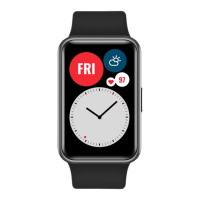
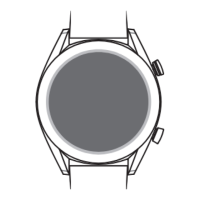
  • Basic Operation: It features a touchscreen for full-screen touch operations (swiping, touching, holding) and a side button for screen control, app list access, and returning to the watch face. It can be powered on, powered off, and restarted.
  • Connectivity: The device pairs with both EMUI/Android phones and iPhones via the Huawei Health app. This app is crucial for setup, data synchronization, and accessing advanced features.
  • Customization: Users can manage and change watch faces, including setting custom cards for displaying information like sleep, stress, and heart rate. Style watch faces can be created based on outfit photos (HUAWEI WATCH FIT Special Edition only, not supported on iPhones). Gallery watch faces allow users to upload images as watch backgrounds. The device also supports Always On Display (AOD) and Standby watch faces, with specific models supporting each.
  • Exercise Tracking: It can initiate and track individual workouts, displaying data such as duration, calories burnt, heart rate graphs, and heart rate zones. Workout records can be viewed on the device and in the Huawei Health app. The Running Ability Index (RAI) is available on the HUAWEI WATCH FIT Special Edition for comprehensive runner performance tracking.
  • Health Management:
    • Sleep Monitoring: Automatically records sleep duration and identifies deep sleep, light sleep, or awake states. Sleep mode settings are available on the HUAWEI WATCH FIT Special Edition. HUAWEI TruSleep™ provides detailed sleep quality analysis.
    • SpO2 Measurement: Measures blood oxygen saturation, with options for single and automatic measurements. Low SpO2 alerts can be configured.
    • Heart Rate Monitoring: Offers individual and continuous heart rate measurement, including resting heart rate. High and low heart rate alerts can be set for daily monitoring and during workouts.
    • Stress Tests: Conducts single and periodic stress tests, providing stress level data and advice.
    • Breathing Exercises: Guides users through breathing exercises with customizable duration and rhythm, displaying heart rate data before and after.
  • Assistant Features:
    • Alarms: Allows setting alarms on the device or through the Huawei Health app, with options for repetition.
    • Remote Shutter: Functions as a remote control for a phone's camera (HUAWEI WATCH FIT Special Edition and other models, with specific OS requirements).
    • Music Playback Control: Controls music playback on a connected phone (pause, resume, skip, volume).
    • Message Management: Syncs phone notifications to the device, allows viewing unread messages, and supports quick replies to SMS messages (HUAWEI WATCH FIT Special Edition only, not supported on iPhones).
    • Torch: Turns the device screen into a flashlight.
    • Find My Phone: Helps locate a connected phone by playing a ringtone.
    • Weather Reports: Displays weather information, which can be manually refreshed or updated regularly.

Important Technical Specifications

  • Connectivity: Bluetooth for phone pairing.
  • Operating System Compatibility: Huawei Health app required for EMUI/Android phones and iPhones. Specific features like Remote Shutter have minimum OS requirements (e.g., EMUI 8.1+, iOS 13.0+).
  • Water Resistance: The device boasts a 5 ATM water-resistant rating (ISO22810:2010 standard), meaning it can withstand up to 50-meter static water pressure for 10 minutes. This makes it suitable for shallow water activities like swimming. However, water resistance is not permanent and can deteriorate over time. It is not suitable for dives, high-pressure rinsing, hot showers, or high-temperature/humidity environments. Leather and metal straps are not water-resistant.
  • Dust Resistance: Complies with IEC 60529:2013 standard (level 6), indicating it is dust-resistant and prevents dust from entering.
  • Battery: Has a limited number of charge cycles. Battery life can be extended by charging every two to three months if unused for a long time. Low battery alerts are provided.

Usage Features

  • Intuitive Interface: Touchscreen and side button for easy navigation.
  • Personalized Experience: Customizable watch faces and custom cards allow users to tailor the device to their preferences and needs.
  • Health Monitoring: Continuous and on-demand monitoring of key health metrics (sleep, SpO2, heart rate, stress) provides users with insights into their well-being.
  • Workout Guidance: Detailed workout data and heart rate zone information help users optimize their training.
  • Convenience: Features like remote shutter, music control, and message notifications enhance daily convenience.
  • Safety Alerts: High/low heart rate alerts and low SpO2 alerts provide important health notifications.
  • Power Saving: AOD and Standby watch faces can impact battery life, and the device intelligently turns off the Standby watch face when not worn or during sleep.

Maintenance Features

  • Charging: Connects to a charging cradle with metal contacts. The charging cradle is not water-resistant and should be kept dry and clean.
  • Battery Care: Recommendations for charging frequency when the device is unused to extend battery lifespan.
  • Water Resistance Care: Avoid dropping the device, dismantling it, exposing it to alkaline substances, perfumes, solvents, detergents, acidic substances, pesticides, emulsions, sunscreens, moisturizers, or hair dye. Do not press buttons underwater or charge when wet.
  • Cleaning: The charging cradle should be kept clean, and metal objects should not connect its contacts.
  • Service: For noticeable battery life reduction, replacement at an authorized Huawei Customer Service Centre is recommended.
  • Product Manual: Users are advised to refer to the official Huawei website or Quick Start Guide for proper product usage and warranty information. Damage from improper use is not covered by warranty.

Huawei FIT Series Specifications

General IconGeneral
BrandHuawei
ModelFIT Series
CategoryWatch
LanguageEnglish

Related product manuals