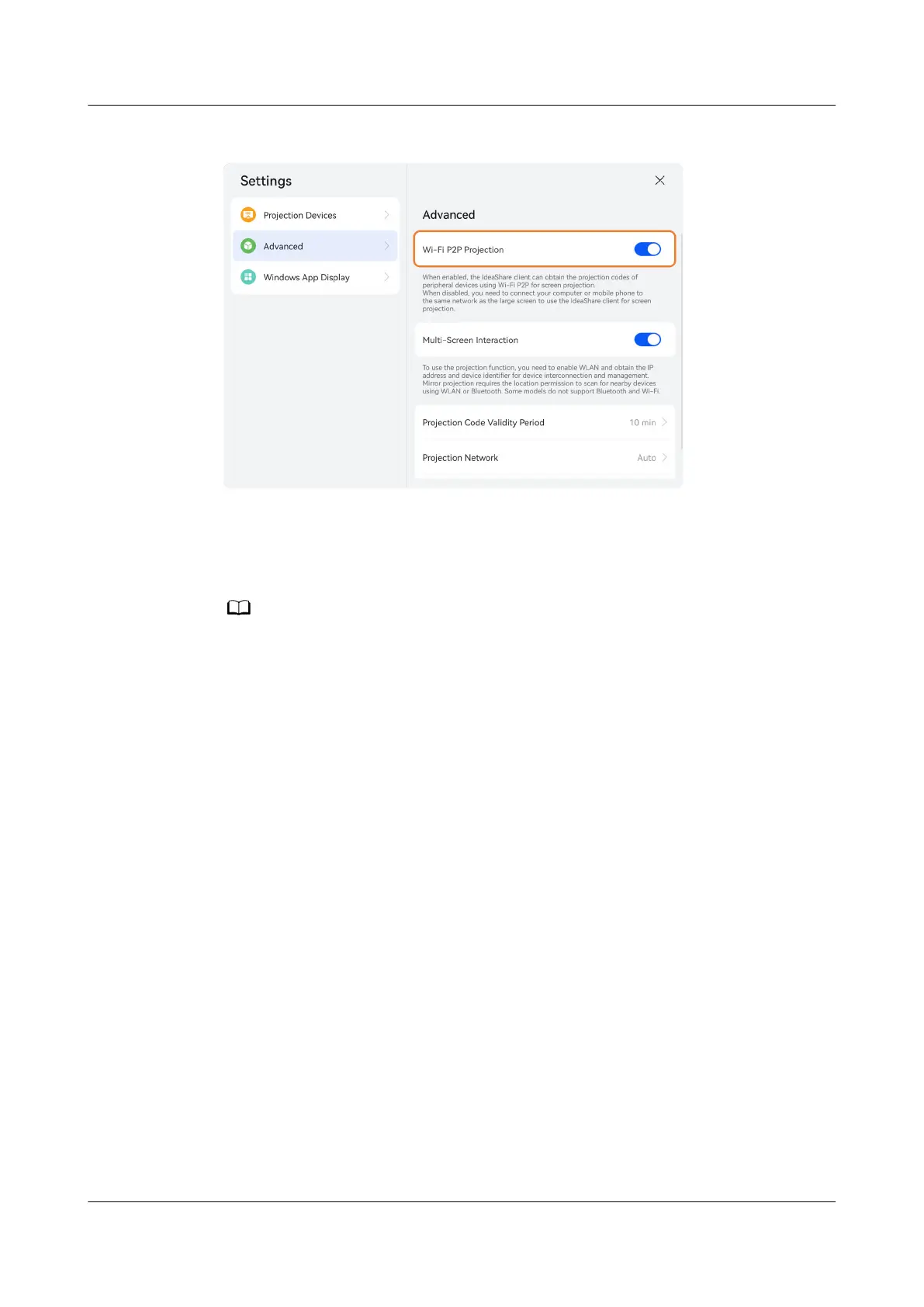
Figure 3-5 Advanced projection settings
Step 3 On the computer client or phone client, enter the projection code in the upper
right corner of the endpoint, as shown in Figure 3-6. When projection code
suggestions are displayed under the text box, tap one suggested projection code
to connect to the large screen.
● For the rst connection, you need to conrm the connection on the endpoint.
● If no projection code suggestion is displayed on the computer client, your device does
not support this function. In this case, connect your computer to the same network as
the endpoint and then start projection. For details, see 2
Conguration Operations.
IdeaShare
User Guide 3 Projection Function
Issue 01 (2023-03-30) Copyright © Huawei Technologies Co., Ltd. 10



 To Next Page