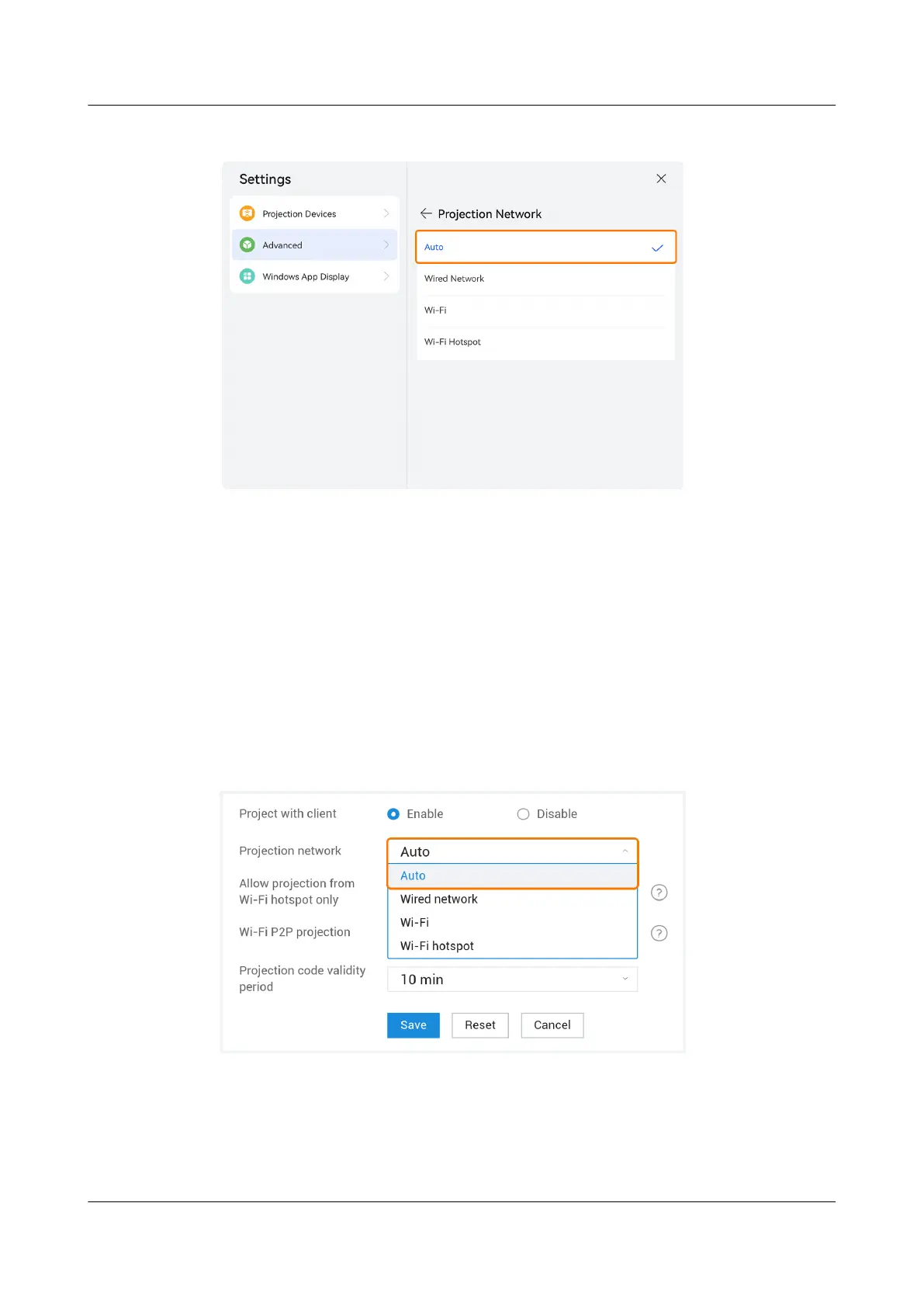
Figure 2-1 Projection network on the large screen
Step 2 Connect the computer or mobile phone to the network connected by the endpoint
based on the network information in the upper left corner of the projection guide
page, and check whether the network connection is normal.
----End
Conguring the Projection Network on the Web Interface
Step 1 Open the browser of the endpoint or computer, log in to the web interface (refer
to
Quick Conguration
or
Conguration Guide
for the login process), and choose
Application > Wireless Projection > Parameter
Conguration. Set Projection
network or Project code policy to Auto, as shown in Figure 2-2 and Figure 2-3.
Figure 2-2 Projection network on the web interface
IdeaShare
User Guide 2 Conguration Operations
Issue 01 (2023-03-30) Copyright © Huawei Technologies Co., Ltd. 4



 To Next Page