Use Celia Keyboard
Celia Keyboard is a secure and intuitive keyboard developed by Huawei. It supports ecient
voice inputs, smooth handwriting, as well as 170+ input languages.
If Celia Keyboard is not yet installed on your device, search for and install it in AppGallery.
Go to Settings > System & updates > Language & input and set Celia Keyboard as the
default keyboard.
The gures are for reference only.
Text Input
Keyboard input
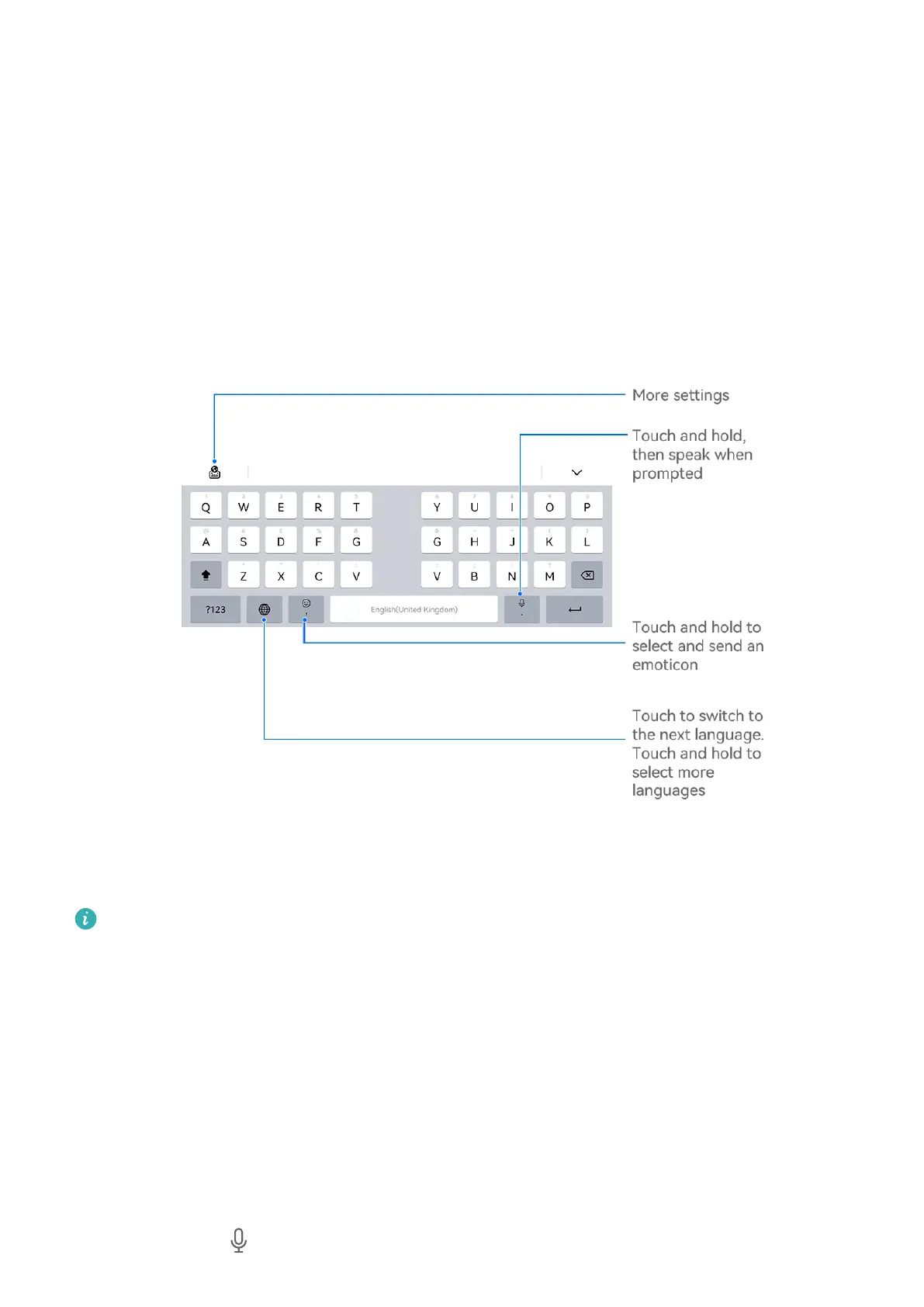
Celia Keyboard comes with a 26-key layout by default. As you type on the keyboard, a box
will be displayed for you to select predicted words.
Press and hold a letter key and then swipe up to enter a number, or swipe left or right to
enter the letter.
Voice input
You can have your speech converted into text to improve your input eciency.
• Touch and hold to go to the voice input screen.
Essentials
33



 To Next Page