Capaci
ty
Vendor Model Remarks
STEC SLUFD8GU2T
UI
Huawei does not offer this USB flash drive,
and you must buy it from other vendors.
NOTE
Huawei is not responsible for maintenance service of USB flash drives purchased from other vendors.
Indicator Description
NOTE
In V200R007 and later versions, you can hold down the mode switch button for 6s and release it to start
the web initial login mode. Either of the following situations will occur:
l If the switch has no configuration file, the system attempts to enter the web initial login mode. In
this mode, the status of mode indicators is as follows:
l If the system enters the web initial login mode successfully, all mode indicators turn green
and stay on for a maximum of 10 minutes.
l If the system fails to enter the initial login mode, all mode indicators fast blink for 10
seconds and then restore to the default status.
l If the switch has a configuration file, the system cannot enter the web initial login mode. In this
case, all mode indicators fast blink for 10s, and then return to the default states.
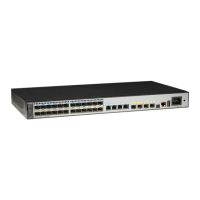
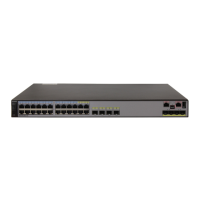
Figure 3-48 Indicators on the S5700-52X-LI-48CS-AC
45 46
MODE
STCK
SPED
STAT
SYS
RPS
PWR
When SFP optical transceivers are used, the port numbers are marked with .
S5700-52X-LI-48CS-AC
1 2 3 4
10G/1G
2 4 6 8 10 12 14 16 18 20 22 24
13 57 911 1315 1719 2123
26 28 30 32 34 36 38 40 42 44 46 48
25 27 29 31 33 35 37 39 41 43 45 47
47 48
CONSOLE
~100-240V;50/60Hz;1.7A
18 910
7
23
654
MODE
STCK
SPED
STAT
SYS
RPS
PWR
When SF
S5700-52X-LI-48CS-AC
2 4 6 8 10 12 14 16
13 57 9 11 1315
18
7
23
654
S5700 Series Ethernet Switches
Hardware Description
3 Chassis
Issue 24 (2016-08-12) Huawei Proprietary and Confidential
Copyright © Huawei Technologies Co., Ltd.
208


 To Next Page
 Loading...