EasyManua.ls Logo

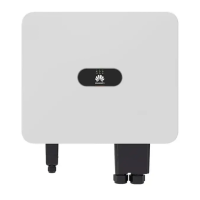
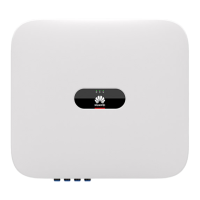
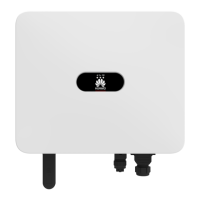
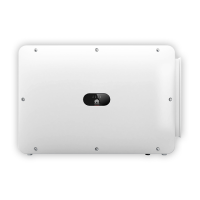
Huawei SUN2000-12KTL-M2 - User Manual

Huawei SUN2000-12KTL-M2
136 pages
Print Icon
To Next Page IconTo Next Page
Loading...
SUN2000-(8KTL-20KTL)-M2
User Manual
Issue 11
Date 2023-02-07
HUAWEI TECHNOLOGIES CO., LTD.

Table of Contents

Other manuals for Huawei SUN2000-12KTL-M2

Questions and Answers

  • W
    william91Aug 31, 2025
    What does Unbalanced Grid Voltage mean on my Huawei SUN2000-12KTL-M2?
    • S
      Stephen DelgadoSep 1, 2025
      If your Huawei Inverter is showing an 'Unbalanced Grid Voltage' error, it means that the difference between grid phase voltages exceeds the upper threshold. Here's what to do: 1. If the alarm occurs occasionally, the power grid may be temporarily abnormal. The SUN2000 automatically recovers after detecting that the power grid becomes normal. 2. If the alarm occurs frequently, check whether the grid voltage is within the acceptable range. If no, contact the local power operator. 3. If the fault persists for a long time, check the connection between the AC switch and the output power cable.
  • W
    wtaylorSep 12, 2025
    What causes String Reverse Connection on Huawei SUN2000-12KTL-M2 Inverter?
    • C
      Catherine SmithSep 12, 2025
      If your Huawei Inverter reports a 'String Reverse Connection' error, it means the PV string polarity is reversed. To correct this, check if the PV string is reversely connected to the SUN2000. If it is, wait until the PV string current decreases below 0.5 A, set the DC SWITCH to OFF, and then adjust the PV string polarity.
  • B
    Belinda RobinsonAug 30, 2025
    What causes String Current Backfeed on a Huawei SUN2000-12KTL-M2 Inverter and how to resolve it?
    • J
      Jeffrey HammondAug 30, 2025
      If your Huawei Inverter reports 'String Current Backfeed,' it means that too few PV modules are connected in series, causing the end voltage to be lower than other PV strings. To resolve this: 1. Check if the number of PV modules connected in series is less than that of other PV strings. If so, wait until the PV string current drops below 0.5 A, set the DC SWITCH to OFF, and adjust the number of PV modules. 2. Check if the PV string is shaded. 3. Check if the open-circuit voltage of the PV string is normal.
  • R
    Rachel StewartDec 1, 2025
    What does Grid Overvoltage mean on my Huawei SUN2000-12KTL-M2 Inverter and how can I fix it?
    • T
      Tara KramerDec 1, 2025
      If your Huawei SUN2000 Inverter is showing a 'Grid Overvoltage' error, it means the power grid voltage is beyond the upper threshold or the overvoltage duration exceeds the value specified by HVRT. Here's what you can do: 1. If the alarm occurs occasionally, the power grid may be temporarily abnormal. The SUN2000 automatically recovers after detecting that the power grid becomes normal. 2. If the alarm occurs frequently, check whether the grid voltage is within the acceptable range. If not, contact the local power operator. If yes, log in to the mobile phone app, SmartLogger, or NMS to modify the grid overvoltage protection threshold with the consent of the local power operator. 3. Check whether the peak voltage of the power grid is too high. If the fault persists and cannot be rectifi...
  • S
    Sierra GarciaSep 12, 2025
    What to do for String Current Backfeed on Huawei SUN2000-12KTL-M2 Inverter?
    • K
      Kyle StoneSep 12, 2025
      If your Huawei Inverter is showing a 'String Current Backfeed' error, it means that the number of PV modules connected in series to this PV string is insufficient, causing the end voltage to be lower than that of other strings. To resolve this: 1. Check if the number of PV modules connected in series to this PV string is less than the number of PV modules connected in series to the other PV strings connected in parallel with this PV string. If so, wait until the PV string current decreases below 0.5 A, set DC SWITCH to OFF, and adjust the number of PV modules in the PV string. 2. Check if the PV string is shaded. 3. Check if the open-circuit voltage of the PV string is normal.
  • J
    jschmidtSep 16, 2025
    What does Abnormal Residual Current mean on Huawei Inverter?
    • E
      Erika PerezSep 16, 2025
      If your Huawei Inverter is showing an 'Abnormal Residual Current' error, it indicates that the input-to-ground insulation impedance has decreased during the inverter operation. To address this: 1. If the alarm occurs accidentally, the external power cable may be temporarily abnormal. The inverter will automatically recover once the fault is rectified. 2. If the alarm occurs frequently or persists, check that the impedance between the PV string and ground is not below the lower threshold.
  • C
    Catherine NicholsSep 23, 2025
    How to troubleshoot Abnormal PV Module Configuration on Huawei SUN2000-12KTL-M2 Inverter?
    • D
      David SmithSep 23, 2025
      If your Huawei Inverter reports 'Abnormal PV Module Configuration,' it means the PV module configuration doesn't meet requirements, or the PV module output is reversely connected or short-circuited. Check whether the total number of PV modules, the number of PV modules in a string, and the number of PV strings meet requirements, and verify that the PV module output isn't reversely connected.
  • B
    Betty ThompsonAug 27, 2025
    How to fix String Reversed error on Huawei SUN2000-12KTL-M2?
    • B
      boydgabrielleAug 27, 2025
      If your Huawei Inverter displays a 'String Reversed' error, it means the PV string is reversely connected. To fix this, wait until night when solar irradiance declines and the PV string current drops below 0.5 A. Then, set the DC SWITCH to the OFF position and correct the string polarity.
  • G
    gsmithAug 26, 2025
    What to do if my Huawei Inverter shows a Grid Failure?
    • D
      David PriceAug 26, 2025
      If your Huawei Inverter reports a grid failure, it means that the power grid has experienced an outage, the AC circuit is disconnected, or the AC switch is off. To resolve this, first, check the AC voltage. Second, check whether the AC circuit is disconnected or the AC switch is off.
  • C
    Collin SmithAug 25, 2025
    How to fix Low Insulation Resistance on Huawei SUN2000-12KTL-M2 Inverter?
    • R
      Robin MeadowsAug 26, 2025
      If your Huawei Inverter displays a 'Low Insulation Resistance' error, it could be due to the PV array being short-circuited to ground or the power cable not being well insulated, especially in a moist environment. Here's what you should do: * Check the impedance between the PV array output and PE, and eliminate any short circuits or points of poor insulation. * Ensure the PE cable for the inverter is correctly connected. * If you're certain the impedance is less than the preset protection threshold in cloudy or rainy conditions, you can log in to the mobile app, SmartLogger, or NMS to reset the insulation impedance protection threshold.

Summary

Safety Information

Personal Safety Precautions

Details DANGER warnings for installation, operations, and avoiding electric shock.

General Safety Requirements

Outlines general safety practices for operations, devices, and emergency procedures.

Electrical Safety

Covers DANGER warnings for connecting cables, operations, and foreign matter entry.

Environment Requirements

DANGER warning against flammable/explosive gas/smoke and operations in such environments.

Mechanical Safety

WARNING about using professional tools and avoiding drilling into the equipment.

Installation

Installation Position Environment Requirements

Details basic environmental requirements for installing the SUN2000 indoors or outdoors.

Wall-mounted Installation Procedure

Details steps for wall-mounted installation, including determining positions and securing brackets.

Support-mounted Installation Procedure

Outlines steps for determining hole positions, drilling, and securing the mounting bracket.

Electrical Connections

Precautions for Electrical Connections

Details DANGER/WARNING/CAUTION notes regarding PV array voltage, fire suppression, and PPE.

Connecting the PE Cable

Explains precautions for PE cable connection and grounding detection function.

Connecting the AC Output Power Cable

Covers precautions for connecting the AC output power cable and AC switch requirements.

Connecting the DC Input Power Cable

Outlines precautions for connecting DC input power cables, including voltage limits and switch settings.

Connecting RS485 Cable for Inverter Cascading

Details connecting the signal cable to the connector and COM port for inverter cascading.

Connecting RS485 Cable to Smart Power Sensor

Shows cable connections between the inverter and DTSU666-H/YDS60-C24 meters.

Connecting Rapid Shutdown Signal Cable

Details connecting the signal cable for rapid shutdown function, noting optimizer limitations.

Connecting Power Grid Scheduling Signal Cable

Shows cable connections between the inverter and Ripple Control Device.

Connecting NS Protection Signal Cable

Details connecting the NS protection signal cable, including grid code settings and switch connections.

Commissioning

Check Before Power-On

Provides an installation checklist with acceptance criteria for SUN2000, Smart Dongle, cables, grounding, and switches.

Powering On the System Precautions

Advises setting parameters correctly and checking AC voltage before turning on the AC switch.

Powering On Procedure

Details the steps to power on the system, including AC/DC switch operations and LED indicator observation.

Man-Machine Interaction

Parameters Settings

Directs users to the Device Commissioning screen for parameter settings and to specific manuals.

Energy Control: Grid-tied Point Control

Explains Grid-tied Point Control function for limiting output power within deviation limits.

Apparent Power Control on Inverter Output Side

Guides on setting inverter parameters for apparent power control via Settings > Power adjustment.

AFCI Function and Clearing Alarms

Explains the AFCI function for arc fault detection and how to clear related alarms.

IPS Check for Italy CEI0-21 Grid Code

Explains the IPS check requirement for Italy CEI0-21 and the procedure using Maintenance > IPS test.

Maintenance

Maintenance Prerequisites

Lists DANGER and WARNING prerequisites for performing maintenance, emphasizing safety and powering off.

System Power-Off Procedure

Details the procedure for powering off the SUN2000 system, including app commands and switch operations.

Routine Maintenance

Advises on performing routine maintenance for long-term operation and provides CAUTION for system shutdown before maintenance.

Troubleshooting Overview

Provides notes on contacting support, defines alarm severities (Major, Minor, Warning), and possible causes.

Common Alarms and Troubleshooting (High String Input Voltage, DC Arc Fault, String Reverse Connection)

Details common alarms, their severity, possible causes, and troubleshooting suggestions.

Common Alarms and Troubleshooting (String Current Backfeed, AFCI Failure, Phase Wire Short-Circuited)

Lists common alarms like String Current Backfeed, AFCI Failure, and Phase Wire Short-Circuited with troubleshooting.

Common Alarms and Troubleshooting (Grid Loss, Grid Undervoltage, Grid Overvoltage)

Covers alarms related to grid status like Grid Loss, Undervoltage, and Overvoltage with troubleshooting steps.

Common Alarms and Troubleshooting (Grid Voltage Imbalance, Grid Overfrequency)

Details alarms for Grid Voltage Imbalance and Grid Overfrequency with troubleshooting suggestions.

Common Alarms and Troubleshooting (Grid Underfrequency, Unstable Grid Frequency, Output Overcurrent)

Lists alarms for Grid Underfrequency, Unstable Grid Frequency, and Output Overcurrent with troubleshooting.

Common Alarms and Troubleshooting (Output DC Component Overhigh, Abnormal Residual Current, Abnormal Grounding)

Covers alarms related to DC component, residual current, and grounding with troubleshooting steps.

Common Alarms and Troubleshooting (Low Insulation Resistance, Cabinet Overtemperature, Device Fault)

Details alarms for Low Insulation Resistance, Cabinet Overtemperature, and Device Fault with troubleshooting.

Common Alarms and Troubleshooting (Upgrade Failed, License Expired, Faulty Monitoring Unit, Faulty Power Collector)

Lists alarms for upgrade, license, monitoring, and power collector faults with troubleshooting.

Common Alarms and Troubleshooting (Transient AC Overvoltage)

Details Transient AC Overvoltage alarm with troubleshooting steps involving grid connection voltage.

Common Alarms and Troubleshooting (Abnormal PV Module Configuration)

Covers Abnormal PV Module Configuration alarm, detailing causes and troubleshooting for optimizers.

Technical Data

SUN2000 Technical Specifications (Efficiency and Input)

Details the maximum and European weighted efficiency, and input specifications like voltage and current.

SUN2000 Technical Specifications (Input Ranges and Output)

Covers input voltage ranges, number of input routes/MPP trackers, and output ratings like active power and voltage.

SUN2000 Technical Specifications (Output Current and Protection)

Lists output current, power, harmonic distortion, and protection features like overvoltage and islanding protection.

SUN2000 Protection and Feature Specifications

Details protection features like AC surge, insulation resistance, RCD detection, PID repair, AFCI, and communication ports.

Optimizer Technical Specifications (Efficiency, Input, Output)

Details efficiency, input (voltage, current), and output (power, voltage, current) specifications for SUN2000-450W-P optimizer.

Device Commissioning

Connecting to Inverter WLAN and Logging In

Guides on connecting to the inverter WLAN, logging in as installer, and network security recommendations.

Resetting Password

Password Reset Procedure

Details the steps to reset the SUN2000 password, involving AC/DC switch operations and app login.

Rapid Shutdown

Triggering Rapid Shutdown

Details methods to trigger rapid shutdown, including connecting switches, turning off AC/DC switches, and AFCI activation.

Locating Insulation Resistance Faults

Identifying Insulation Resistance Faults

Explains causes of low insulation resistance and fault location steps using the FusionSolar App.

Fault Location Procedure (Part 1)

Details steps for locating faults, including checking alarms, PV string connections, and potential short-circuit positions.

Fault Location Procedure (Part 2)

Continues fault location steps, involving disconnecting PV modules/optimizers and checking for damage.

Fault Location Procedure (Part 3)

Completes fault location by determining position, checking optimizer/module faults, and replacing faulty components.

Huawei SUN2000-12KTL-M2 Specifications

General IconGeneral
ModelSUN2000-12KTL-M2
Max. Efficiency98.6%
Max. Input Voltage1100 V
Start Voltage200 V
Rated Output Power12000 W
Output Frequency50 Hz / 60 Hz
Operating Temperature Range-25°C to +60°C
Cooling MethodNatural Convection
Protection RatingIP65
Max. DC Input Power18, 000 W
Max. AC Power13200 W
Rated Output Voltage400 V
AC Voltage Range320 V - 480 V
Max. DC Power18, 000 W

Related product manuals