TP48200A-DT19C1, TP48200A-DT19C2,
TP48200A-HT19C1 and TP48200A-HT19C2 Telecom
Power
User Manual
Copyright © Huawei Technologies Co., Ltd.
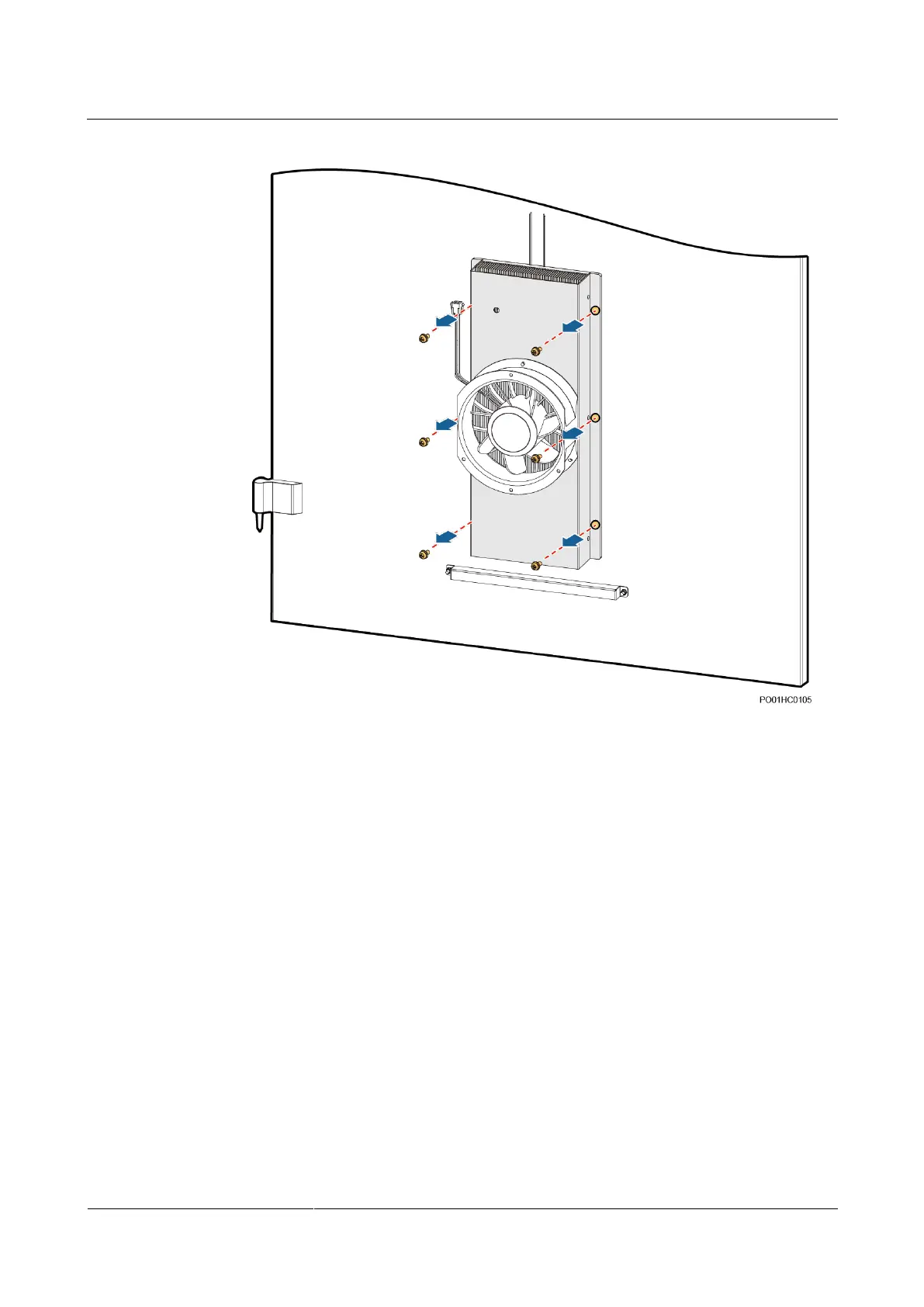
Figure 4-23 Removing the TEC
Step 4 Install a new TEC.
1. Properly place the TEC and tighten the screws.
2. Place the external cover onto the cabinet door, and tighten the screws.
3. Connect the cables between the TEC and the TCUA control board based on the recorded
positions.
Step 5 Install the TCUA control box.
1. Properly place the TCUA control box and tighten the screws.
2. Connect the signal cable to the TCUA control box based on the recorded position.
3. Switch on the circuit breaker (F10) for the TCUA control box on the DC PDU.
Step 6 Disconnect the ground cable from the ESD wrist strap, and take off the ESD wrist strap and
ESD gloves.
----End
Follow-up Procedure
Send the replaced TEC for repair.



 To Next Page
 Loading...


