UPS5000-E-(50 kVA-300 kVA)
User Manual (50 kVA Power Modules)
Huawei Proprietary and Confidential
Copyright © Huawei Technologies Co., Ltd.
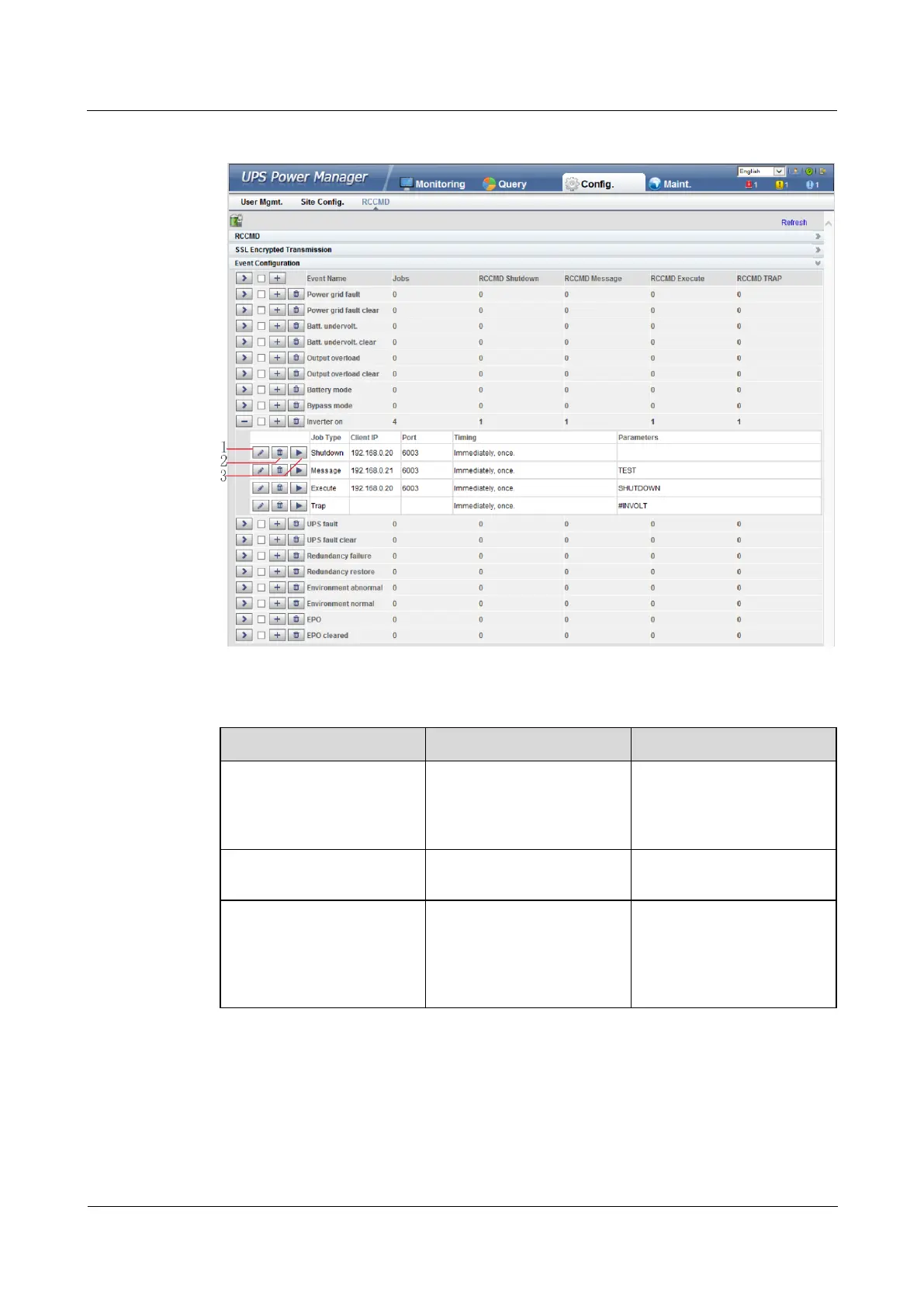
Figure 4-93 Buttons after one event is expanded
Table 4-8 Buttons after one event is expanded
A dialog box for modifying
a job is displayed after you
click this button. You can
modify the job.
Button for deleting one job
You can delete the job by
clicking this button.
If you click this button, the
job will be performed and a
message showing test
succeeds or fails will be
displayed on the page.
Adding one job for one event: Select one event (for example, Inverter on), click the button
for adding one job, and the page for adding a job for the event is displayed.
When adding a job, the job types to be selected are: RCCMD Shutdown, RCCMD Message,
RCCMD Execute, and RCCMD TRAP. RCCMD Shutdown is selected by default. For
different job types, you need to enter different contents.










 To Next Page