EasyManua.ls Logo

Huawei UPS5000-E Series - User Manual

Huawei UPS5000-E Series
278 pages
Print Icon
To Next Page IconTo Next Page
Loading...
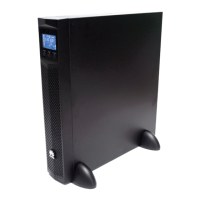
UPS5000-E-(50 kVA-300 kVA)
User Manual (50 kVA Power
Modules)
Issue
11
Date
2019-12-20
HUAWEI TECHNOLOGIES CO., LTD.

Table of Contents

Other manuals for Huawei UPS5000-E Series

Questions and Answers

  • D
    Diane PearsonSep 18, 2025
    What to do if the bypass is not normal on a Huawei UPS?
    • D
      Dennis MorganSep 18, 2025
      If the bypass is not normal in your Huawei UPS, it could be due to a damaged bypass thyristor, which requires replacing the bypass module. Alternatively, if the bypass module is experiencing overtemperature, reduce the load or improve ventilation.
  • L
    Lauren GibbsAug 25, 2025
    Why is the bypass abnormal in my Huawei Control Unit?
    • R
      robertenglishAug 25, 2025
      If the bypass of your Huawei Control Unit is abnormal, it could be due to a damaged bypass thyristor, in which case you should replace the bypass module. Alternatively, the bypass module might be experiencing overtemperature. To resolve this, try reducing the load or improving ventilation.
  • Y
    yjenningsAug 26, 2025
    Why does my Huawei Control Unit UPS work in bypass mode?
    • J
      jamesorozcoAug 26, 2025
      If your Huawei Control Unit UPS works in bypass mode and does not transfer to inverter mode, it might be because the UPS is set to ECO mode. To resolve this, set the working mode correctly. Another reason could be that the number of bypass transfer times has reached the upper limit. In this case, choose 'Clear Faults' on the LCD.
  • S
    sharrisonAug 26, 2025
    What to do if the inverter is not normal in Huawei Power Supply?
    • M
      Miranda JonesAug 27, 2025
      If the inverter is not normal, it could be due to the UPS being overloaded or short-circuited. Try reducing the load or rectifying any short circuits. Ensure normal temperatures inside the equipment room by installing more air conditioners or ventilation devices. Alternatively, the power module may need replacement.
  • B
    Brittany AustinSep 18, 2025
    What to do if the Huawei Control Unit inverter is not normal?
    • W
      William WarrenSep 18, 2025
      If your Huawei Control Unit inverter isn't working normally, it might be due to an overload or a short circuit. Try reducing the load or fixing any short circuits. Alternatively, the power module could be faulty, in which case you should replace it.
  • H
    hgentrySep 23, 2025
    Why is the Huawei Control Unit rectifier not working, and the bus voltage is not boosted?
    • N
      Nicole MooreSep 23, 2025
      If the rectifier of your Huawei Control Unit isn't working and the bus voltage isn't being boosted, it might be because the mains voltage is too high (above 280 V) or too low (below 80 V). Check the mains voltage against these thresholds, and if it's outside this range, contact the electric power company.
  • J
    John VaughnSep 9, 2025
    What to do if the bypass is not normal in Huawei UPS?
    • J
      Jill BallSep 9, 2025
      If the bypass function on your Huawei UPS is not working correctly, it could be due to a damaged bypass thyristor, requiring you to replace the bypass module. Alternatively, the bypass module might be experiencing overtemperature, in which case you should reduce the load or improve ventilation.
  • H
    huntdustinSep 10, 2025
    How to fix Huawei UPS5000-E UPS when it works in bypass mode?
    • D
      Dawn MartinSep 10, 2025
      If your Huawei UPS stays in bypass mode and doesn't switch to inverter mode, it might be because the bypass transfer times have reached their upper limit. To resolve this, clear the bypass transfer times on the LCD.
  • D
    Douglas GreenSep 3, 2025
    Why is the bypass abnormal in my Huawei UPS5000-E UPS?
    • A
      alan78Sep 3, 2025
      If the bypass in your Huawei UPS is abnormal, it could be due to a damaged bypass thyristor, which requires replacing the bypass module. Also, consider reducing the load and improving ventilation to resolve the issue.
  • D
    Dr. Connor Coleman MDSep 1, 2025
    What to do if the inverter is not normal in Huawei Control Unit?
    • T
      Theresa HicksSep 1, 2025
      If the inverter in your Huawei Control Unit is not normal, it could be due to an output overload or a short-circuit. In this case, reduce the load or troubleshoot the short circuit. Alternatively, the power module itself might be faulty, requiring replacement.

Summary

Safety Information

1.1 General Safety

General safety precautions, responsibilities, and user guidelines for equipment operation and maintenance.

1.2 Personnel Requirements

Specifies the necessary qualifications, training, and roles for personnel involved in installation and operation.

1.3 Electrical Safety

Covers essential electrical safety practices, including grounding and handling of electrical components.

1.4 Installation Environment Requirements

Details the environmental conditions, clearances, and location requirements for UPS installation.

1.5 Mechanical Safety

Safety procedures related to mechanical operations like hoisting, ladder usage, and handling heavy objects.

1.6 Device Running Safety

Precautions to be taken during the UPS operation and in specific environments.

1.7 Battery Safety

Critical safety guidelines for handling, installing, and maintaining batteries to prevent hazards.

1.8 Others

Additional safety considerations and precautions for miscellaneous operational aspects.

Overview

2.1 Model Description

Explains the UPS model naming convention, configurations, and supported capacities.

2.2 Working Principle

Describes the UPS conceptual diagram and its different operating modes.

2.3 Product Introduction

Details the physical structure and main components of the UPS system.

2.4 Typical configurations

Outlines common UPS system configurations like Single, Parallel, and Dual-bus setups.

2.5 Optional Components

Lists and briefly describes optional components that can be added to the UPS.

Installation

3.1 Installation Preparations

Covers site selection, tools, power cable preparation, unpacking, and initial checks before installation.

3.2 Installing a Single UPS

Step-by-step guide for installing the UPS cabinet, batteries, and optional components.

3.3 Installing a Parallel System

Procedures for connecting multiple UPS units in parallel or dual-bus configurations.

3.4 Installation Verification

Provides a checklist and acceptance criteria to ensure the UPS installation is correct.

User Interface

4.1 LCD Interface

Explains the operation and features of the UPS's Liquid Crystal Display (LCD) interface.

4.2 WebUI

Guides users on accessing and navigating the Web-based User Interface for UPS management.

4.3 Old WebUI

Instructions for using the older version of the Web User Interface for UPS management.

Operations

5.1 Powering On and Starting the UPS

Detailed procedures for powering on the UPS and performing initial startup, including password obtaining.

5.2 Shutting Down and Powering Off the UPS

Steps for safely shutting down and powering off the UPS system and its components.

5.3 Starting the UPS in Battery Mode

Procedure to start the UPS using battery power when mains power is unavailable.

5.4 Transferring to Bypass Mode

Instructions on how to manually transfer the UPS operation to bypass mode for maintenance.

5.5 Setting ECO Mode

Configuration steps for enabling the Economy Control Operation (ECO) mode for energy savings.

5.6 Testing Batteries

Guides on performing battery tests such as Forced Equalized Charging, Shallow Discharge, and Capacity Test.

5.7 Transferring to Maintenance Bypass Mode

Steps to safely move the UPS from normal operation to maintenance bypass mode.

5.8 Transferring from Maintenance Bypass Mode to Normal Mode

Procedure to return the UPS from maintenance bypass mode back to normal operation.

5.9 Performing EPO

How to initiate an Emergency Power Off (EPO) using the external switch or dry contact.

5.10 Clearing the EPO State

Steps to clear the EPO alarm and reset the UPS after an EPO event has occurred.

5.11 Exporting Data

Instructions on exporting various types of data like alarms, logs, and configuration files from the UPS.

5.12 Setting Hibernation Mode

How to configure the UPS to enter hibernation mode for power saving and extending component lifespan.

Routine Maintenance

6.1 UPS Maintenance

General guidelines and schedules for performing regular maintenance tasks on the UPS system.

6.2 Battery Maintenance

Procedures and safety precautions for maintaining UPS batteries on a monthly, quarterly, and annual basis.

Troubleshooting

7.1 Troubleshooting

Provides a list of common UPS faults, symptoms, possible causes, and recommended solutions.

Technical Specifications

8.1 Physical Specifications

Details physical dimensions, weight, cabling modes, and protection levels for different UPS models.

8.2 Internal Switch Parameters

Specifications for internal switches like maintenance bypass, mains input, bypass input, and output switches.

8.3 Environmental Specifications

Specifies the acceptable operating and storage environmental conditions for the UPS.

8.4 Safety Regulations and EMC

Lists the safety standards and Electromagnetic Compatibility (EMC) regulations the UPS complies with.

8.5 Mains Input Electrical Specifications

Electrical parameters related to the UPS mains input, including voltage, frequency, and power factor.

8.6 Bypass Input Electrical Specifications

Electrical parameters for the bypass input, including voltage, frequency, and input mode.

8.7 Battery Specifications

Details battery voltage requirements, management, and charging specifications for different UPS capacities.

8.8 Output Electrical Specifications

Electrical parameters for the UPS output, including voltage, frequency, overload capability, and transfer time.

8.9 System Electrical Specifications

System-level electrical specifications such as redundancy design and ECO mode support in parallel systems.

A (Optional) TN-C System Application

A (Optional) TN-C System Application

Describes the procedure for short-circuiting the input N and PE for TN-C system applications.

B Alarm List

B Alarm List

A comprehensive list of UPS alarms, including ID, name, severity, cause, and recommended solutions.

C Acronyms and Abbreviations

C Acronyms and Abbreviations

A glossary of acronyms and abbreviations used throughout the manual.

Huawei UPS5000-E Series Specifications

General IconGeneral
ModelUPS5000-E Series
Output Frequency50/60Hz
TopologyDouble Conversion
Operating Temperature0°C to 40°C
Relative Humidity0% to 95% (non-condensing)
Cooling MethodForced Air Cooling
TypeOnline UPS
Power Capacity10kVA to 800kVA
Output Power10kW to 800kW
Efficiency (AC-AC)Up to 96%
Battery TypeLithium-ion
Battery Voltage192V
Communication InterfaceSNMP, USB, Dry Contact
Dimensions (W x D x H)Varies by model
WeightVaries by model
Parallel CapabilityUp to 8 units
CertificationsCE, UL
Input Voltage380/400/415 VAC (3-phase, 3-wire + PE) or (3-phase, 4-wire + PE)
Output Voltage380/400/415 VAC (3-phase, 3-wire + PE) or (3-phase, 4-wire + PE)

Related product manuals