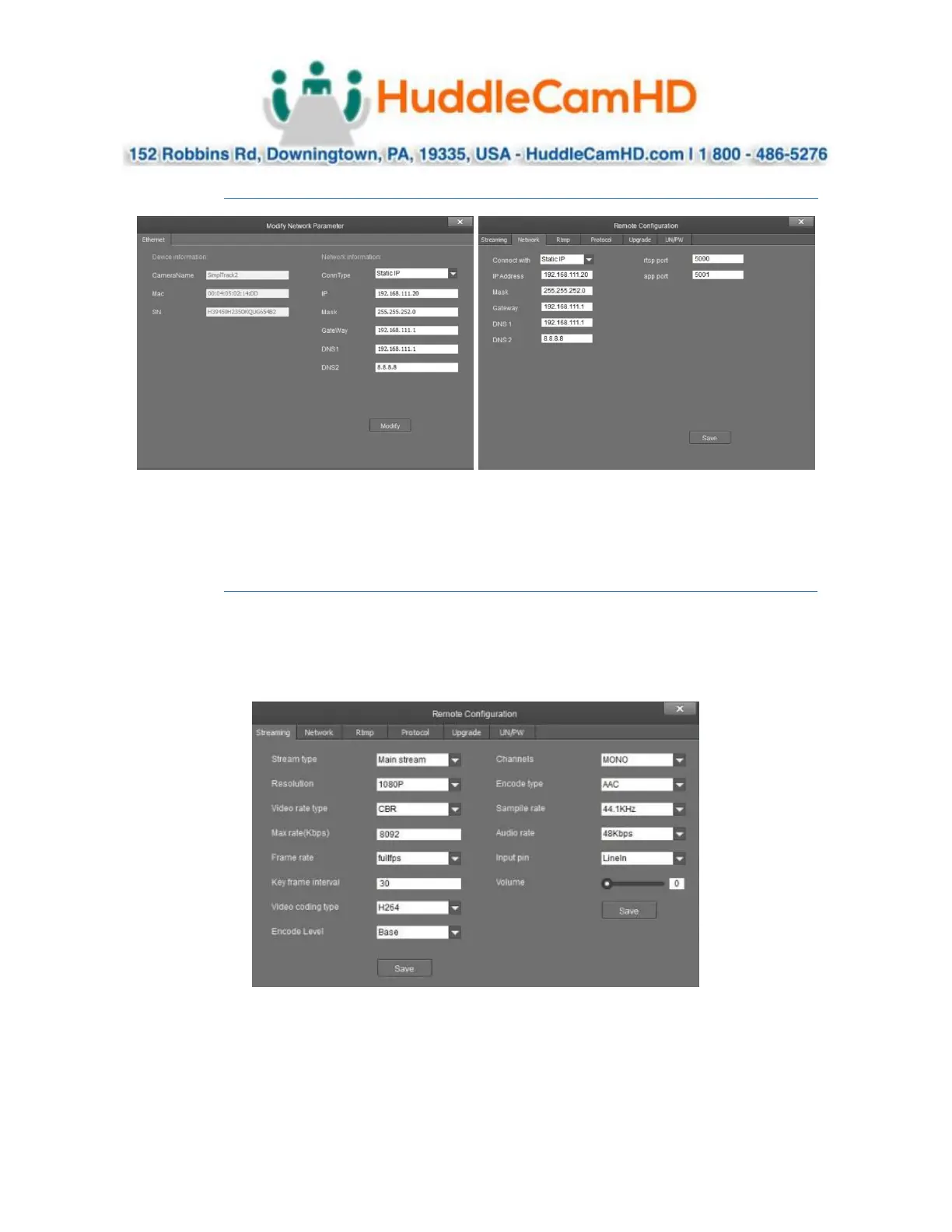
Network Configuration .
To configure the network settings, select the from the Online Device list and click Modify Netinfo. You
can also adjust the network settings of a connected camera by selecting it from the Device Management
list and clicking Remote Configuration, then traversing to the Network section.
Remote Configuration .
Remote Configuration includes: Streaming, Network, RTMP, Protocol, Upgrade, & Username/Password
The Streaming category allows you to configure the Main Stream (PTZ camera), Sub Stream (reference
camera), Stream 3 & Stream 4.



 To Next Page