Configure Video Settings .
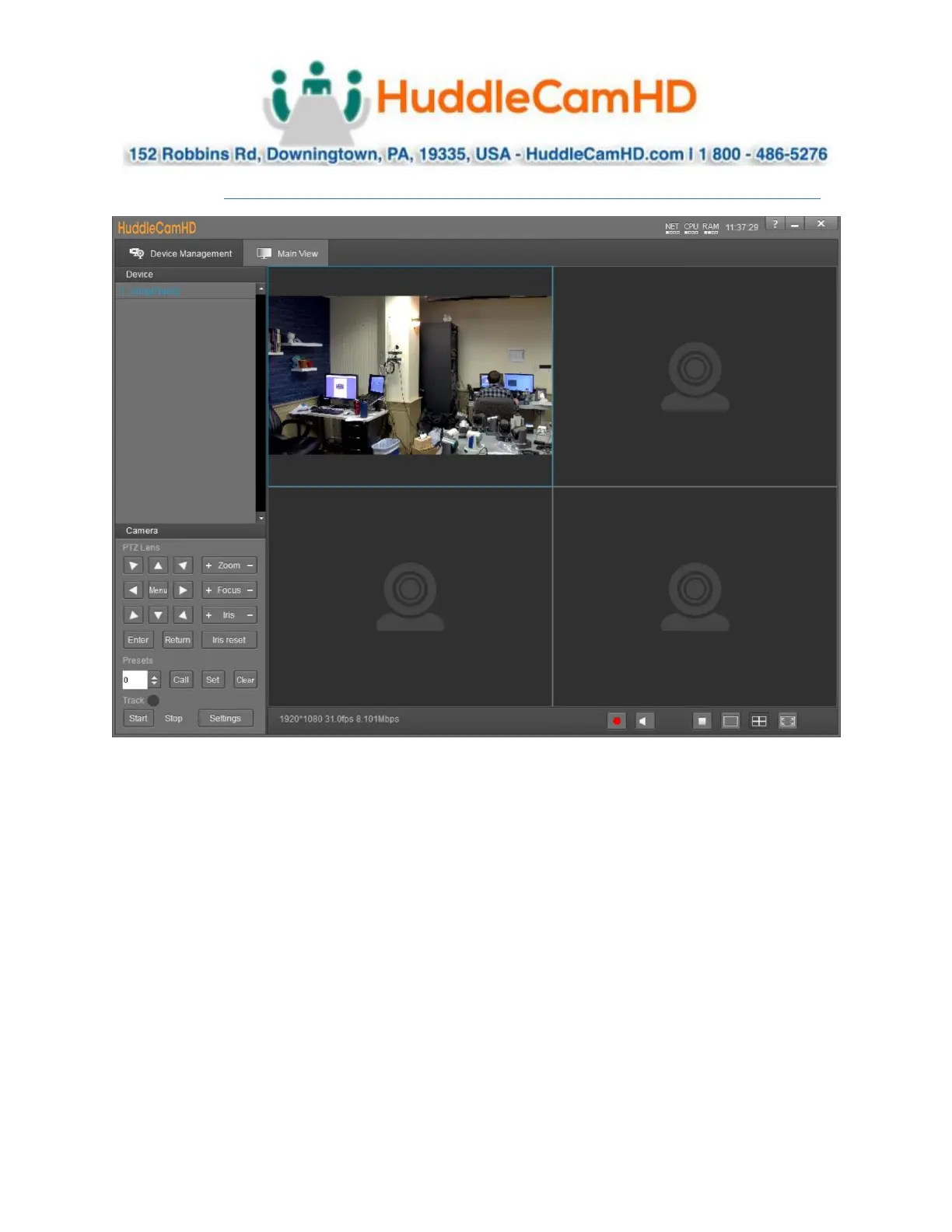
In the Video Interface you can view and control up to four cameras simultaneously. You have full control
over Pan, Tilt, Zoom, Focus, Iris, OSD Menu, Presets & Tracking Settings.
You must first select one of the cameras from the video feed in order to adjust the settings.



 To Next Page