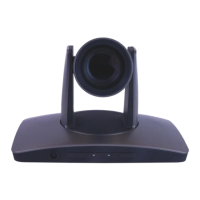
Precautions.…………………..………………………………………………….………..……………..………..………………
Safety Tips…………………..……………..……………..……………..……………..……………..……………...........
What’s in the Box……………..……………..………..…..……………..……………..……………..………………………
Physical Descriptions.…………………..………………………………………………….………..……………..………….
Front View of Camera……………..……………..……………..……………..……………..………………………….
Rear View of Camera……………..………………....……………..……………..……………..………………………
Basic Connection Instructions.…………………..………………………………………………….………..……………
Network setup……………..……………..……………..……………..……………..……………..……………..….…..
SDI Connections……………..……………..……………..……………..……………..……………..………………..…
USB Connection……………..……………..……………..……………..……………..……………..………………...…
DVI Connection.…………………..………………………………………………….………..……………..………..……
Interface Descriptions.…………………..………………………………………………….………..……………..………..
Tracking Software.…………………..………………………………………………….………..……………..…………
Device Management Interface……………..……………..……………..……………..……………..……….
Connect Camera……………..……………..……………..……………..………………………..………..………..
Network Configuration……………..………………..……………..……………..……………..………………..
Remote Configuration……………..……………..………………………..………………..………………………
Remove Camera……………..……………..……………..……………..………………………..………..…………
Configure Video Settings……………..……………..……………..……………..………………………..……..
Video……………..……………..………..……………..……………..……………..……………..…………..………..
Exposure……………..……..……………..……………..………….……..……………..……………..…….………..
White Balance……………..……..…………….…..……………..……………..……………..……………………..
Pan Tilt Zoom……………..………..……………..……………..……………..……………..…………………..…..
Systems……………..…………..…………..……………..……………..……………..……………..………………..
Status……………..……………..………..……………..……………..……………..……………..……………….…..
Restore Defaults……………..……………..………..……………..……………..…………………..……………..
Using the IR Remote.…………………..………………………………………………….………..……………..…………..
VISCA Commands.…………………..………………………………………………….………..……………..………..…….
ACK / Completion……………..……………..……………..……………..……………..……………..………..……….
Error Messages……………..……………..……………..……………..……………..……………..……………..……..
Commands……………..……………..……………..……………..……………..……………..……………………..……
Inquiry Commands……………..……………..……………..……………..……………..……………..…..…………..
Tips & Tricks……………..………..…..……………..……………..……………..……………..…………………………...…
Care of the Unit……………..……………..…………....……………..……………..……………..……………………..….
Troubleshooting……………..……………..……………..……………..……………..……………..…………………..……
Notes……………………………………………………………………………………………………………..……………………..



 To Next Page