Interface Descriptions .
Tracking Software .
Device Management Interface .
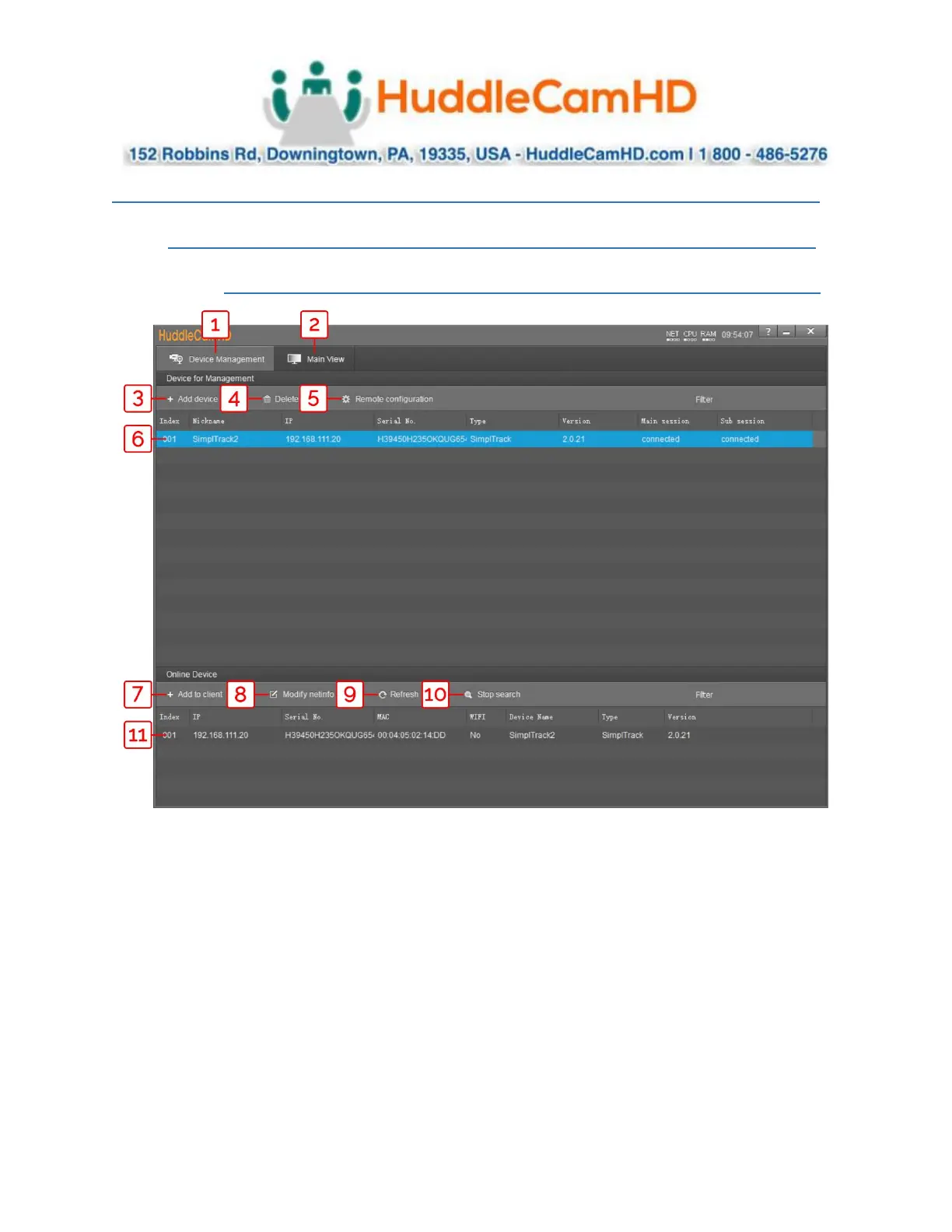
Device Management interface
Add selected camera from Online Device
section
Video configuration interface
Modify network settings of selected Online
Device
Manually add device using IP address, Port
number, Username & Password
Refresh Online Device list
Delete selected device from Device
Management list
Start/Stop searching for Online Devices
Configure network settings of camera
*Unselected* device from Online Device
section
*Selected* device within Device
Management



 To Next Page