Ver. 1.4 – 6-21
15
Remote Configuration (Continued) _
• Video Rate Type: Adjust the video rate type
o Options include: CBR (Constant Bit Rate) & VBR (Variable Bit Rate)
• Max Rate (Kbps): Sets the maximum kilobytes per second of the Video Rate Type.
o Range: 0 - 16383
• Frame Rate: Adjust the frame rate of the RTSP feed
o Options include: Full FPS, 1 - 30
• Key Frame Interval: Adjust the I Key Frame Interval
o Range 0 – 255
• Video Coding Type: Adjust the Video Encoding type
o Options include: H.264 & H.265
• Encode Level: Adjust the level at which the video is encoded
o Options include: Base, Main & High
• Channels: Adjust the audio channel of the embedded audio
o Options include: Mono & Stereo
• Encode Type: Adjust the Audio Encoding type of the embedded audio
o Options include: AAC
• Sample Rate: Adjust the audio sample rate of the embedded audio
o Options include: 16KHz, 44.1KHz, & 48KHz
• Audio Rate: Adjust the audio rate of the embedded audio
o Options include: 48Kbps, 64Kbps, 96Kbps, & 128Kbps
• Input Pin: Adjust the audio connection type
o Options include: LineIn & MicIn
• Volume: Adjust the audio level of the embedded audio
o Range: 0 – 100
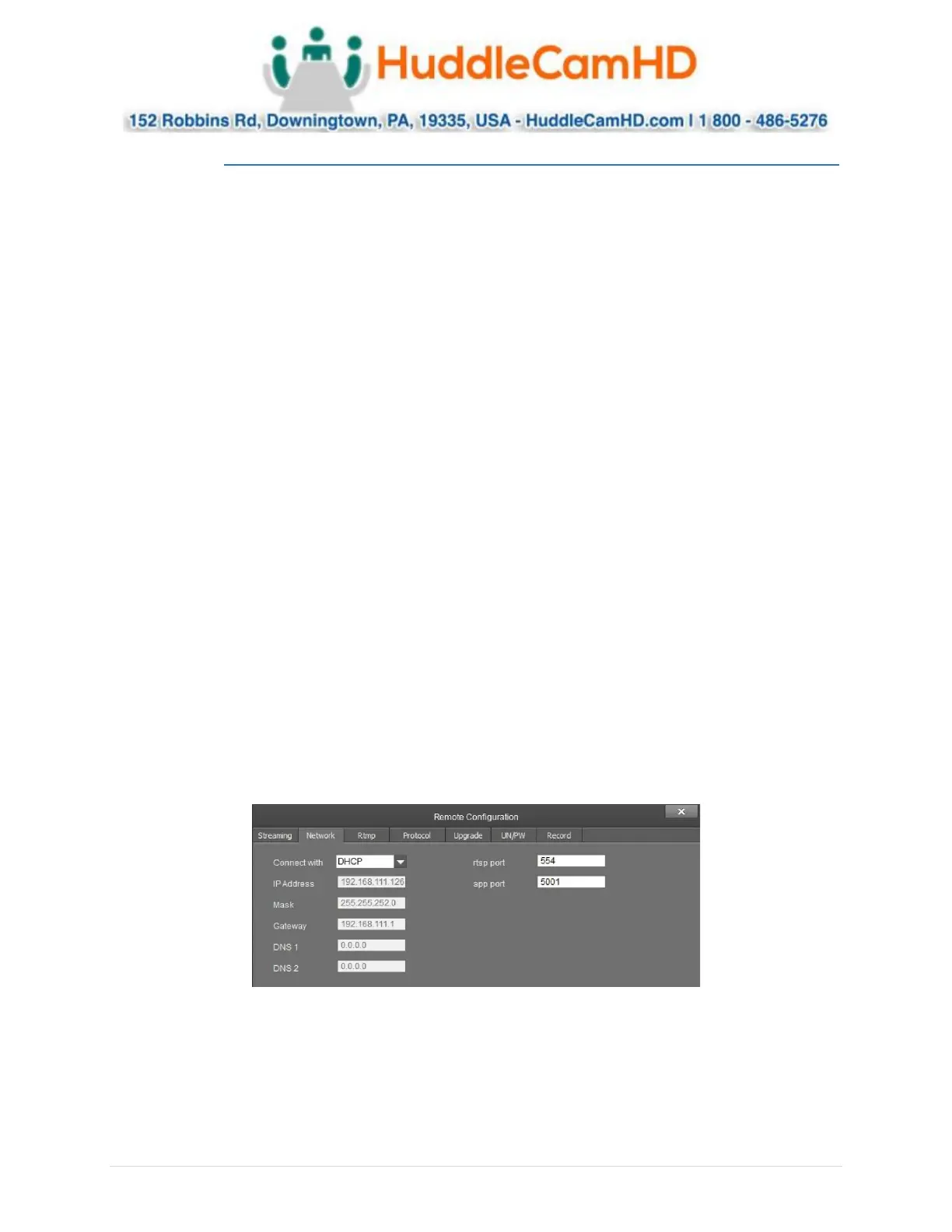
The Network category allows you to assign a dynamic or static IP address for the camera, in addition to
settings the port numbers for RTSP & control.
• Connect With: Adjust the network connection method
o Options include: DHCP (Dynamic) & Static IP
Note: While in DHCP you can only adjust RTSP Port & App Port
• IP Address: Displays IP Address & allows for adjustment the IP address of your camera
o Default value: DHCP; or 192.168.1.180 while in Static or no connection to a DHCP server



 To Next Page