Ver. 1.4 – 6-21
16
Remote Configuration (Continued) _
• Mask: Adjust the Subnet Mask of your camera
o Default value: 255.255.255.0
• Gateway: Adjust the gateway of your camera
o Default value: 192.168.1.1
• DNS 1: Adjust the DNS 1 (Dynamic Name System)
o Default value: 0.0.0.0
• DNS 2: Adjust the DNS 2 (Dynamic Name System)
o Default value: 0.0.0.0
• RTSP Port: Adjust the RTSP connection port
o Default value: 554
• App Port: Adjust the app control port
o Default value: 5001
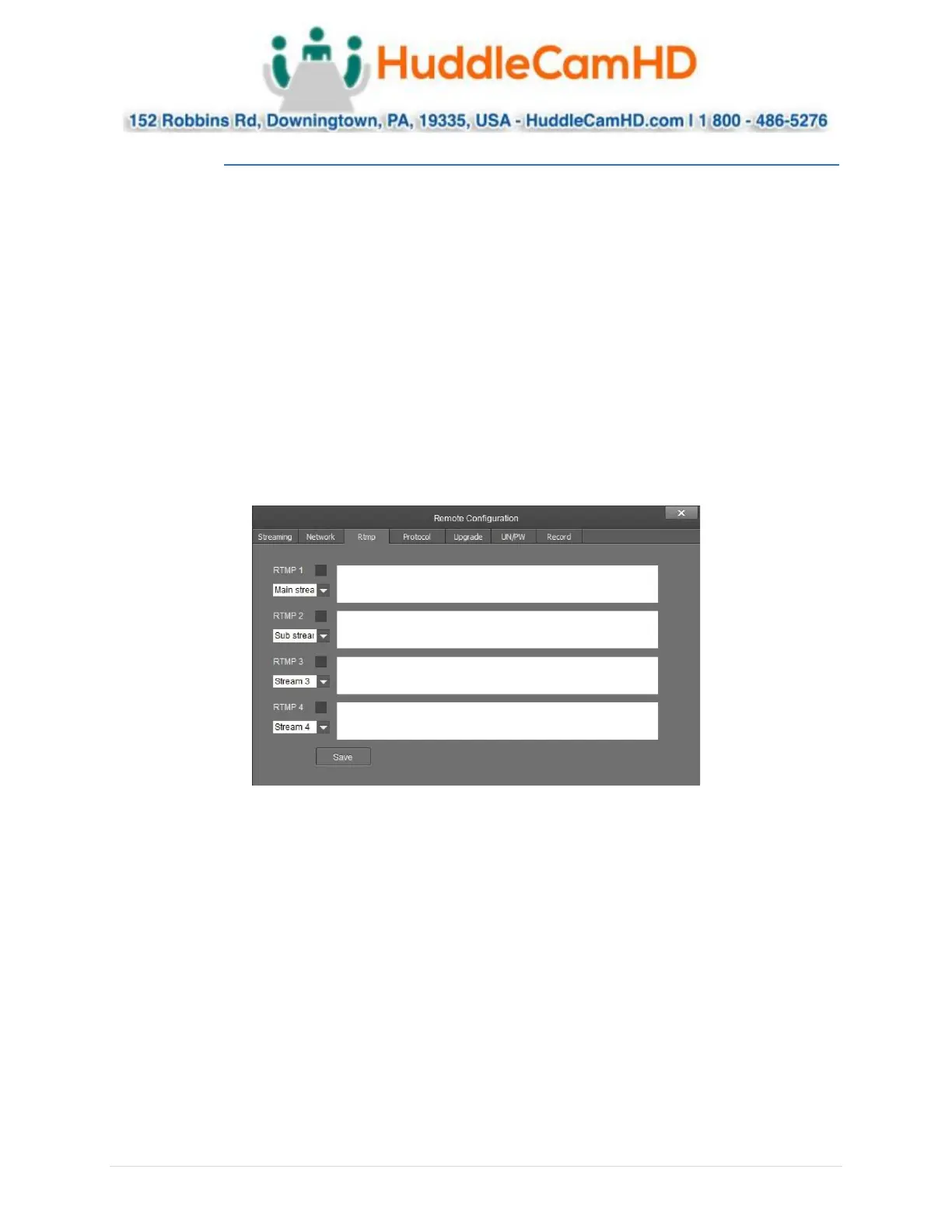
The RTMP category allows you to define a RTMP server.
• RTMP # Checkbox: This checkbox allows you to enable or disable a RTMP stream.
• Stream # Dropdown: Select the stream you would like to utilize
o Options include: Main Stream, Sub Stream, Stream 3 & Stream 4
• RTMP Text Field: This field allows you to input the RTMP server address you wish to stream to.



 To Next Page