Ver. 1.4 – 6-21
17
Remote Configuration (Continued) _
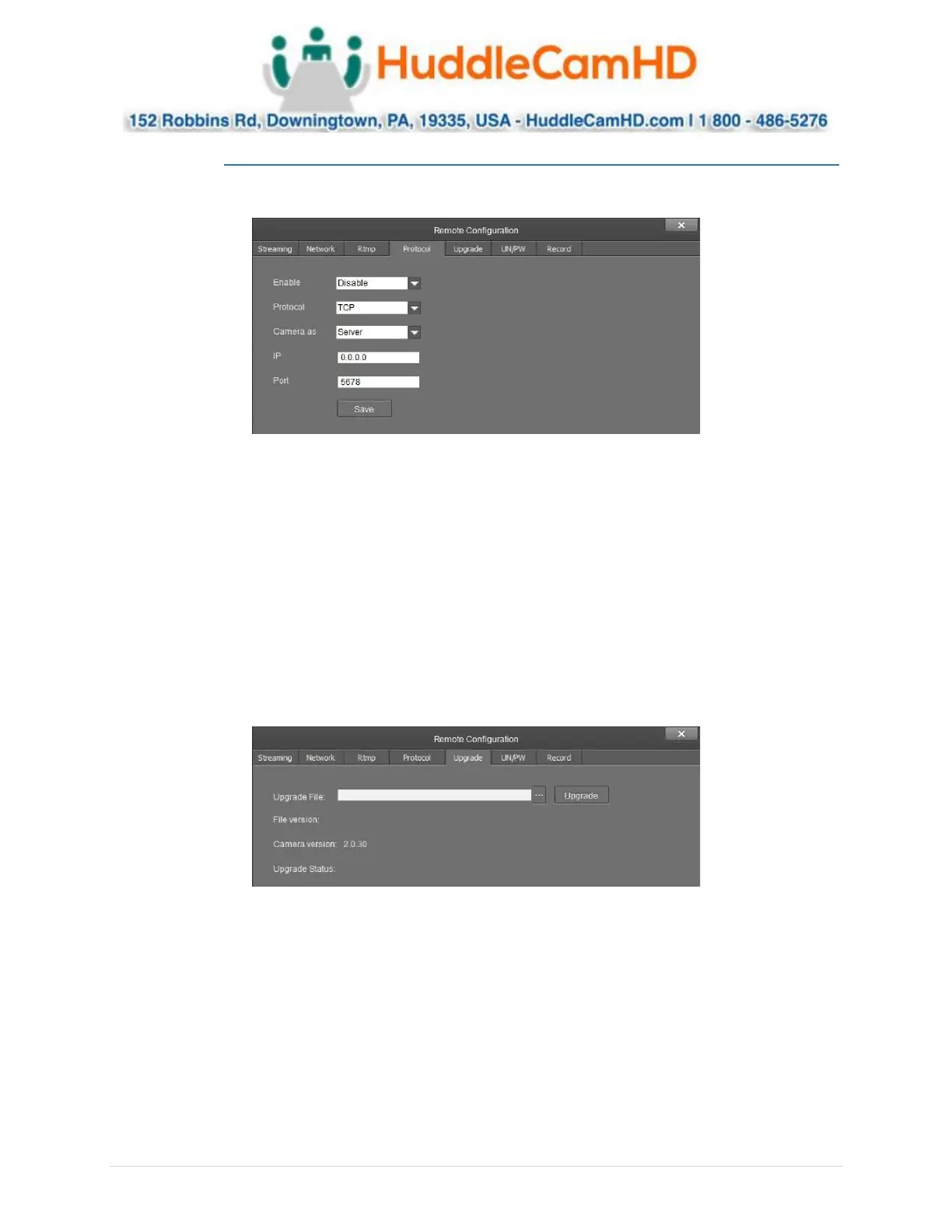
The Protocol category allows you to set the control parameters of the camera.
• Enable: Enable or disable 3rd party control to the camera
o Options include: Enable & Disable
• Protocol: Adjust the control protocol method
o Options include: TCP & UDP
• Camera as: Adjust whether the camera acts as a server or a controllable device
o Options include: Server & Client
• IP: Adjust the IP address to which the camera sends commands to while in Server mode
o Default value: 0.0.0.0
• Port: Adjust the Port number of the device you are connecting to while in Server mode
o Default value: 5678
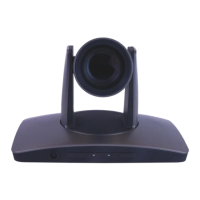
The Upgrade category allows you to upgrade the firmware of the camera.
• Upgrade File: Browse your computer for the firmware upgrade file
• File Version: Displays the version number of the file once selected
• Camera Version: Displays the version number of the camera currently connected
• Upgrade Status: Displays the status of the firmware upgrade



 To Next Page