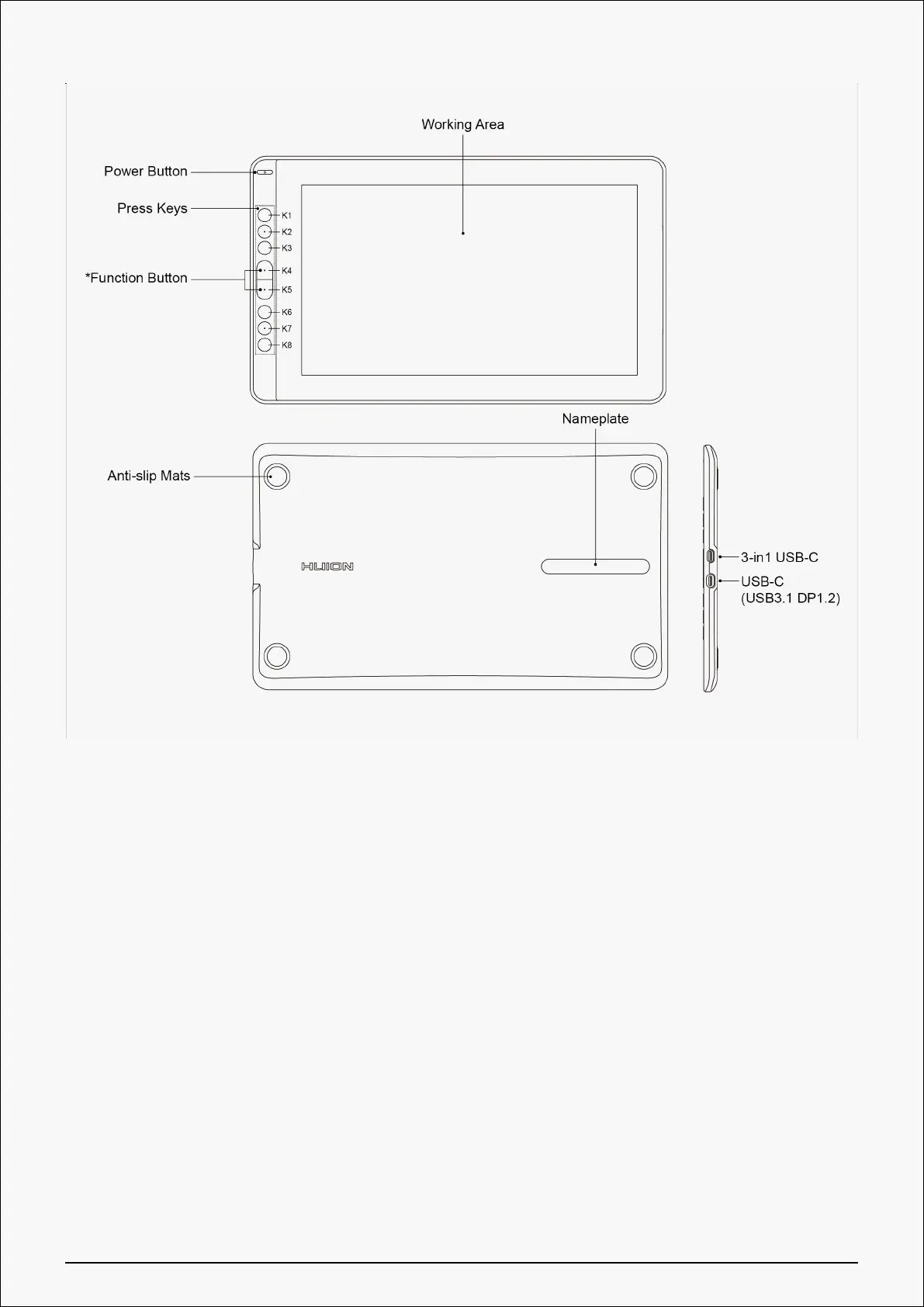
*Function Button: Press K4 & K5 around three seconds to open the OSD menu, meanwhile the
indicator will flash green. The function of K2 K3 K6 K7 will become OSD function.
K2 [AUTO]: Before entering menu, its function is "auto adjustment".
After entering menu, its function is "back to previous menu".
K3 [MENU]: Press to call up the menu, after entering menu, its function is "confirm".
K7 [ - ]: After entering menu, its function is "down/left/decrease".
K6 [ + ]: After entering menu, its function is "up/right/increase".
*Press K4 & K5 again for around three seconds until the OSD menu disappears, the function of
K2 K3 K6 K7 will become shortcuts function again.
3 / 38













 To Next Page