EasyManua.ls Logo

Humanscale eFloat Next - User Manual

Humanscale eFloat Next
2 pages
Print Icon
To Next Page IconTo Next Page
Loading...
Basic Troubleshooting Instructions: eFloat Next
TG-EFLOATNEXTBASICTROUBLESHOOTING-R02 - Last Revision 8/16/2023
Page 1 of 2
Customer Care
TROUBLESHOOTING INSTRUCTIONS
eFloat Next Basic Troubleshooting
Product Line(s) eFloat Next
Required Parts None
Required Tools None
A. Reset Procedure
The reset procedure resolves most issues with table function:
1. Before resetting, check that the area around the table is clear so that it can move without obstacles.
2. Press the DOWN button, moving the desk to its lowest position, then release.
3. Hold the DOWN button while the desk clicks lower, slightly rises, and stops.
If the steps above do not resolve the issue, continue onto the next section, Desktop Movement Troubleshooting.
Down
Down
This guide provides troubleshooting steps that may resolve or diagnose issues with product function.
Reset Procedure
Desktop Movement Troubleshooting
Programmable Hand Switch Error Code Troubleshooting
Additional Support
If the issue persists after following the troubleshooting actions in this guide,
contact Humanscale Support with the following information:
Humanscale Order/PO# Number
Issue Details
• Detailed description of the issue
• Photos/video of the issue
• Troubleshooting steps performed, including error codes, if applicable
Ship-to address (for shipment replacement parts, if necessary)

Questions and Answers

Summary

Reset Procedure

Desktop Movement Troubleshooting

Table Does Not Move

Ensure cords are secured and outlet has power for table movement issues.

Table Moves at Slow Rate

Follow the reset procedure if the table moves slowly.

Hand Switch LED is Red

Ensure cables are secured and follow reset procedure for red LED.

Programmable Hand Switch Error Code Troubleshooting

Check for Visible Damage

Inspect table components for visible damage before proceeding.

Verify Handset LED Illumination

Check if the handset LED illuminates after pushing a button.

Diagnose H01 Error Code

Address H01 code by waiting for desk to cool down if overheated.

Handle Specific Error Codes

Troubleshoot codes like RST, E01-E09 by performing a base reset.

Perform Base Reset Procedure

Guide on how to perform a base reset for troubleshooting.

Address ASR Code

Resolve ASR code by re-pressing the Down button for reset.

Overview

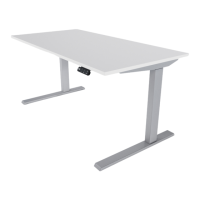
The Humanscale eFloat Next is a sit-stand desk designed to provide ergonomic flexibility in a workspace. This document outlines basic troubleshooting steps for common issues related to its movement and programmable hand switch, ensuring users can maintain optimal functionality.

Function Description

The eFloat Next desk allows users to easily adjust its height, transitioning between sitting and standing positions. This adjustability is controlled via a programmable hand switch, which typically features up and down buttons, a digital display for height, and memory presets for preferred heights. The core function is to facilitate dynamic work postures, promoting user well-being and productivity by reducing prolonged static positions. The desk's movement is driven by an internal motor system, which is sensitive to obstructions, power supply, and internal temperature.

Important Technical Specifications

While specific technical specifications like weight capacity or speed are not detailed in this troubleshooting guide, the document implies several key operational characteristics:

  • Power Requirement: The desk requires a stable power supply from an outlet, and all power cords must be securely connected.
  • Motor System: The desk utilizes a motor system for height adjustment. This system can be affected by overheating (indicated by codes like H01 or a non-illuminated LED display after prolonged use or heavy load) and requires a cool-down period.
  • Control System: The programmable hand switch acts as the primary interface, featuring an LED display for height readings and error codes. It also includes memory functions (though not explicitly detailed, programmable implies this capability) and a reset function.
  • Safety Features: The desk's system appears to have built-in safety mechanisms, such as stopping movement if obstructions are detected or if the motor overheats. The reset procedure is crucial for recalibrating these systems.

Usage Features

The eFloat Next is designed for user-friendly operation with several key usage features:

  • Height Adjustment: Users can move the desk up and down using dedicated buttons on the hand switch.
  • Programmable Hand Switch: The hand switch is programmable, suggesting the ability to save preferred sitting and standing heights for quick recall. It also provides real-time feedback on desk height and diagnostic error codes via its LED display.
  • Reset Procedure: A fundamental usage feature is the "Reset Procedure." This involves pressing the DOWN button to the lowest position, then holding it until the desk clicks lower, slightly rises, and stops. This recalibrates the desk's lowest point and resolves many common functional issues.
  • Obstruction Detection: Users are advised to ensure the area around the table is clear before movement, implying the desk may stop if it encounters obstacles, a common safety feature in sit-stand desks.
  • Error Code Display: The hand switch's LED display shows specific error codes (e.g., RST, H01, E01-E03, E07-E09, ASR) that help diagnose issues, guiding users or support personnel to the correct troubleshooting steps.

Maintenance Features

The document primarily focuses on user-performable troubleshooting and implicitly suggests certain maintenance-related actions:

  • Self-Diagnosis via Error Codes: The hand switch's ability to display error codes is a key maintenance feature, allowing users to self-diagnose problems like overheating (H01) or general system errors (RST, E-codes).
  • Reset Functionality: The "Reset Procedure" is the primary maintenance action users can perform to resolve most functional issues, recalibrating the desk's movement system. This is a first-line defense against many operational glitches.
  • Connection Checks: Regular checks of all power and cable connections are a simple yet crucial maintenance step to ensure consistent power supply and communication between components.
  • Overheat Protection and Recovery: The desk's system includes overheat protection. If the desk overheats (indicated by H01 or a non-illuminated display), a cool-down period (typically 20 minutes) is required for it to resume normal operation. This is a passive maintenance feature designed to protect the motor.
  • Visual Inspection: Users are encouraged to visually inspect for visible damage to table components, which is a basic maintenance check to identify physical issues that might require professional intervention.
  • Support Escalation: For issues not resolved by basic troubleshooting, the document outlines a clear process for contacting Humanscale Support, requiring specific information like order numbers, detailed issue descriptions, photos/videos, and a ship-to address for replacement parts. This structured approach ensures efficient professional maintenance and repair.

In summary, the Humanscale eFloat Next is a height-adjustable desk designed for ergonomic flexibility, featuring a programmable hand switch for control and diagnostic feedback. Its usage and maintenance are supported by a user-friendly reset procedure, error code system, and clear guidelines for self-troubleshooting and professional support.

Humanscale eFloat Next Specifications

General IconGeneral
BrandHumanscale
ModeleFloat Next
CategoryIndoor Furnishing
LanguageEnglish

Related product manuals