12
Click Codes - Basic Up Down Touchpad
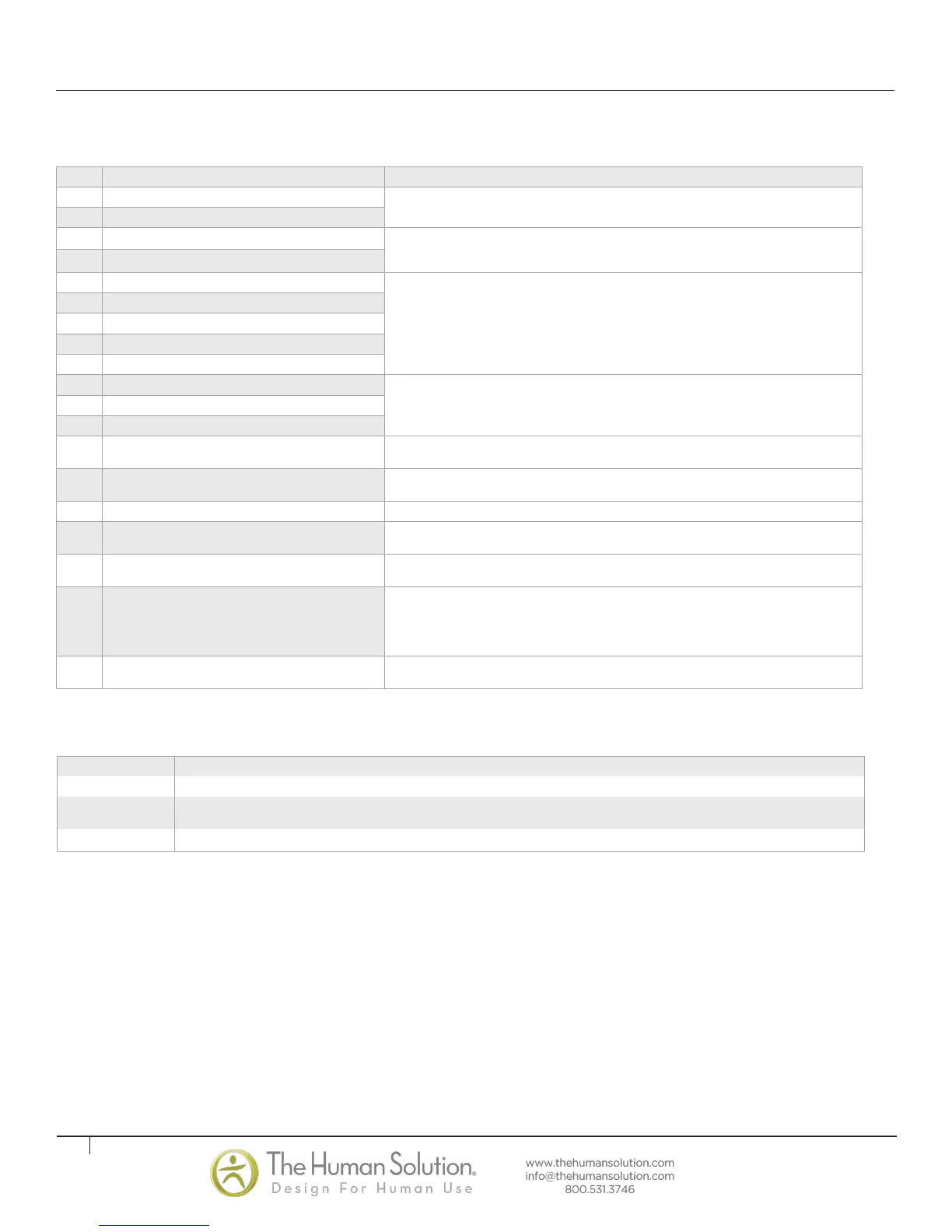
When the Controller is switched on, it uses its relays to inform the user acoustically about the system state and the reason why the Controller was switched off
before. The table below shows which number of clicks corresponds to certain information.
Reset Instructions* In many cases error codes can be resolved by unplugging main power to the table for a minute, then plug main power back in and
performing a basic reset or a full factory reset. A digital hand set is required for a full factory reset.
BASIC RESET
Press and Hold UP and down button simultaneously. Table will begin to move after a few seconds, hold buttons until table stops moving. Press up or down button to determine that
table is ready for normal operation.
FULL FACTORY RESET (Digital Touchpad Only)
If a normal reset does not fix error codes or yield normal operation a Digital Touchpad may be used to reset the whole system to the factory original settings. Note all memory and
container stop settings will be deleted.
• To apply the factory settings to the system, press and hold the buttons “1”, “2” as well as “S” (the up button) for about 3 seconds, at the same time.
• The display will show an “S” followed by a number (e.g. “S 5”). Then push and hold the Up button on the right-hand side, until the display shows “S 0”.
Then quickly press the “S” button.
Code Description Remedy
00 Internal Error Channel 1
Unplug the power cord for a minute. Check all connections. Replug in main power and perform basic
reset. If problem persists perform full factory reset (digital Touchpad required)
01 Internal Error Channel 2
12 Defect Channel 1
Unplug power. Ensure motor cords are connected and fix any external short circuits. Restore power.
Perform basic reset. If problem persists perform factory full reset (digital Touchpad required) Reset
system.
13 Defect Channel 2
24 Overcurrent Motor M1
Remove jammed objects from the driving area. Desk might be overloaded. Remove load from desk.
Perform basic reset. If problem persists perform factory full reset (digital Touchpad required) if problem
is not resolved contact customer service for replacement options
25 Overcurrent Motor M2
48 Overcurrent Motor Group 1
60 Collision Protection
62 Overcurrent Controller
36 Plug detection in Motor socket M1
Remove load from desktop. Reset system. If error occurs after reset, Perform basic reset. If problem
persists perform factory full reset (digital Touchpad required) if problem persists contact Customer
Service for replacement options
37 Plug detection in Motor socket M2
61 Actuator Changed
55 Synchronization lost motor group 1
Remove load from desktop. Reset system. If error occurs after reset,
contact Customer Service.
67 High voltage
Unplug the power cord. Incorrect voltage applied to system and damaged unit. Contact customer
service for replacement options.
70 Motor configuration changed Reset system.
71 Anti-Pinch configuration changed
Perform basic reset. If problem persists perform factory full reset (digital Touchpad required) if problem
persists contact customer service for replacement options
72 Reset not successfully finished
Perform basic reset again as it was interrupted. If error continues perform full factory reset. if problem
is not resolved contact customer service for replacement options
73 Drive defective
The legs are not aligned properly. One leg is higher than the other and system needs to be reset more
than once until the legs are in synch. Visually inspect the legs and reset until the legs are extended to
the same length. Depending on the severity this could be several resets. If problem persists perform
factory full reset (digital Touchpad required) if problem is not resolved contact customer service for
replacement options
81 Internal Error
Unplug power. Wait a few seconds. Restore power. Perform basic reset. If problem continues perform
factory full reset. If error continues contact Customer Service for replacement options
Display Codes - Digital Memory Touchpad
Error messages on the handswitch display: (CONT.)
TROUBLESHOOTING (CONT.)
Number of Clicks State Information
2x Normal operation: No problems detected
1x
Emergency operation: The system is in Save-State, movement is not possible. Check LED indication and/or error codes on the display of the hand-
switch.
3x - 6x Last shutdown incomplete / forced reset: Check LED indication and/or error codes (normally E72) on the display of the handswitch.


 To Previous Page
 Loading...