Operation
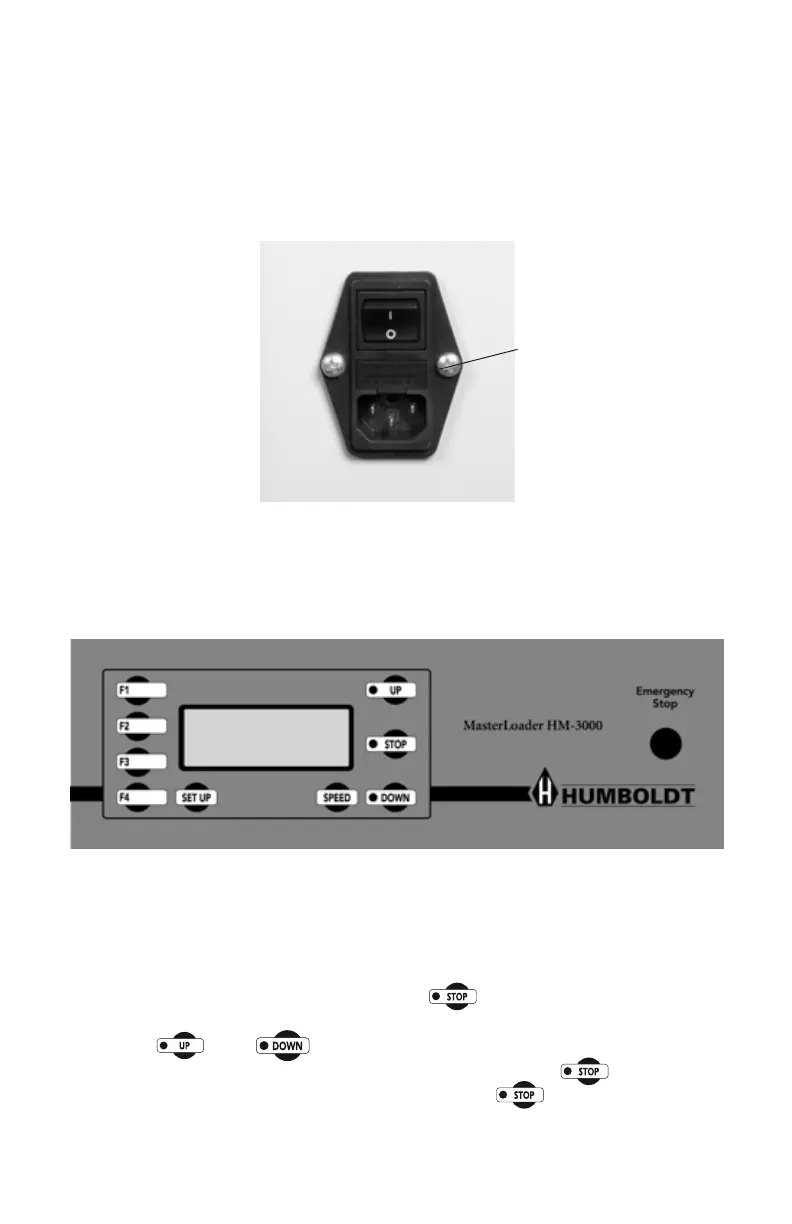
Power Switch
ThePowerSwitchislocatedinthebackpanelontherearofthemachine
above the electrical cord inlet. Also, located between the electrical cord
inletandthePowerSwitchistheFuseCompartment.TheHM-3000usesa
10ampfuse.Tobeginoperation,pressthePowerSwitch.
Figure 10. HM-3000 Power Switch, Electrical Cord Inlet and Fuse
Compartment.
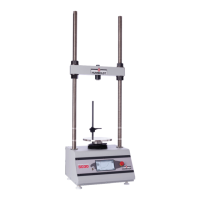
Figure 11. HM-3000 Front Control Panel and Emergency Stop Button
Key Functions
Fuse Compartment.
Emergency Stop
The emergency stop button can be used to stop platen movement quickly.
Pressingthebuttonwillstopplatentravel.Oncetheemergencybuttonhas
been pushed the operator must push the button and pull out the
emergency stop button to clear the emergency stop. Once this has been
done the and buttons can then be used again. If the operator
pulls out the emergency stop button before pressing the button the
machine will emit a high pitched sound until the button has been
pressed.
10


 To Next Page