13
Set Time
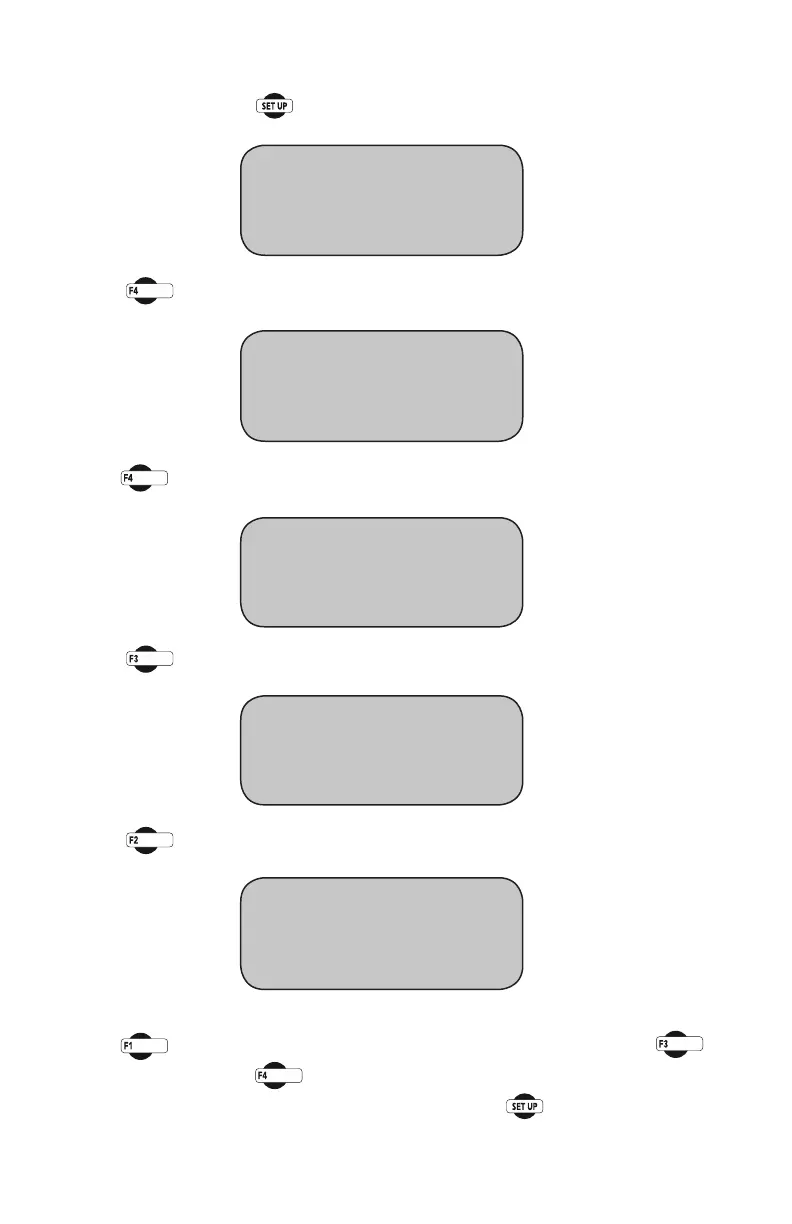
To set the Time press until you see this screen:
Press you will see this screen:
Press you will see this screen:
Press (DATE/UNIT/STANDARD).Youshouldseethisscreen:
Press (CHANGETIME).Youshouldseethisscreen:
Press (TIME)toselecttheHOURS/MINUTES/SECONDS.Press
(INCREASE).orPress (DECREASE) to change the appropriate number.
To return to any prior screen you can always press
* REVIEW LAST TEST
* RUN TEST
* MORE SETUP
* ENGINEERING SETUP
* SENSOR LIMITS OFF
* RAW_DATA
* MORE SETUP
* RECALL CALIBRATION
* CHANGE DEVICE ID
* DATE/UNIT/STANDARD
* MANUFACTURES INFO
* TIME = "HH/MM/SS"
* INCREASE
* DECREASE
* CHANGE DATE
* CHANGE TIME
* UNIT = ENGLISH/METRIC
* STANDARD = ASTM/BS


 To Next Page