9
Using ChartSelect
3
|
Complete your Chart Purchase
1
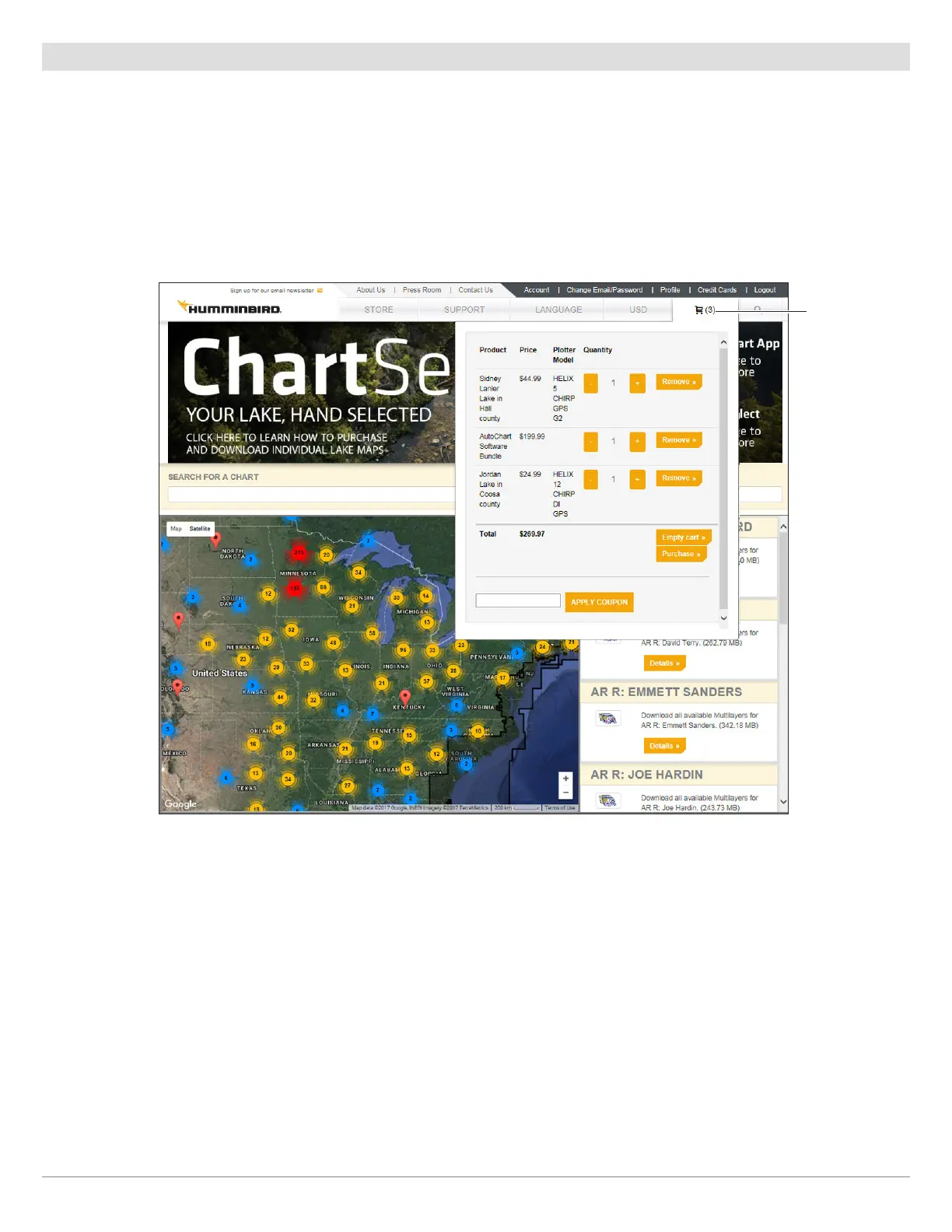
. When you are ready to complete your purchase, click on the cart tab.
2. Review the items in your cart. To proceed with the chart purchase, click Purchase.
• To remove a chart from your cart, select Remove.
• To remove all charts from your cart, select Empty Cart.
• To change the quantity of a specific item in your cart, click plus (+) or minus (-) under Quantity.
3. Enter your payment information. When you are ready to complete the purchase, click Purchase.
4. Keep the ChartSelect web page open and proceed to the next section.
C
ompleting your Chart Purchase
cart tab










 To Next Page