D
isplay/Hide a Saved Waypoint
U
se the following instructions to display or hide a saved waypoint from the chart display.
1. Apple iOS: Tap the Waypoints menu icon.
G
oogle Android: Tap the FishSmart main menu. Select Waypoints.
2. Apple iOS: Select the waypoint. Tap Show/Hide.
Google Android: Select a waypoint. Tap the More Options icon to open the submenu and tap Show/Hide.
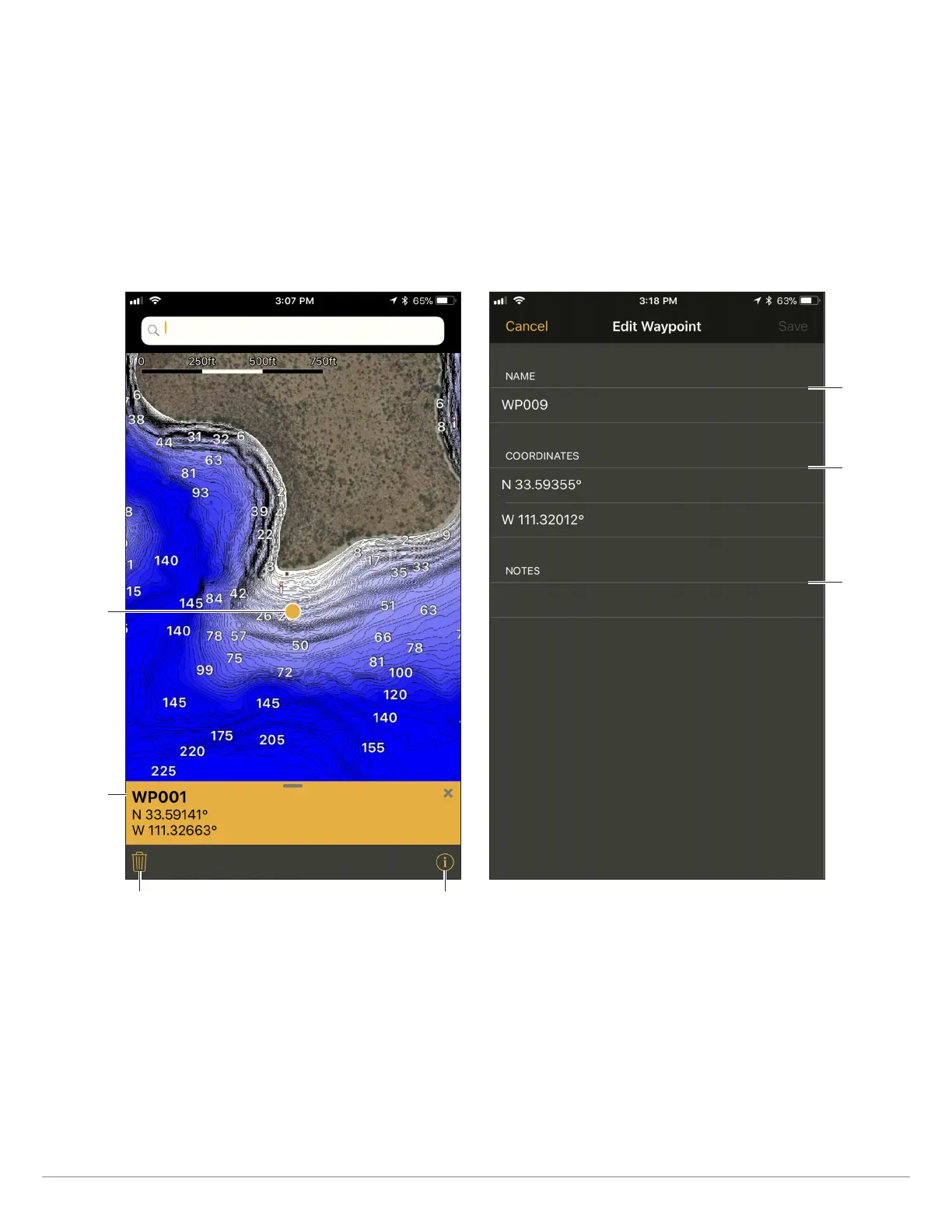
Editing a Waypoint
(Apple iOS Phone)
Marking a Waypoint
(Apple iOS Phone)
marked
waypoint
information
bar
Edit the
waypoint
name.
Change the
latitude/
longitude
coordinates.
Add notes
about the
waypoint.
map scale information
icon
27
Marking Waypoints, Routes, and Tracks










 To Next Page