Start Navigation
U
se the following instructions to begin navigating a saved waypoint, route, or track. To start navigating a new track, see the section
Create New Tracks.
Navigate a Saved Waypoint, Route, or Track
1. Apple iOS: Tap the Waypoints, Routes, or Tracks menu icon.
Google Android: Tap the FishSmart main menu. Select Waypoints, Routes, or Tracks.
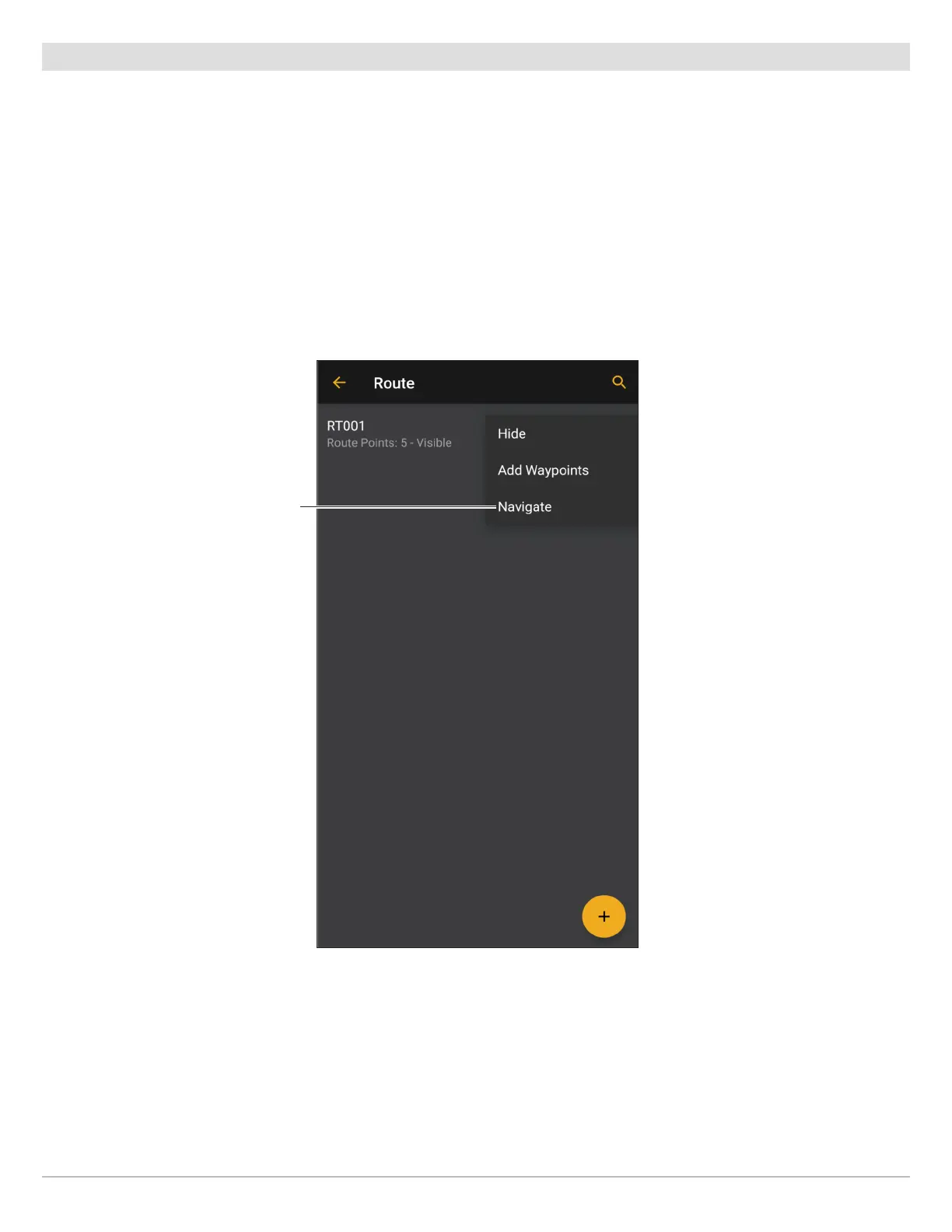
2. Apple iOS: Select the saved waypoint, route, or track. Select Navigate.
Google Android: Tap the More Options icon next to your selected waypoint, route, or track to open the submenu. Select Navigate.
Starting Navigation to a Saved Route
(Google Android Phone)
Tap to start
navigation.
33
Navigating with FishSmart










 To Next Page