5
1
. Select a LakeMaster Chart
1
. Log in to your chartselect.humminbird.com account.
2. Select Store > LakeMaster.
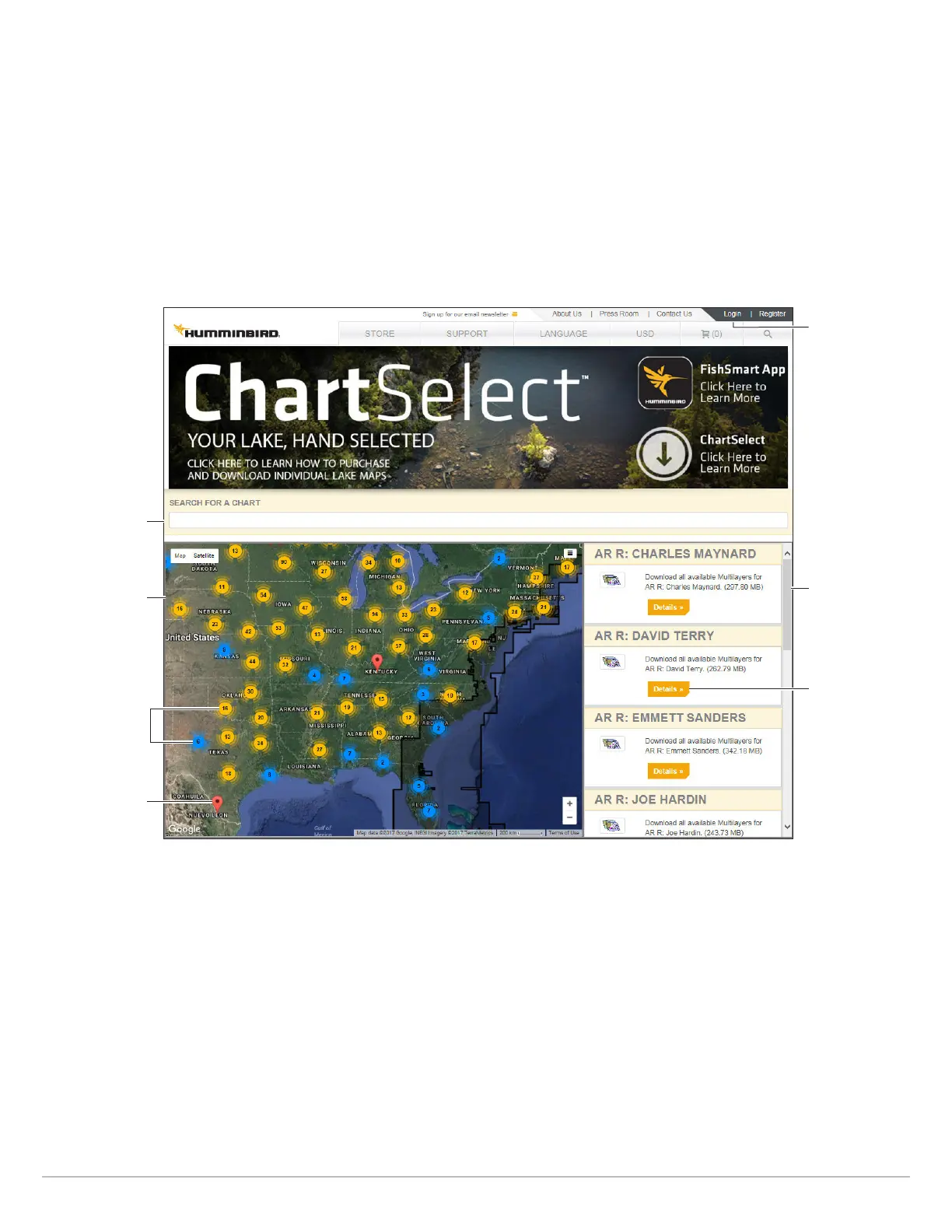
3. Search with the Map: Use the on-screen map to search for available lake charts.
OR
Search by Lake Name: Type the lake name into the search bar.
4. Review the search results. To view more information about a chart and the available chart layers, click Details.
Searching for a Lake
click on a blue
or yellow marker
to zoom in on
available charts
in that area
map
search bar
click on a red flag
to view lake details
scroll through the
search results list
account login
click to see more
information about
the lake chart
Using ChartSelect










 To Next Page