Thank You!
Thank you for purchasing a SmartCast wireless fishfinder from Humminbird, America’s #1 Manufacturer of quality consumer marine elec-
tronics.
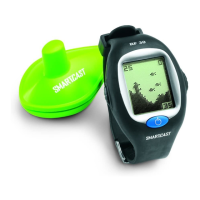
With this purchase you should have:
• One Remote Sonar Sensor - RSSTM - Channel A
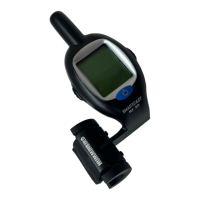
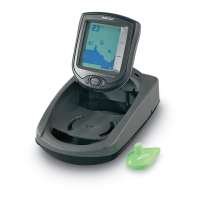
• SmartCast Portable Base and Display
• Hardware
• SmartCast Operations Manual.
If any of these components are missing or are not included, please contact our Customer Resource Center at 1-334-687-0503.
Using the SmartCast
The SmartCast is a first-of-its-kind wireless fishfinder that is incredibly easy to use.
Simply attach the Remote Sonar Sensor (RSS) to the end of your fishing line and
cast it into the water as you would a normal float or lure. Then power on the
SmartCast Base display and you are ready to fish. The SmartCast system uses
sonar technology to send sound waves from the RSS into the water. The returned
“echoes” are transmitted with wireless technology to the display unit and plotted
on the LCD. New information appears on the right. As this information moves to
the left a very accurate picture of the underwater world is created, including the
depth of underwater objects such as the bottom, fish, and structures.
WARNING! The electronic parts in the Remote Sonar Sensor (RSS) are made to withstand use when casting into water. Because shock from abrupt
contact with rocks can damage your RSS, we recommend using your RSS in water deeper than 1 foot only.
Operational Modes
The RSS can be used in two distinct ways:
Sonar Graph: The RSS can be used to create a sonar graph of the bottom. Cast the RSS into the water beyond an area of interest.
Retrieving the RSS slowly and steadily will produce a screen detailing structure, fish and bottom detail. Rhythmic wave action and rock-
ing may cause the display of a rippled bottom.
Stationary Float: The RSS can be used as a float in a stationary location to monitor the area below, giving you a live update as fish
approach your bait.
SmartCast Portable Case Assembly
The following step-by-step procedures for portable case assembly tasks must be performed in order:
1. Attaching the control head
2. Installing the batteries.
Attaching the Control Head
1. Remove the thumb knob bolt, gimbal knob, and rubber washers from the hardware bag.
2. Place the rubber washers between the control head’s pivot knuckle and the arms from the portable case. Make sure that the control
head screen is facing the case cavity and away from the battery compartment.
3. Slide the pivot bolt through the side with the smaller hole (
¹⁄₄
”) and screw the gimbal knob onto it using only 2-3 turns. The gim-
bal knob may have two alignment pins that will seat into holes in the case arm holding the SmartCast control head. Make sure these
pins are seated and then tighten the assembly to a snug tension.
531204-1_B
To scan an area, cast and then reel in at a steady rate
with your rod tip up. Jerks may break water contact,
causing gapped signal input. A low rod tip or
heavy line may cause signal loss if the RSS
submerges.

 Need help?
 General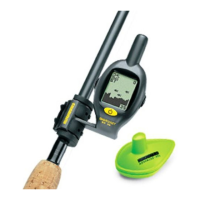






 To Next Page