16 4. Detailed Operation Instructions RL, RLHD OPERATION MANUAL
4.4 Setting to Alignment Height
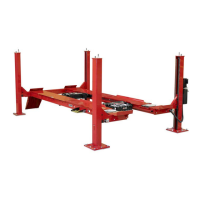
The leveling legs on the lift allow the vehicle to be set to the proper height and level
condition for alignment work.
Setting the lift on the leveling legs
Raise the lift using procedure in “Raising Lift” (pages 14-15) until the runways are
approximately 30 inches (762 mm) from the floor.
Pivot and lock all leveling legs to their vertical position.
Lower lift onto the leveling legs using procedure in “Lowering Lift” (page 15).
NOTE: Ensure that all four leveling legs are locked in the vertical
position before lowering lift onto legs for alignment work.
Turn OFF “POWER” switch.
Lowering the vehicle from alignment height
Be certain vehicle is resting firmly on runways with chocks in front of and behind left
front and left rear wheels.
Check that the turning angle gauge and runway slip plate lock pins are installed.
Turn ON “POWER” switch.
Depress and hold the “RAISE” button until the lift is high enough to pivot and lock the
leveling legs in the horizontal position.
Pivot legs into horizontal storage position.
Lower the lift using procedure in “Lowering Lift” (page 15).


 To Next Page