The provided document is an operations manual for the Hunter SmartWeight® Elite wheel balancer, model BM07900-00. This manual outlines the functions, technical specifications, usage, and maintenance procedures for the equipment.
Function Description
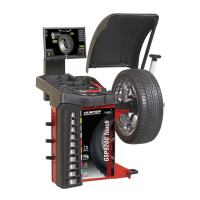
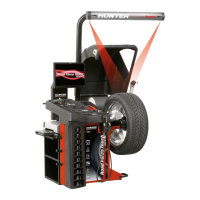
The Hunter SmartWeight® Elite is a sophisticated wheel balancing machine designed to accurately measure and correct imbalances in vehicle wheels. Its primary function is to ensure smooth wheel rotation, which contributes to improved vehicle handling, tire longevity, and driver comfort. The balancer uses advanced technology, including optical scan lasers and HammerHead TDC lasers (optional), to precisely determine the weight and location needed to achieve optimal balance. The SmartWeight® Elite is intended for use by qualified and trained technicians in automotive service environments.
Important Technical Specifications
The manual provides several key technical specifications for the SmartWeight® Elite:
Electrical Specifications:
- Voltage: 208-240V, 3 amp, 50/60 Hz.
- Plug Type: NEMA L6-20P (requires a single phase NEMA L6-20P supply circuit).
- Amperage: 10 amperes.
- Wattage: 3400 watts (peak).
Air Pressure Requirements:
- Pressure: 100-175 PSI (7-12 bar).
- Approximate Air Consumption: 4 CFM (110 Liters/Minute).
Atmospheric Conditions:
- Temperature: +32°F to +122°F (0°C to +50°C).
- Relative Humidity: 10% to 90% non-condensing.
- Altitude: Up to 10,000 ft. (3048 m).
Laser Specifications:
- Laser Type: Class 1 Laser Product (Optical Scan Laser) and Class 2M Laser (HammerHead TDC Laser, optional).
- Wavelength: 650nm.
- Warning: Direct exposure to laser beam may cause eye hazard. Do not stare into the beam or view directly with optical instruments. The laser output is measured within a distance of 100mm from the laser aperture.
Safety Standards:
- The equipment complies with EN/IEC 6128-1 and FDA performance standards for laser products.
- It also meets FDA performance standards for Class 2M laser compliance and FCC standards for Class A digital devices.
- EMC certification standards are outlined on Decal 128-1120-2.
Usage Features
The SmartWeight® Elite offers several user-friendly features to streamline the balancing process:
Getting Wheel On/Off Balancer:
- Slide Proper Collet onto Spindle Shaft: Technicians place the wheel onto the spindle shaft.
- Foot Pedal Operation: A foot pedal is used to raise or lower the spindle shaft, allowing the wheel to slide onto the balancer.
- Wing Nut and Cup: The wing nut is firmly tightened to secure the wheel, ensuring proper centering. The manual emphasizes verifying the wing nut is tightly fastened before spinning the wheel.
- Automatic Lift: The lift automatically lowers and clamps the wheel once properly positioned.
Centering Check:
- The balancer includes a "CenteringCheck®" feature, which is an inspection or verification of the wheel's mount to identify possible centering errors. This helps prevent "weight chasing" or inaccurate balance readings.
Inflation Station:
- The SmartWeight® Elite can be equipped with an Inflation Station, which presets tire pressure. This feature allows technicians to inflate tires to the desired pressure directly on the balancer.
Hunter Help Video Player:
- The main balancer screen includes access to a "Hunter Help Video Player," providing on-demand video tutorials for various operations and troubleshooting.
SmartWeight Elite Main Screen Components:
- The main screen displays various components, including vehicle selection, wheel dimensions, weight placement, clip weight plane, tape weight plane, context sensitive information, tire stack/vehicle plan, wheel assembly display, launch video player, SmartWeight® menu button, imbalance and couple force display, and SmartWeight® savings odometer.
Power ON/OFF:
- Push Button Switch: The balancer is equipped with a push button switch located on the left side of the LCD support for normal shut down and restarting procedures.
- Main Power Switch: A main power ON/OFF switch is located on the back of the balancer cabinet for complete power disconnection.
Maintenance Features
The manual outlines essential maintenance and calibration procedures to ensure the longevity and accuracy of the SmartWeight® Elite:
Auto Calibration:
- The balancer utilizes an automatic calibration procedure. Once calibrated during installation, no further operator input is required for calibration.
Cleaning the Console:
- The display should be cleaned regularly with a soft cloth.
- Stubborn stains can be removed with a soft cleaner, but strong cleaners like diluting agents, benzene, or corrosive cleaners should be avoided as they may damage the display.
- ArmorAll wipes are recommended for cleaning the touch screen.
- Caution: Do not touch the screen with chemicals or solvents on fingers (e.g., brake cleaner), as this will damage the anti-glare protector.
Maintenance Schedule (Daily):
- Clean around and under balancer: Remove all loose weights from the floor to prevent "weight chasing."
- Clean and lube spindle: Apply 3-in-1 oil to a rag (avoid skin contact) and use the "Clean Threads" feature to rotate the spindle for lubrication.
- Clean hub face: Manually clean the hub face with a Scotch Brite pad. Do not lubricate this surface or use power tools for cleaning to prevent hub damage. Do NOT use "Clean Threads" to clean the hub.
- Inspect wing-nut and cup: Check for gritty bearings, broken knobs, and missing handle spacers, as these can cause balance issues.
- Perform 3 Spin Balancer Calibration: This procedure is accessible through the "Advanced" menu on the balancer.
Parts Warranty Summary:
- Hunter Engineering Company provides a one-year warranty on new equipment from the date of installation, covering defects in material and workmanship under normal use conditions.
- Exceptions:
- Circuit boards, PCs and installed options, LCDs, power supplies, transducers, wheel balancer motors, and wheel balancer shafts are warranted for three years.
- Tire Changers are warranted for three years, excluding consumable parts and TCR1 power units.
- Lift and Hunter TCR1 power units are warranted for two years.
- Normal wear items are not covered, except for batteries, which have a six-month warranty.
- Replacement parts purchased through the Hunter Service Center and not covered by machine warranty are warranted for six months.
- Warranted parts may be replaced with new or refurbished parts at Hunter Engineering Company's discretion.
- The warranty does not cover normal wear items or damage from abuse, misuse, alterations, accidents, exposure to elements, tampering, unreasonable use, or failure to provide necessary maintenance.
- All warranty claims must be made through a local Hunter Service representative. Labor warranties, policies, and restrictions may vary.
End User License Agreement (EULA):
- Use of the equipment and its operating software signifies acknowledgment of agreement to the terms of the EULA, which can be accessed by scanning a QR code provided in the manual.

 Need help?
 General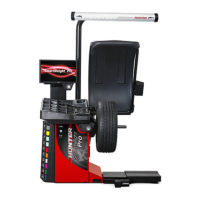


 To Next Page