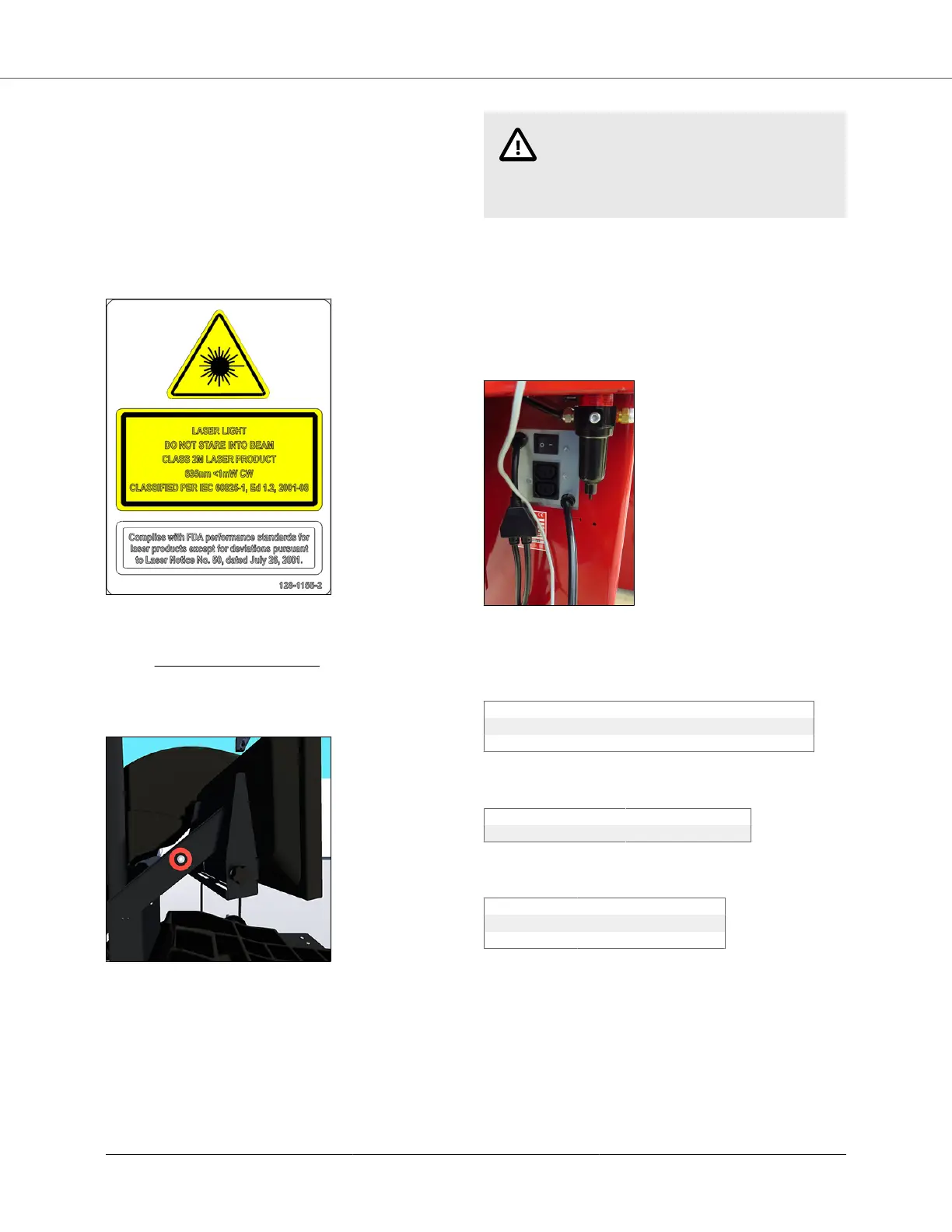
The laser is not a field serviceable or adjustable part.
Use caution in regard to reflective materials around the la-
ser and never look into the laser beam.
LASER RADIATION - DO NOT STARE INTO THE BEAM
OR VIEW DIRECTLY WITH OPTICAL INSTRUMENTS.
Viewing the laser output with magnifiers or related optical
instruments within a distance of 100mm from the laser
aperture may pose an eye hazard.
2.9. Turning Power ON / OFF
2.9.1. Push Button Switch
The balancer is equipped with a push button power switch
located on the left side of the LCD support. Use this
switch for normal shut down and restarting procedures.
CAUTION
Always use the power button on the
LCD support turn on/off in order to
prevent data loss.
2.9.2. Main Power Switch
The main power ON/OFF switch is located on the back of
the balancer cabinet.
To power the balancer “ON,” press the “I” side of the
ON/OFF switch. To turn all power the balancer “OFF,”
press the “O” side of the ON/OFF switch.
2.10. Equipment Specification
Table 1. Electrical
Voltage: 208-240V, 3 amp, 50/60 Hz, 1 ph (NEMA 20 amp plug, L6-20P
Amperage: 10 amperes
Wattage: 3450 watts (peak)
Table 2. Air
Air Pressure Requirements: 100-175 PSI (7-12 bar)
Approximate Air Consumption: 4 CFM (110 Liters/Minute)
Table 3. Atmospherics
Temperature: +32°F to +122°F (0°C to +50°C)
Relative Humidity Up to 95% Non-condensing
Altitude Up to 10,000 ft. (3048 m)
BM07900-00 SmartWeight® Elite Operations Manual
Page 5 of 7








 To Next Page