25
7.2 Performing Power On and Self-Test (POST)
CAUTION: The Smartsigns
®
Compact 300 automatically starts the Power-
On-Self-Test, which tests the monitor circuitry and functions. During
POST (immediately after power-up), confi rm that all display segments and
indicators are illuminated and the power on beep tone sounds.
CAUTION: If any indicator or display element does not light, or the
speaker does not sound, do not use the monitor. Contact qualifi ed
service personnel or Huntleigh Healthcare Ltd Service Department.
1. Turn the monitor ON by pressing the ON/OFF/STAND BY button.
2. The monitor automatically starts the Power On Self Test (POST), which tests
the system integrity.
3. Verify that the monitor sounds a confi rmation tone during power up and each section
of the display is illuminated.
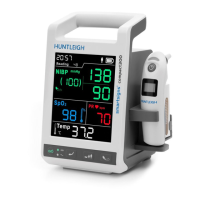
Power On Self Test
4. Should the system detect an internal problem, the system will display an error code
on the display. Contact a qualifi ed service person
5. Upon completion of the POST, the monitor will enter the MEASUREMENT MODE.
7.3 Turning the Monitor OFF
To switch the system OFF, follow the steps blow,
1. Ensure the monitoring session has fi nished.
2. Disconnect all accessories from the patient.
3. Press and hold the ON/OFF/STAND BY key for 2s, the system will shut down.
Using the Monitor


 To Next Page
 Loading...