44
12.5 Cleaning
For surface-cleaning, follow your institution’s procedures or:
• The Smartsigns
®
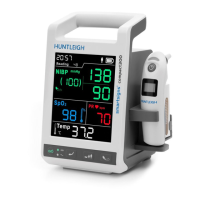
Compact 300 may be surface-cleaned by using a soft cloth
dampened with either a commercial or nonabrasive cleaner, and lightly wiping
the top, bottom, and front surfaces of the monitor lightly.
For sensors and probes follow cleaning, disinfecting and/or sterilizing instructions in the
directions for use shipped with those components.
Never allow any liquid substance to enter any monitor connector. If a connector does
come in contact with a liquid substance accidentally, clean and dry thoroughly before
reuse. If in doubt about monitor safety, refer the unit to qualifi ed service personnel.
12.6 Battery maintenance
If the Smartsigns
®
Compact 300 vital signs monitor has not been used 2 months, the
battery will need charging. To charge the battery, connect the Smartsigns
®
Compact 300
to an AC power source as described in the Battery Operation section.
Note: Storing the Smartsigns
®
Compact 300 for a long period without charging the battery
may degrade the battery capacity.
CAUTION: If the Smartsigns
®
Compact 300 is to be stored for a period
of 2 months or longer, it is recommended to notify service personnel
to remove the battery from the monitor prior to storage. Recharging
the battery is strongly recommended when the battery has not been
recharged for 2 or more months.
CAUTION: If the battery shows any signs of damage, leakage, or
cracking, it must be replaced immediately, by a qualifi ed service person,
and only with a battery approved by the manufacturer.
CAUTION: Discarded battery may explode during incineration. Follow
local government ordinances and recycle instructions regarding disposal
or recycling of device components, including batteries.
CAUTION: Recycle used batteries properly. Do not dispose of batteries in
refuse containers.
Maintenance


 To Next Page
 Loading...