EasyManua.ls Logo

Huskylock 340D - Adjusting Stitch Length; Stitch Length Settings

Default Icon
42 pages
Print Icon
To Next Page IconTo Next Page
To Previous Page IconTo Previous Page
Loading...
01/23/2008
ADJUSTING
STITCH
LENGTH
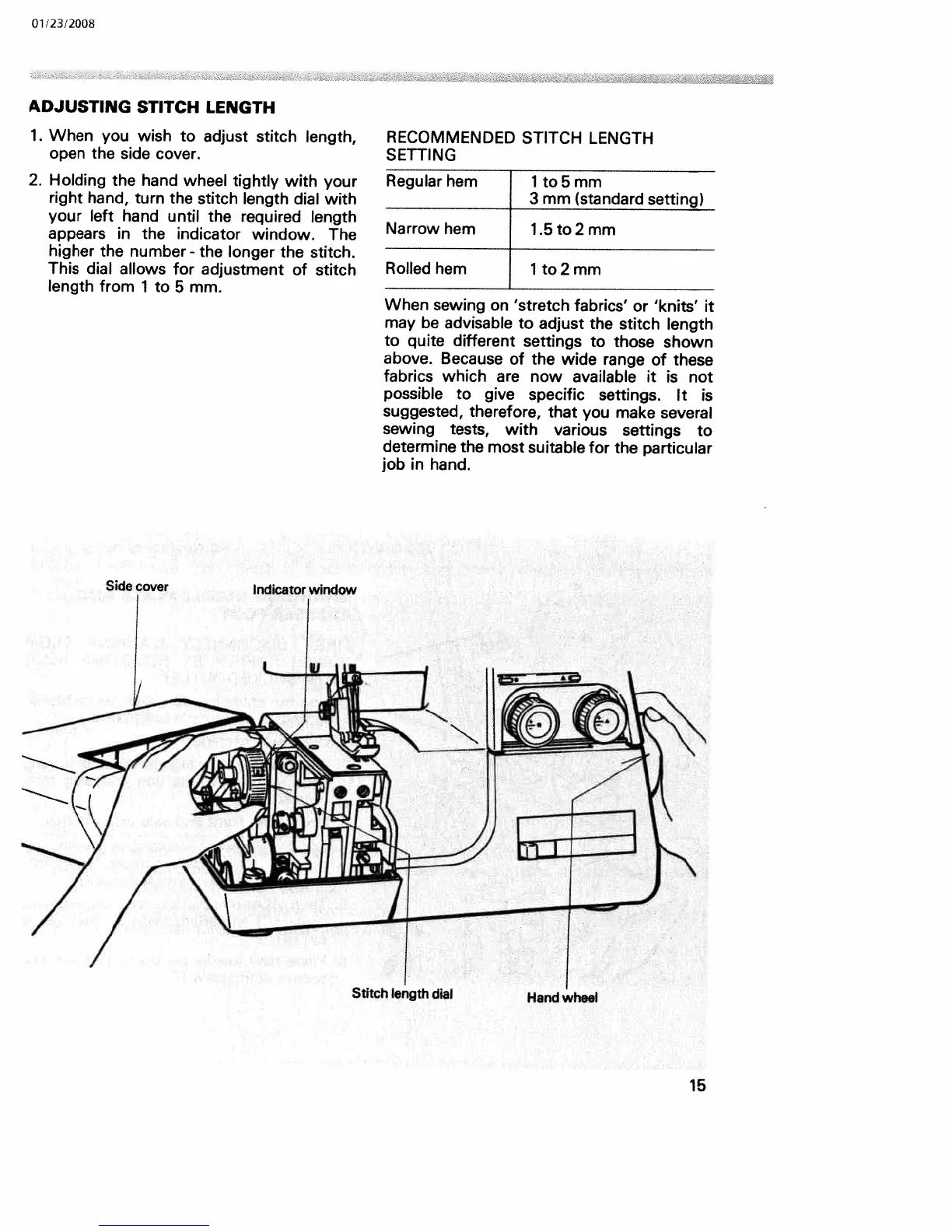
1.
When
you
wish
to adjust
stitch
length,
open
the
side
cover.
2.
Holding
the
hand
wheel
tightly
with
your
right
hand,
turn
the
stitch
length
dial
with
your
left
hand
until
the
required
length
appears
in
the
indicator
window.
The
higher
the
number
-
the
longer
the
stitch.
This
dial
allows
for
adjustment
of
stitch
length
from
1
to
5
mm.
RECOMMENDED
STITCH
LENGTH
SETTING
Regular
hem
1
to
5
mm
3
mm
(standard
setting)
Narrow
hem
1.5
to
2
mm
Rolled
hem
1
to
2
mm
When
sewing
on
‘stretch
fabrics’
or
‘knits’
it
may
be
advisable
to
adjust
the
stitch
length
to
quite
different
settings
to
those
shown
above.
Because
of
the
wide
range
of
these
fabrics
which
are
now
available
it
is
not
possible
to
give
specific
settings.
It
is
suggested,
therefore,
that
you
make
several
sewing
tests,
with
various
settings
to
determine
the
most
suitable
for
the
particular
job
in
hand.
Indicator
window
Stitch
length
dial
Hand
wheel
15

Related product manuals