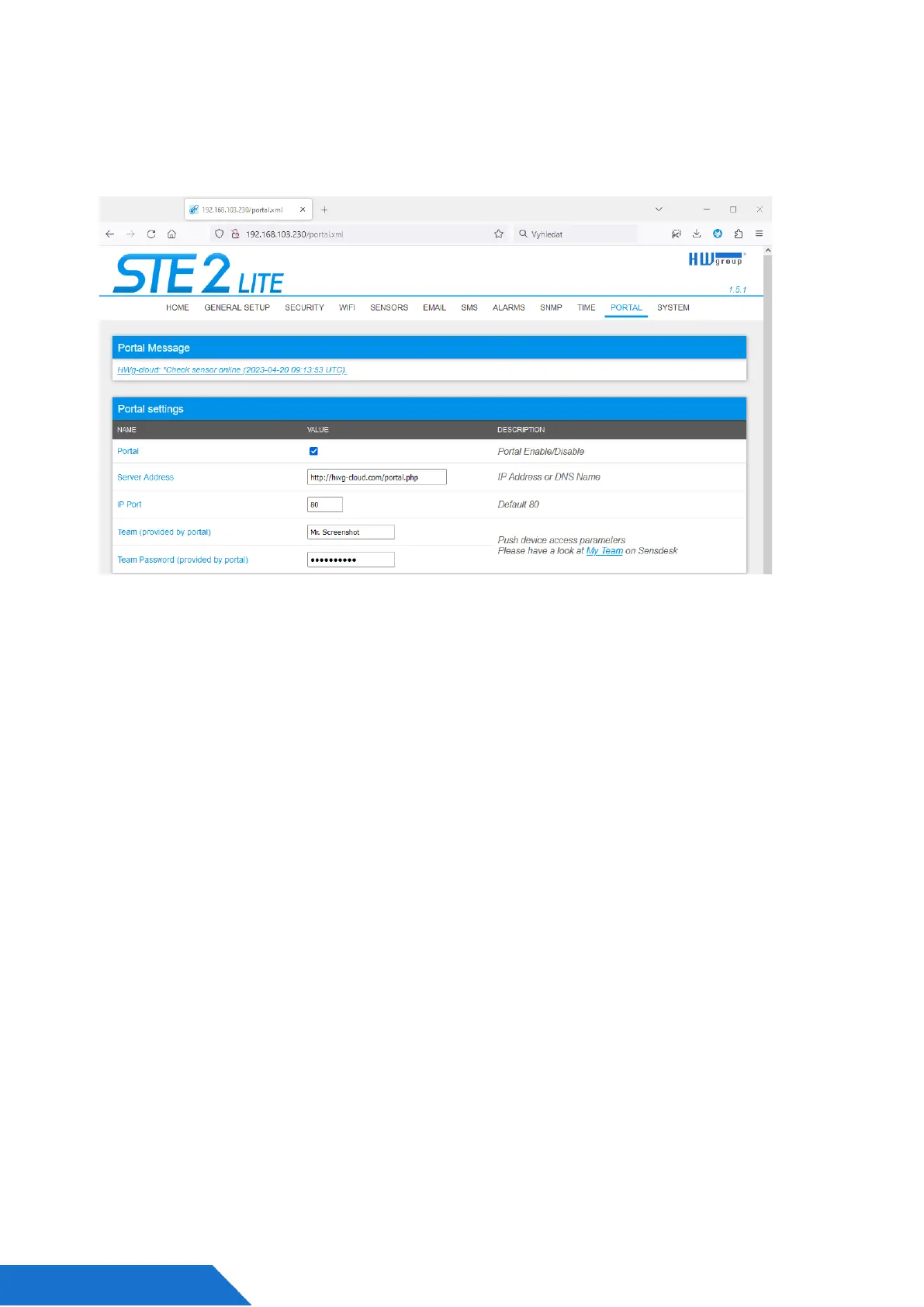
7. If you check the Teams link, you will find your Team Password.
This password, together with your login name, identifies the device in communication with
your account and in the communication of mobile applications with SensDesk. The
password cannot be changed and for security reasons, it is different to the login
password.
8. Team Password can be used in devices to skip the logging procedure during
assigning the device to your portal account, or in mobile applications:
Portal function periodically sends the data to a remote server and the sending period is
set by this server.
AutoPush is a function allowing unusual measured data sending, beside the periodical
logging, in case that the value change is higher than the AutoPush delta parameter.



 To Next Page