12
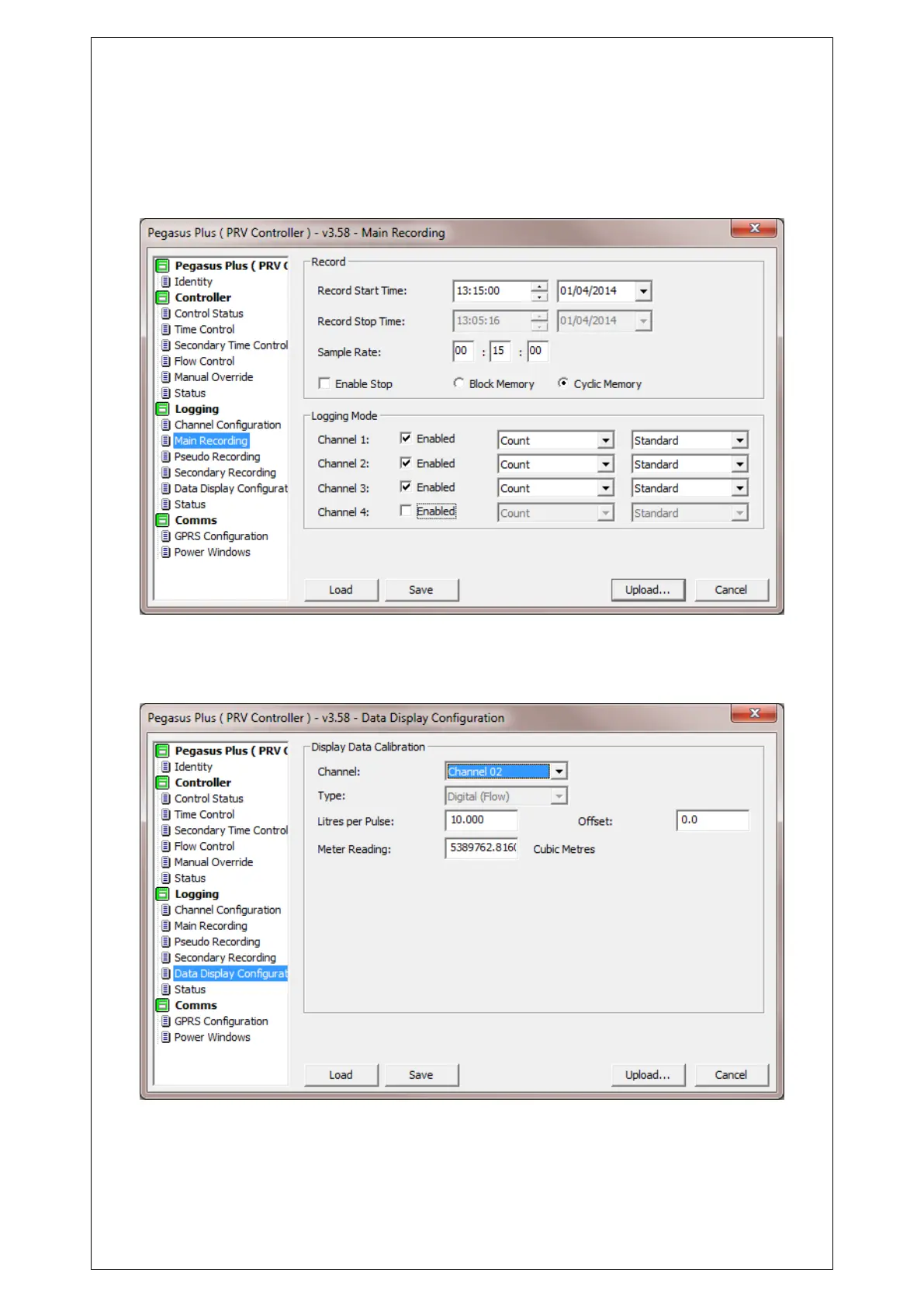
This window configures the start time of the recording the time you see here is the previous
start time, as long as this is in the past, the logging will automatically start at the next sample
period. “Record” should always be cyclic, and stop disabled. All available channels should
Enabled in “Logging mode” and “Count” and “Standard” are normally used.
Under “Data Display Configuration” for the flow transducer on “Channel 2” the “Litres Per
Pulse” value should be entered according to the pulse output of the flow meter.



 To Next Page