3
Basic Configuration
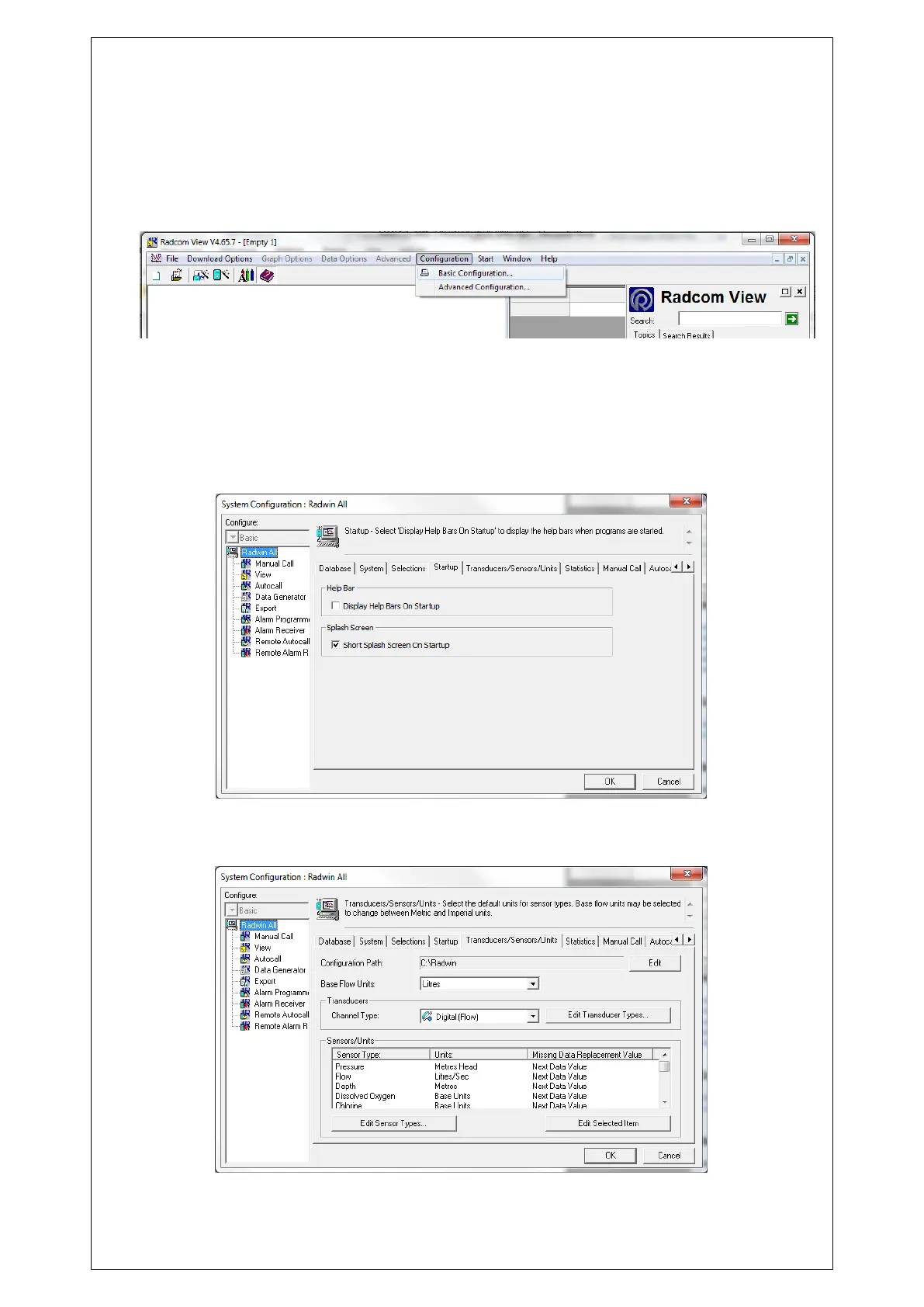
The first time Radwin is used the System Configuration window will appear automatically, it
can also be accessed from “Configuration” in any of the Radwin Modules.
In the “Database” tab you can set the folder where you will store all data received, by default
this is C:\Radwin\Data.
In the “Startup” tab you can configure how you want Radwin to Start, checking the box “Short
Splash Screen on Startup” reduces the amount of time which the spinning Radcom logo
appears, and unchecking “Display Help Bar” cancels the appearance of the Radwin Help at
startup.
In the "Units" tab you can change the default units for pressure and flow, by double clicking
on them.



 To Next Page