5
Communications Configuration
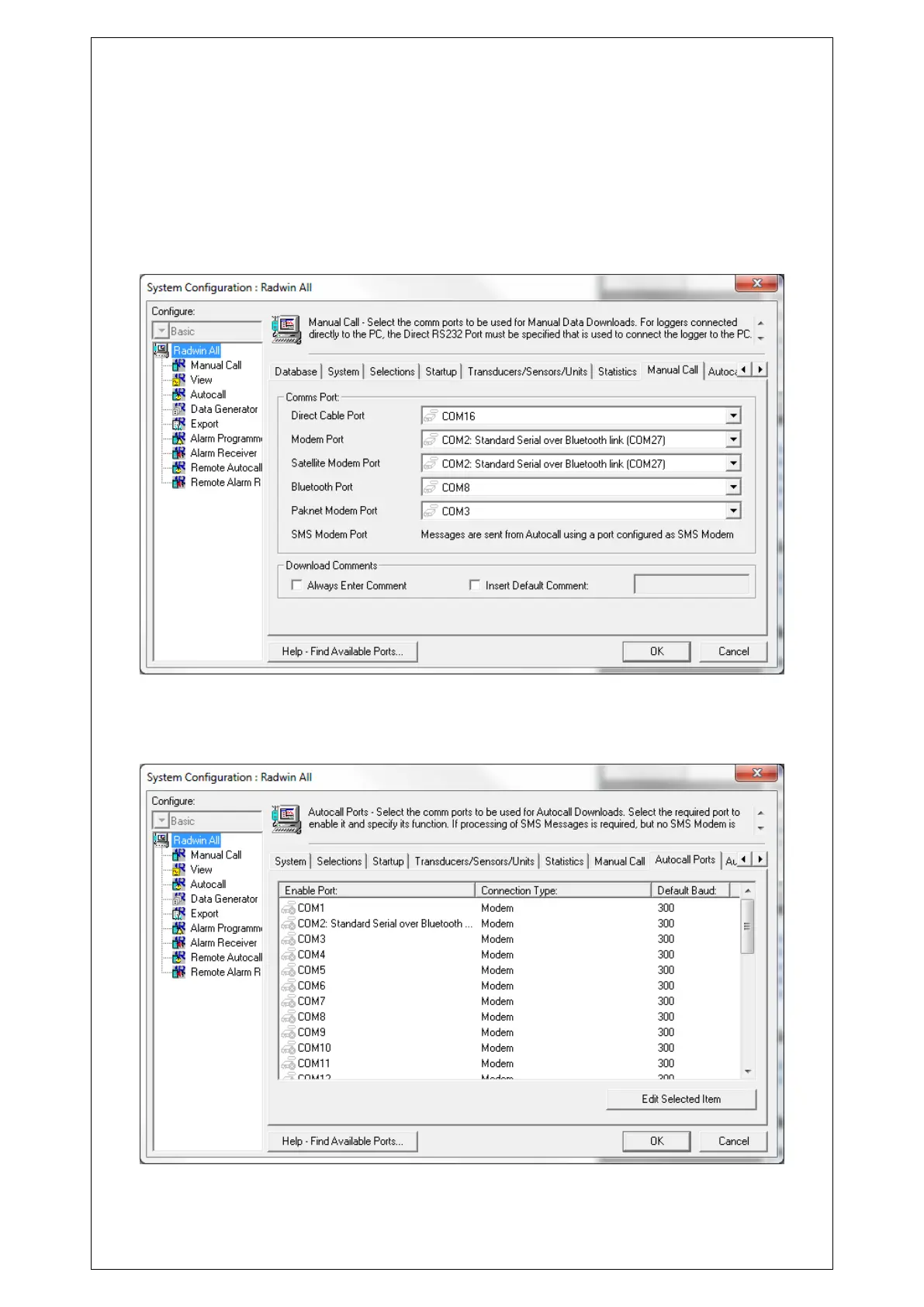
To configure the port for local communication, click on the tab “Manual Call” and for “Direct
Cable Port” choose the correct port that the communications cable is connected to.
If you intend to use a GSM modem to communicate with the logger during a power window
then “Modem Port” should also be configured.
To configure the central computer to receive data, click on the “Autocall Ports” tab



 To Next Page