13
Setting the controller
The Pegasus Plus can be set to control by “Time”, “Flow” or both.
In the event of contradiction the highest pressure is always used
Flow Control
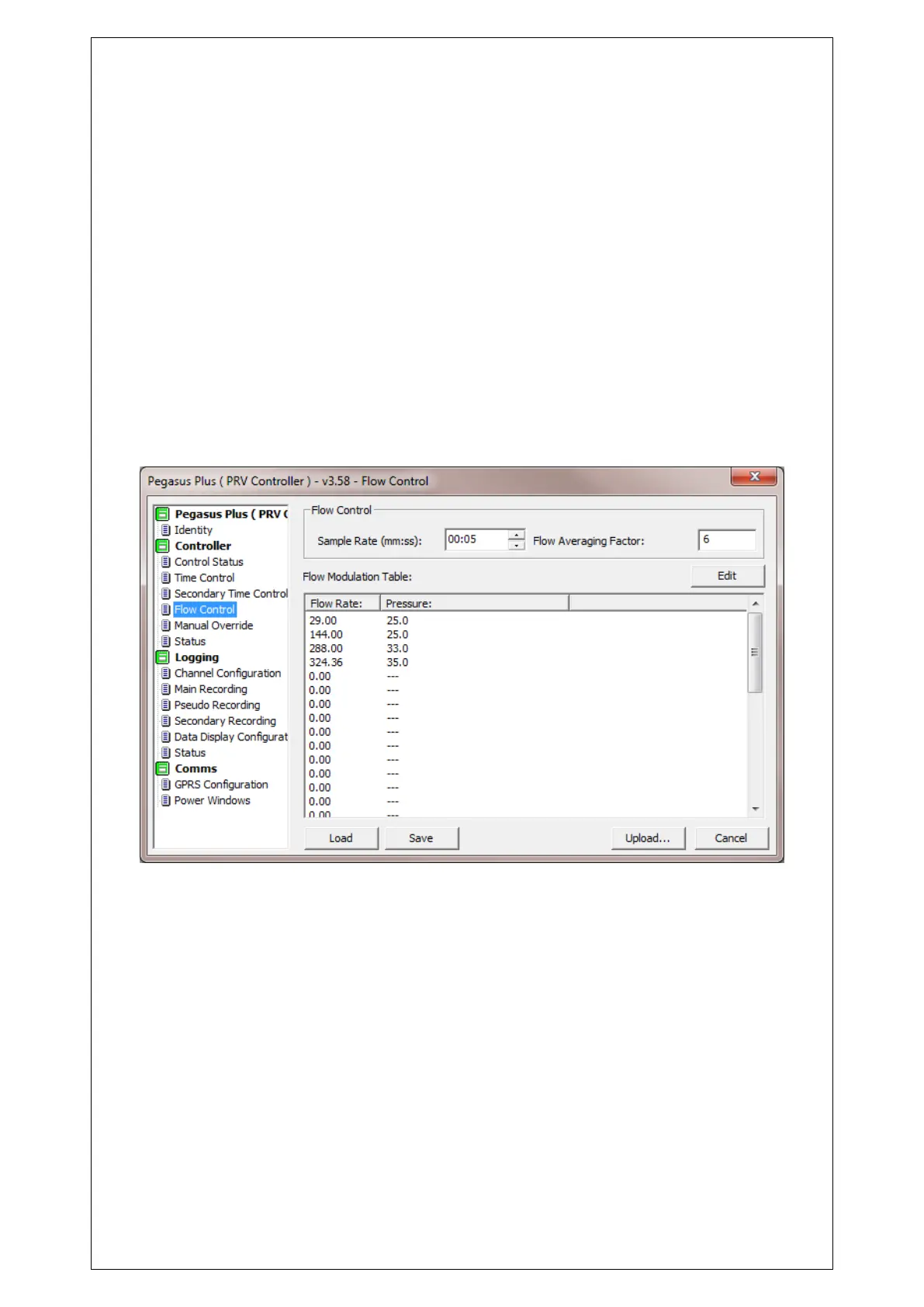
In the tab "Flow Control" in the section "Flow Control" enter the “Sample Rate” and flow
averaging Factor. This number should not be too high as flow, is measured at the “Sample
Rate” and averaged according to the “Flow Averaging Factor” So each time a new sample is
taken the rolling average is updated.
The higher the average factor, the smoother the output pressure curve will be.
Typical Sample Rate = 10 seconds.
Typical Flow Averaging factor = 1
Click edit to enter the values in flow modulation look up table, enter values for flow (always
Litres/second) and pressure (always in meters of water.) Then click Ok
You can set up a maximum of 32 points.
When using flow, the values are linearly interpolated between the points of the table.



 To Next Page