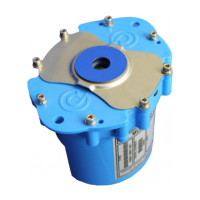
The HWM Multilog 2 is a versatile, multi-purpose data logger designed for various applications, particularly those requiring WITS (Worldwide Industrial Telemetry Standards) protocol support. This user guide serves as a supplement for models supporting WITS, detailing the differences and additional features compared to standard Multilog 2 loggers.
Function Description:
The Multilog 2 is primarily a data logger that records and transmits data from various sensors. It acts as an outstation in a WITS Master Station system, periodically connecting via a cellular network modem to deliver data and check for configuration updates. The device is programmed using the Installation Diagnostic Tool (IDT) software, which allows for initial setup, basic logging, and call-in settings. It creates 'bulk' and 'inc' files containing the logger's configuration, which are then imported into the WITS Master Station. Subsequent configuration changes can be made remotely from the WITS Master Station, updating the 'inc' file. The logger is designed to be fixed in position, connected to sensor equipment, and an antenna. An external battery pack or DC power supply is required to power the additional communications overhead imposed by the WITS (DNP3) protocol.
Important Technical Specifications:
- Model Family: WL///* (Multilog 2 logger with WITS protocol support).
- Protocol Support: WITS (Worldwide Industrial Telemetry Standards) and DNP3.
- Communication: Cellular network modem for periodic data delivery and configuration updates.
- Power: Requires an external battery pack or DC power supply for WITS (DNP3) protocol communications.
- Configuration Files: Generates 'bulk' (HWM proprietary format) and 'inc' (standard WITS format) files for logger configuration.
- Data Output: Produces digital (numeric) data from various sensor types, referred to as 'Analog' by the WITS Master Station.
- Data Points:
- Analog 0-9: Primary logging channels (spot measurements).
- Analog 20-29: Minimum channels (minimum value from background sampling).
- Analog 30-39: Maximum channels (maximum value from background sampling).
- Analog 40-49: Average channels (average value from background sampling).
- Analog 10-19: ROC (Rate of Change) channels (difference between successive values).
- Analog 50-59: Hi-Res channels (High Speed Sampled Data) (set of values from background sampling).
- Binary 0-5: No change states (flag for input inactivity/fault conditions).
- Binary 6-11: MNF states (changes state when Minimum Night Flow alarm is activated or released).
- String 0-7: String points (text information).
- Security: Supports multiple security levels for IDT access: User (Read Configuration), Operator (Read Configuration, Read & Upload Logged Data), and Admin (Full Access), each protected by a password.
- Operating Temperature: Refer to the product's Datasheet or sales representative for specific guidance.
Usage Features:
- IDT Software: The Installation Diagnostic Tool (IDT) is the primary interface for configuring the logger. It allows users to read device settings, enter passwords, configure WITS strings, set data destinations, and manage logging parameters.
- WITS Strings Entry: Users can input up to 8 string (text) information fields for the outstation, with content dependent on customer policy.
- Data Delivery Configuration:
- Data Destination: Configurable to send data to up to three WITS Master Stations (primary and two backups).
- Call-in Frequency: Users can set the logger to call in to the server at a desired frequency (e.g., every 12 hours) using the 'WITSTCP' protocol type.
- Logging Parameters:
- Channel Setup: Individual logging channels can be configured for sensor type, input multiplier, offset, recording unit, logging mode (e.g., Average), and range of expected values.
- Sample Interval: Users can set the background sample interval and the logged datapoint creation interval. This also determines the time between samples for High Speed Sampled Data channels.
- Configuration Saving: Settings updated in IDT must be saved to the logger using the 'Setup Device' button. This also saves the configuration to the PC as 'Bulk' and 'Inc' files for import into the WITS Master Station.
- WITS Utilities: A dedicated section within IDT for generating files that can be used by the WITS Master Station to re-program specific logger settings or functions. These files are stand-alone commands sent to the logger via the WITS file mechanism.
- Modifying Passwords: Allows remote changes to the local access passwords (Admin, Operator, User) via the WITS Master Station.
- Modifying Minimum Night Flow (MNF) Alarm: Configures the MNF alarm parameters, including point number, start time, end time, and flow-rate threshold. This alarm is triggered when water flow does not drop below a set threshold during a specified low-consumption period.
- Requesting Hi-Res Data (High Speed Sampled Data): Enables requesting additional Hi-Res data from a past period (up to 2 hours, typically from up to a week ago, depending on channels and sample rate). The logger continuously records Hi-Res data into a fixed-size memory block, overwriting the oldest data when full.
Maintenance Features:
- Remote Configuration Restore: The 'bulk' and 'inc' files allow the WITS Master Station to remotely restore the logger configuration in case of corruption (e.g., during a battery change).
- Password Management: Passwords for IDT access can be changed remotely via the WITS Master Station. However, lost passwords for a logger not calling in can only be recovered by returning the device to an authorized HWM service center.
- Troubleshooting: Refer to the main Multilog 2 user guide for detailed troubleshooting, maintenance, and spares information.
The Multilog 2 with WITS protocol support is designed for robust data logging and remote management in industrial telemetry applications, offering flexible configuration and data output options. Users should always consult the IDT screens for the most up-to-date features available on their specific device, as the system periodically receives new features and changes.

 Need help?
 General

 To Next Page