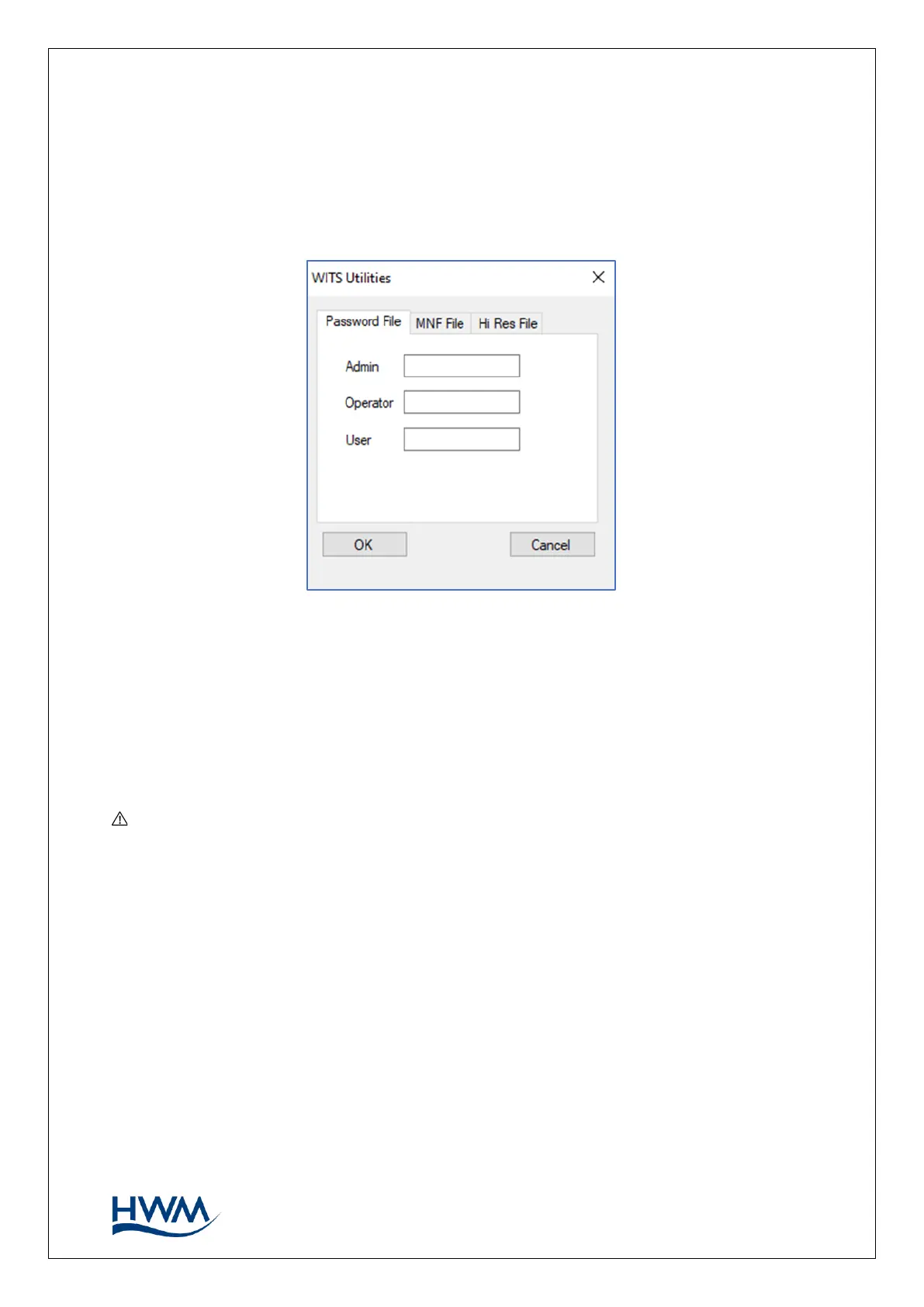
The WITS Utilities window will appear, containing several tabs. Each tab acts
independently and will produce a file after clicking the ‘OK’ button. The files can be
found in the WITSBLKINC folder in the IDT install directory, normally C:\HWM\IDT.
3.9.2. MODIFYING PASSWORDS
The ‘Password File’ utility allows the passwords for local access to the logger (i.e., when
using IDT) to be changed remotely via the WITS Master Station.
Select the ‘password file’ tab. Add the three new passwords in the space provided. All
three password fields must be completed.
A file with the name “passcodes” is created.
Note: Ensure the passwords are recorded and kept safely. Lost passwords can be
over-written by a new upload through the WITS Master Station. However, if a logger
is not calling in, the only way to recover a lost password for IDT access is via a return
to an authorised HWM service centre.



 To Next Page